
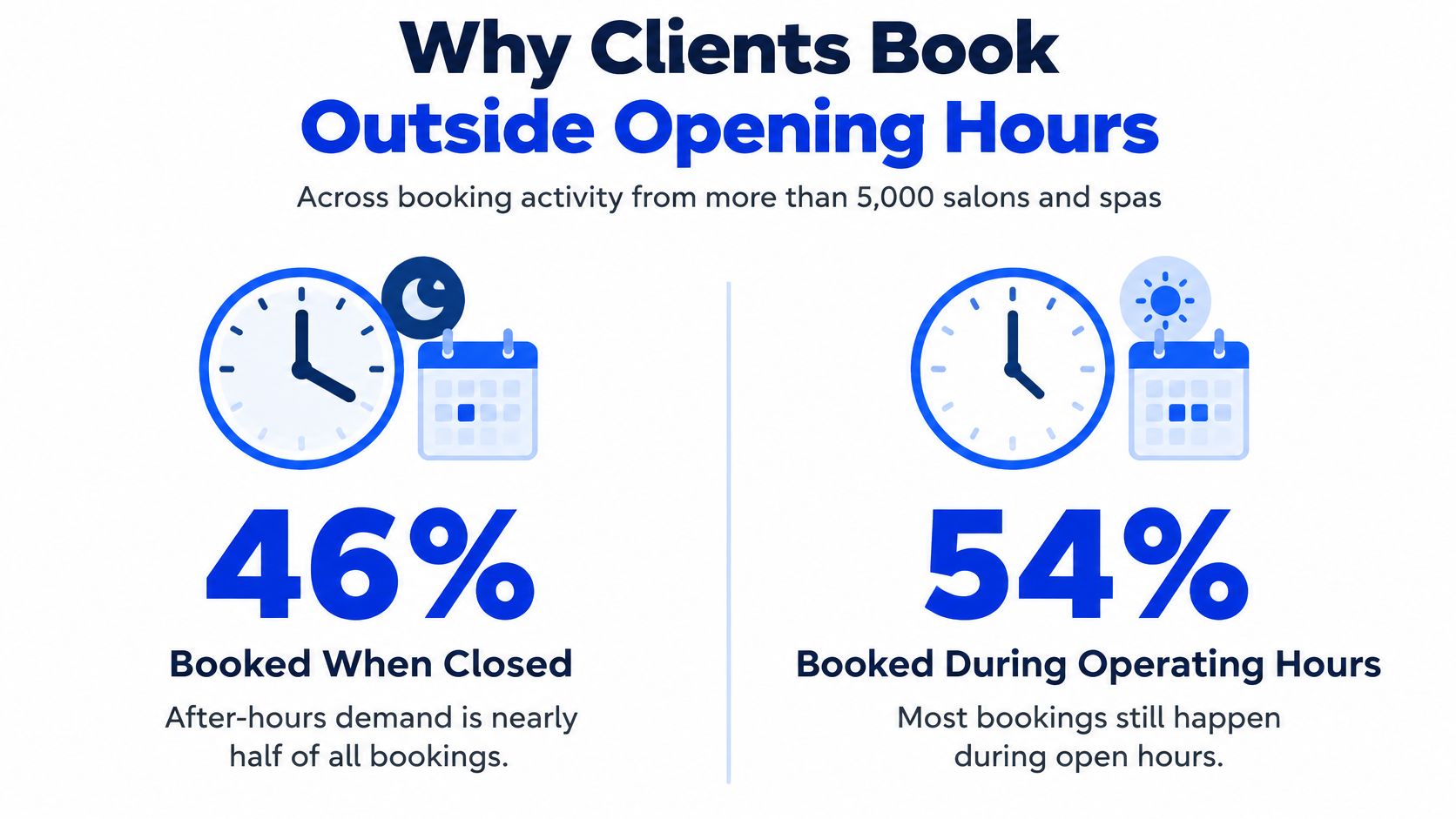
46% of salon and spa appointments in an analysis of more than 5,000 businesses were booked when the businesses were closed, according to Salon Today's analysis of online booking demand. That figure reframes the software decision: the right system isn't the one with the longest feature list. It's the one that fits who owns each provider's calendar, how phone callers get booked, and what client information the business needs to keep.
For a solo stylist, a clear booking page and a reliable calendar may be enough. A salon with several providers, renters and a busy phone line needs more: booking rules that respect each person's availability, and a process that routes enquiries without creating conflicting appointments.
Core Features Every Salon Booking System Needs
Beauty salon appointment scheduling software holds each provider's calendar, shows open times online or by phone, sends reminders and keeps client notes in one place, replacing paper books and shared spreadsheets.
Use this checklist in vendor demos. Ask the vendor to show each feature working with your services and booking rules, not just point to it on a feature page.
Core features checklist for salon scheduling software
| Feature | What it does | Why it matters |
|---|---|---|
| Online booking page | Lets clients book at any hour | Captures demand outside opening hours |
| Real-time availability by stylist | Shows only open slots for the chosen provider | Prevents double-booking |
| Service durations and buffers | Blocks the right time for each service | Stops a colour appointment being booked as a trim |
| Client profiles and history | Stores preferences, notes and past visits | Lets staff recognise returning clients |
| Reminders and confirmations | Sends texts or emails before the visit | Reduces no-shows |
| Cancellation policy controls | Sets notice periods and fee rules | Protects booked time |
| Reporting by day and service | Shows bookings and gaps over time | Guides staffing and off-peak offers |
Match features to the way you work
For a solo stylist, start with accurate service durations, simple online booking and reminders. One provider's calendar is easier to manage, but a poor duration setting can still leave too little time between appointments. Test a longer colour service and a short trim separately, then check that the calendar blocks the correct time for each.
For a multi-chair salon, provider-specific availability and reporting become much more important. A salon may be open while a particular stylist is unavailable, or a chair may be free but not suitable for a service that needs different equipment or more time. The system should show bookable appointments only when the right provider, time and service conditions line up.
Cancellation controls are useful only if they match the policy staff enforce. Set the notice period, explain any fee or deposit rule clearly at booking, and make sure staff can see the policy when handling a change.
Demo test: Create a long service, a short service and a blocked-out period for one stylist. Try booking each online and by phone, then confirm the calendar shows the same availability.
If you're comparing calendar-based tools with phone booking support, this guide to appointment scheduling for small business teams can help you think through how bookings move between channels. Bring the checklist into every demo and test each row with a realistic booking, rather than taking a feature-page claim on trust.
Why Clients Book Outside Opening Hours
In the analysis of more than 5,000 salons and spas cited above, 46% of appointments were booked when businesses were closed. That share included bookings in the evening after closing and early in the morning before opening. For a phone-only salon, nearly half of booking demand may arrive when nobody is available to answer.
A missed call isn't necessarily a delayed booking. A client who can't reach the salon may try another business, while a voicemail leaves the client waiting for someone to call back. An online booking page or an always-available phone booking channel can take the request without making a stylist stop a service to answer.
The analysis also included a survey of 1,000 salon and spa customers. 32% named online booking as an important website feature, with higher shares among younger customers. These are broader salon-industry figures, not California-only estimates.
| Measure | Value | Context |
|---|---|---|
| Appointments booked during operating hours | 54% | Analysis of more than 5,000 salons and spas |
| Appointments booked after closing | 46% | 28% in the evening after closing, 18% early before opening |
| Customers naming online booking important | 32% | Survey of 1,000 salon and spa customers |
| Millennials aged 25–34 naming online booking important | 36% | Same survey |
| Gen Z customers aged 18–24 naming online booking important | 43% | Same survey |
| Guests preferring mobile booking | 80% | 2025 industry benchmark, roughly one in five prefers another route |
The 2025 industry benchmark on salon and spa booking preferences reports that 80% of guests prefer mobile booking. That still leaves a meaningful group who may want to call, ask a question or get help choosing a service. An online booking channel shouldn't make those callers feel there's no way to reach a person or get a clear answer.
For practical guidance on after-hours call coverage, see this overview of a 24/7 AI answering service. Before buying, count last month's missed calls and after-hours enquiries, then compare their share with the 46% after-hours booking benchmark. The point isn't to assume your salon has the same pattern. It's to check whether your current booking routes leave customers waiting when they're ready to book.
Scheduling Models for Employee, Booth-Rental and Hybrid Salons
The central scheduling question is who owns each calendar. California Board of Barbering and Cosmetology meeting materials reported that approximately 50% of establishments and 36% of individual licensees used independent-contractor models, a structure that can make one salon-wide calendar too blunt for booking individual providers. The figures come from the California Board of Barbering and Cosmetology meeting materials.
| Model | Who owns the calendar | Main booking risk | What the software must do |
|---|---|---|---|
| Employee salon | Salon owner, one central calendar | Double-booking when chairs are shared poorly | One shared calendar with service-level durations |
| Booth-rental salon | Each renter, own calendar | Caller books the salon but reaches the wrong provider | Provider-level routing and separate policies |
| Hybrid salon | Mix of employees and contractors | Two calendars that disagree | Provider-level calendars plus a salon-wide view |
| Solo stylist | One person, one calendar | Phone calls during treatments | Mobile booking, reminders and a call-back message |
Route the booking to the right person
A caller may ask to book “at the salon” but need a particular contractor. The system should identify who performs the service, respect that person's hours and buffers, send cancellation notifications to the right people, and avoid offering an opening just because the salon itself is open.
Say a client calls asking for Mia's colour appointment on Saturday. The booking flow should check Mia's calendar, not just the salon's overall availability. Before ending the call, it should read back Mia's name and the appointment details, then send the change alert to Mia and the salon if that matches the agreed workflow.
A sole operator with one to five people, where the owner answers the phone and keeps the schedule in Google Calendar, sits at the simpler end of the table. A shared calendar may be enough if the owner controls all appointments. A salon with booth renters needs clear rules for who can add, move or cancel appointments on each provider's calendar.
Calendar ownership should also match the working arrangement. Before committing to a rental setup, it can help to check chair rental terms before signing, especially where the agreement affects client records, appointment changes or who handles cancellations.
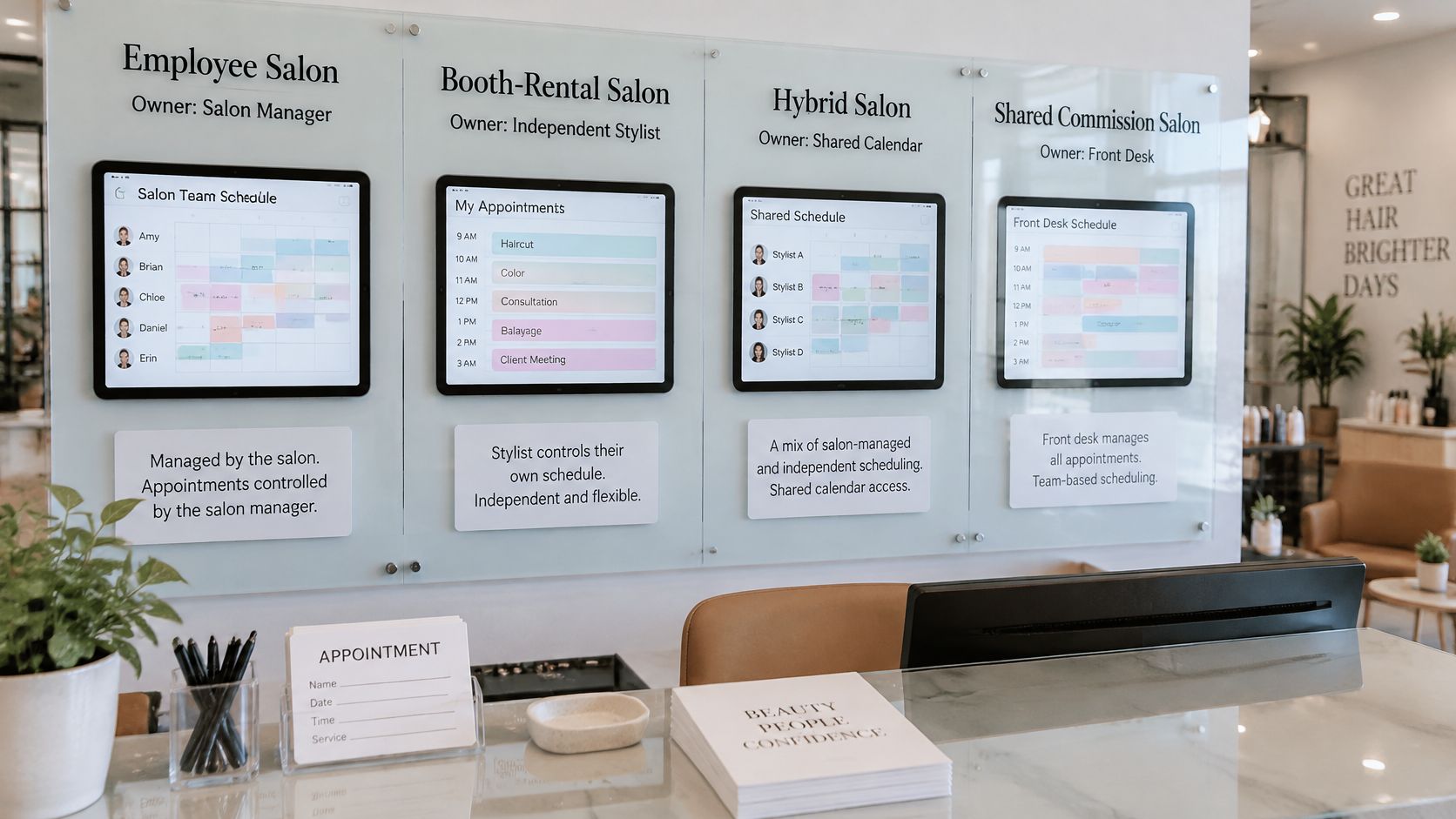
Choose the row that matches your setup before comparing products. That choice tells you whether provider-level routing is essential or whether a single owner-managed calendar will do the job.
How Online, Calendar and Phone Bookings Connect
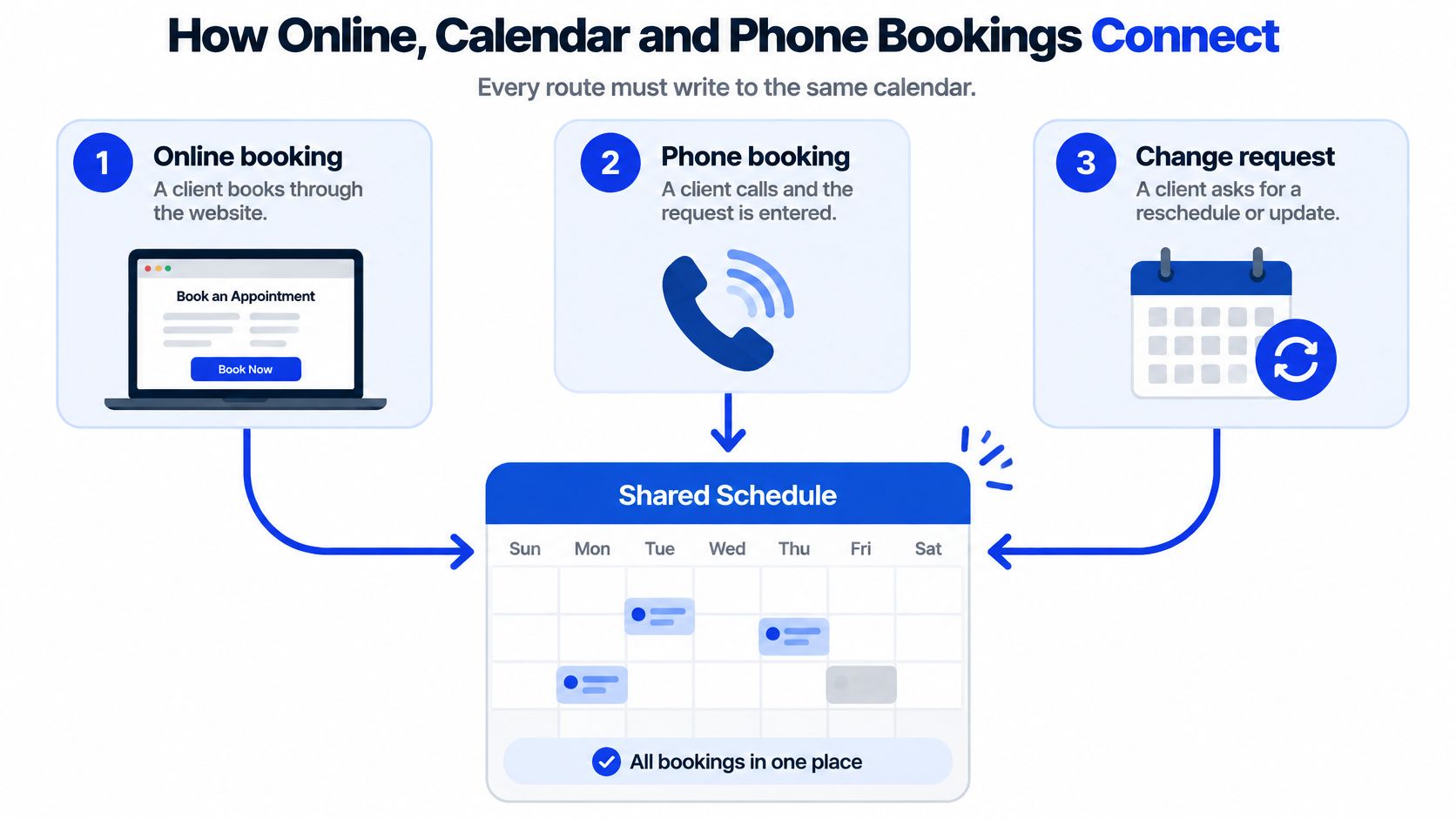
Every booking route needs to write to the same source of truth. If online bookings go to one calendar and phone bookings are scribbled in a paper diary, the salon still has to reconcile the schedule by hand.
A sound booking flow checks the provider and service before it confirms a time. The sequence should work like this:
- The client asks for a service and a stylist.
- The system reads the service duration and identifies eligible providers.
- It checks the chosen provider's availability in the calendar.
- It offers two or three open times.
- It checks the chosen slot again immediately before writing the booking.
- If another booking has taken the slot, it offers an alternative.
- It writes the appointment and sends a confirmation.
The final availability check matters. Without it, two people can be offered the same opening if one books while another is still on the phone. The booking-trend benchmark from Boulevard, based on approximately 4,700 beauty, wellness and self-care locations, found that Friday was the busiest booking day for seven of eight business categories, while Tuesday was generally the slowest. The dataset covered Q3 2025 through Q2 2026. A calendar that shows bookings by day and service can help managers spot where fixed staffing leaves availability mismatched to demand.
Set booking rules before opening the phone line
A useful calendar must account for service durations, buffers, provider working hours and blackout periods. If those settings are wrong, an automated booking can be technically valid in the calendar but impractical for the stylist. Set the rules against the way the salon works, including which providers perform particular services.
For an AI receptionist, define the booking window and the action it should take when a caller asks outside that window. Heyline connects to the business's Google Calendar with one button. It checks the calendar, offers two or three open times and reads back the day, time, name and callback number before confirming. Its booking window is no sooner than one hour from the call and no more than 14 days ahead. For a request beyond that limit, it names the last date it can take and records the request as a to-do rather than an appointment.
For guidance on keeping calendar-based appointments organised, see this explanation of appointment scheduling with Google Calendar. Before choosing a system, run one simple demo test: try to book the same slot twice. The second attempt should be blocked or offered an alternative, not added to the calendar.
The video below shows another way to think about connecting phone intake and calendar booking.
Client Data Rules Under the California Consumer Privacy Act
A booking system becomes a client record system as soon as it stores more than an appointment time. Names, phone numbers, email addresses, requested services, staff preferences, cancellation requests, amounts due and free-form notes can all qualify as personal information. Some platforms also process payment details or retain appointment history. Salons should treat these records as personal information that privacy law regulates, and limit what they keep.
The booking model matters here. A salon that owns its calendar and uses software only to place appointments there has a different data footprint from one whose platform maintains a full client database. Phone bookings create the same choice: the system may need enough information to identify the caller and complete the appointment, without collecting every detail the salon might find useful later.
Use a field-by-field review before importing client records or turning on optional notes:
- List every field the software stores, including information in notes and appointment history.
- Write down the business purpose for each field. If staff cannot explain why it is needed, question whether it belongs there.
- Mark each field required or optional so the booking form does not demand unnecessary information.
- Remove details the salon does not need, particularly open-ended notes and payment data that another secure system already handles.
- Confirm client-record controls, including whether the vendor can export, correct and delete records when requested.
- Check technical safeguards for encryption in transit and at rest, role-based access, audit logs and retention controls.
Make client requests manageable
The California Consumer Privacy Act gives residents the right to request what information a business collects and how it is used or shared. They can also request deletion or correction, opt out of sale or sharing, and limit certain uses of sensitive personal information.
A free-text note about a client's allergies or health history shows how quickly a booking record can expand. The detail may be relevant to one service, but it should not be visible to every staff member by default or retained indefinitely without a clear purpose. Restrict access, use a dedicated field if the system provides one, or leave the detail out if the salon does not need it to deliver the appointment.
The safer default is to keep only booking-critical information: contact identity, service, provider, duration and time. That reduces the information exposed if an account is accessed improperly and makes client requests easier to answer.
Purpose-Built Software Compared With General Tools
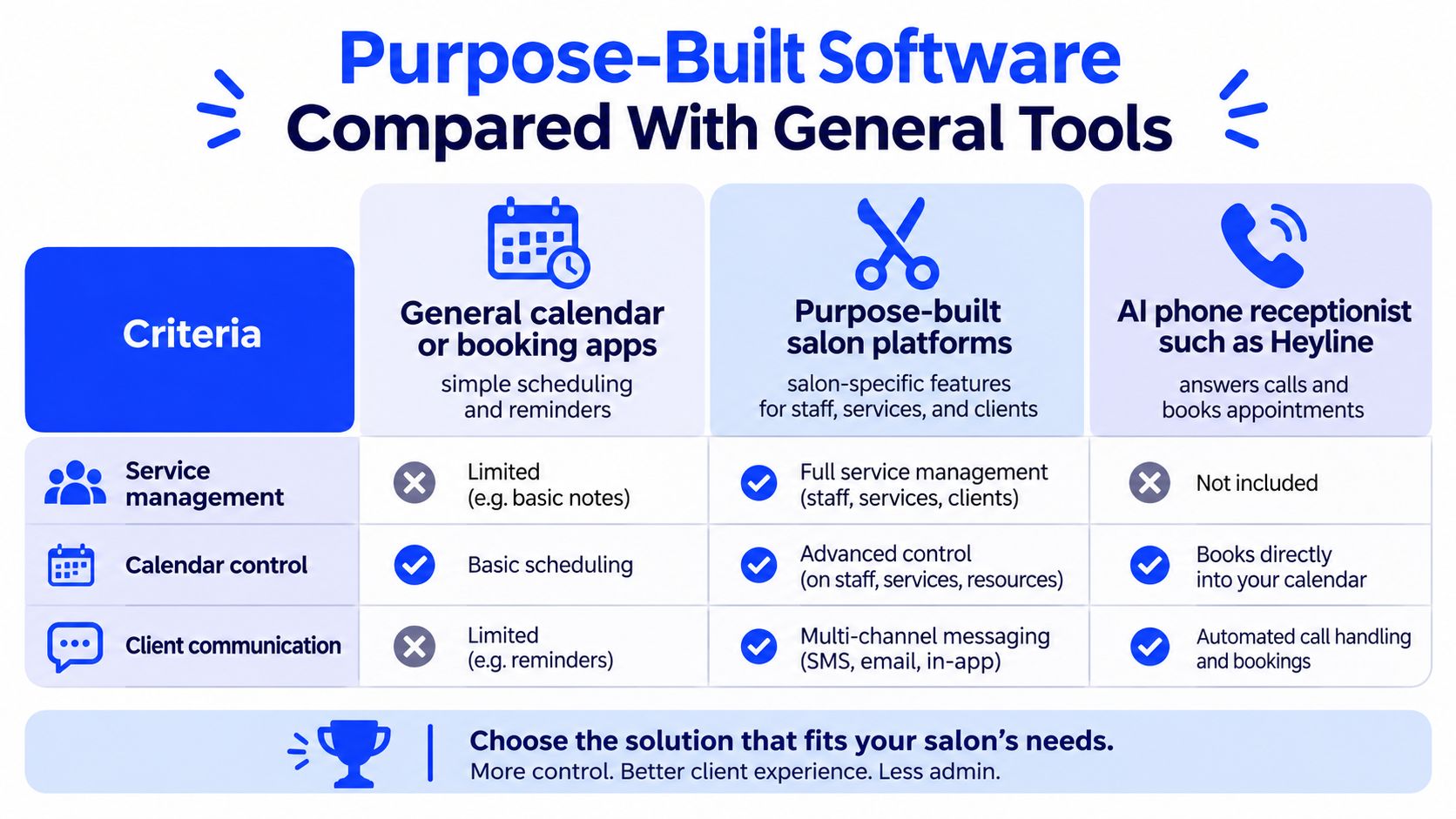
The best fit depends on whether the salon needs a treatment-management platform, a flexible calendar, or help answering calls. Online booking isn't the right answer for every caller. A 2025 industry benchmark found that 80% of salon and spa guests prefer mobile booking, which still leaves roughly one in five preferring another route such as calling or messaging. See the 2025 salon and spa booking benchmark for the preference context.
| Criterion | General calendar or booking app | Purpose-built salon platform | AI phone receptionist |
|---|---|---|---|
| Service durations and buffers | Manual entry per booking | Built in per service | Set by the business |
| Provider-specific calendars | Often managed manually | Usually supported | Books into the business's own Google Calendar |
| Phone booking during live calls | Not available | May require front-desk entry | Checks calendar and books during the call |
| Client history and notes | Not available as salon records | Usually included | Returning-caller recognition |
| Setup effort | Low | Moderate, with training | Four-step setup from the website |
Choose for the work you need covered
A general calendar is flexible and often quick to adopt, but staff may need to enter service details manually, watch for overlaps and send reminders themselves. That can be workable for a solo stylist with a straightforward schedule. It becomes less convenient when several people share rooms or services need different timings.
A purpose-built salon platform is better suited to organising treatments, staff rotas and client records in one place. The trade-off is the time needed to configure services and train staff, and the possibility that the salon pays for features it doesn't use. If you're also reviewing point-of-sale workflows, this guide to POS systems for salons can help separate payment needs from calendar needs.
An AI phone receptionist fills a different gap. It can answer calls and book into the business's calendar, which suits an owner who handles most enquiries while working with clients. It doesn't replace a full point-of-sale system or staff rota. Without a connected calendar, Heyline can still answer questions and take messages, but it can't book appointments. Real-time booking into Google Calendar, message taking, intake questions, returning-caller recognition and transcripts are included on all three plans.
A practical hybrid setup keeps one calendar as the source of truth: clients book standard services online, while staff or a phone receptionist handle consultations, named-stylist requests and services that need clarification. An owner-only salon with heavy phone demand may favour calendar-connected phone booking. A multi-chair salon managing staff rotas and detailed client records is more likely to benefit from a purpose-built platform.
Confirm Your Booking Mix Before You Choose
Confirm the booking mix before choosing software. A short audit helps prevent paying for a complex system that doesn't solve the salon's actual bottleneck.
- Count last month's bookings by channel: online, phone, walk-in or social message.
- Record missed calls and voicemail enquiries, including when they came in.
- List services needing a consultation, named stylist or deposit.
- Decide who owns each provider's calendar, then match the salon to the employee, booth-rental, hybrid or solo model.
- Shortlist tools that fit that model rather than starting with a feature comparison.
- Ask about the details that affect daily operations: monthly and per-booking cost, contract length and cancellation terms, record export and deletion, calendar-sync behaviour when provider hours change, and support for evening or weekend bookings.
Check the booking window against the salon's policy, including how far ahead clients can book and how soon before an appointment a request is allowed. For a small business exploring phone coverage, Heyline can build a receptionist from the business website in about 60 seconds; the owner can review what it learned, connect Google Calendar, then publish a dedicated number or forward missed calls. Building one requires no card and no setup.
Before committing to any system, test it with three real calls: one for a standard service, one from a client requesting a particular stylist, and one that needs clarification before it can be booked.
Heyline answers salon calls, handles booking questions and can place appointments directly into the owner's Google Calendar when it's connected. If phone enquiries are competing with client service, visit Heyline to build a receptionist from your website and test whether calendar-connected call handling fits your booking model.