Your business phone rings while you're with a client. You can't answer without interrupting, and by the time you check the screen, the caller has gone. You search for a VoIP mobile app, but the important question is whether you need another way to talk or someone to answer when you can't.
For many appointment businesses, those are different purchases. A handset app helps staff make and receive business calls. Forwarding missed calls to a calendar-aware receptionist can cover the booking gap without putting an app on everyone's phone.
What a VoIP Mobile App Does on a Phone
Say you're finishing a consultation when the phone rings behind the counter. Installing an app might let another employee answer that call on their smartphone, but it won't help if everyone's hands are occupied.
A VoIP mobile app is software that makes and receives voice calls over the internet, using Wi-Fi or mobile data. Think of your smartphone as a vehicle that can take different roads: the handset stays the same, but the call travels over an internet connection instead of relying only on the carrier's ordinary voice channel.
Internet calling isn't an experimental category. Canada had approximately 10.7 million VoIP subscribers in the second quarter of 2024, according to Sci-Tech Today's VoIP statistics. That figure describes VoIP subscriptions broadly, not the number of people using business calling apps.
Separate the jobs before choosing software
A business phone setup can perform several jobs that sound similar in a sales description:
- Voice conversations: Staff answer incoming calls and call clients back.
- Text messaging: Staff exchange messages through the published business number, where the service supports it.
- Number routing: The phone system decides where an incoming call goes when someone's busy or unavailable.
A softphone is the software version of a telephone. It gives a staff member somewhere to answer or dial, but it doesn't automatically provide someone to hold the conversation.
A consumer chat app isn't necessarily a substitute either. A client calling the number on your salon window, clinic website or work van expects to reach the business without creating an account or finding a username.
Practical rule: Choose the tool for the conversation that needs to happen, not simply for the device you already own.
For a law office returning client calls, an app may be useful. For a stylist who can't stop mid-service, the more useful change may happen before the call ever reaches the handset.
Calling SMS and Number Routing Compared
| Capability | What the caller or owner gets | Usually needed | Main limit |
|---|---|---|---|
| Voice calls on Wi-Fi or mobile data | Two-way calls from a smartphone without a desk phone | Yes if staff must talk on the business line | Weak indoor data can reduce quality |
| SMS and MMS | Texts from the published business number | Only if the shop confirms by text | Not included in every answering add-on |
| Business caller ID on the handset | Outbound calls show the shop number, not a personal mobile | Yes when staff call clients back | Needs a business calling service, not forwarding alone |
| Missed-call and busy forwarding | Unanswered calls reach another destination | Yes for solo owners occupied with clients | Carrier rules and voicemail timing can interfere |
| Voicemail | A recorded message to return later | Insufficient alone if the goal is a booked time | Requires follow-up rather than reserving a slot |
| Calendar booking | An available appointment written to the diary during the call | Yes when callers should book directly | Needs a calendar connection, not just a dialler |
| AI receptionist | A voice that answers, collects details and can book | Useful for missed and after-hours calls | Our receptionist doesn't text, call out or transfer mid-call |
| Emergency 9-1-1 from the app | Access to emergency services through the internet phone service | Not the preferred staff emergency method | Location and routing need special safeguards |
Scan the Usually needed column before shopping. A feature only earns its place if someone will use it during the working day.
A contractor returning estimates from a personal smartphone needs business caller ID. A spa receptionist sending appointment confirmations needs messaging. Neither requirement proves that every employee needs the same app or access permissions.
Forwarding changes the destination, not the handset
Call forwarding sends a call somewhere else. Conditional forwarding does that only under selected conditions, such as when the line is busy or nobody answers.
It doesn't turn your personal dialler into a business dialler. Calling a client back through your usual mobile service can still display your personal number. Our explanation of how call routing works helps distinguish the destination of an incoming call from the tools staff use to speak.
SMS needs a separate check. Confirm that the published number supports the messaging you need, including picture messages if clients send reference photos. Don't assume that a number receiving forwarded voice calls will also receive forwarded texts.
Answering and booking are separate capabilities
Voicemail records what someone wanted. Calendar booking reserves a time they can attend. An AI receptionist is an answering layer, while a softphone is a staff calling tool, and either may exist without the other.
At Heyline, we answer inbound calls and handle appointment conversations, but we don't send texts, make outbound calls or transfer a caller to the owner's cell phone mid-conversation. That makes our receptionist different from a substitute handset.
If staff must text and call out using the published number, concentrate on the app capabilities. If the problem is callers leaving before anyone can book them, forwarding plus calendar booking may cover the job.
What Appointment Businesses Gain from Always-On Answering
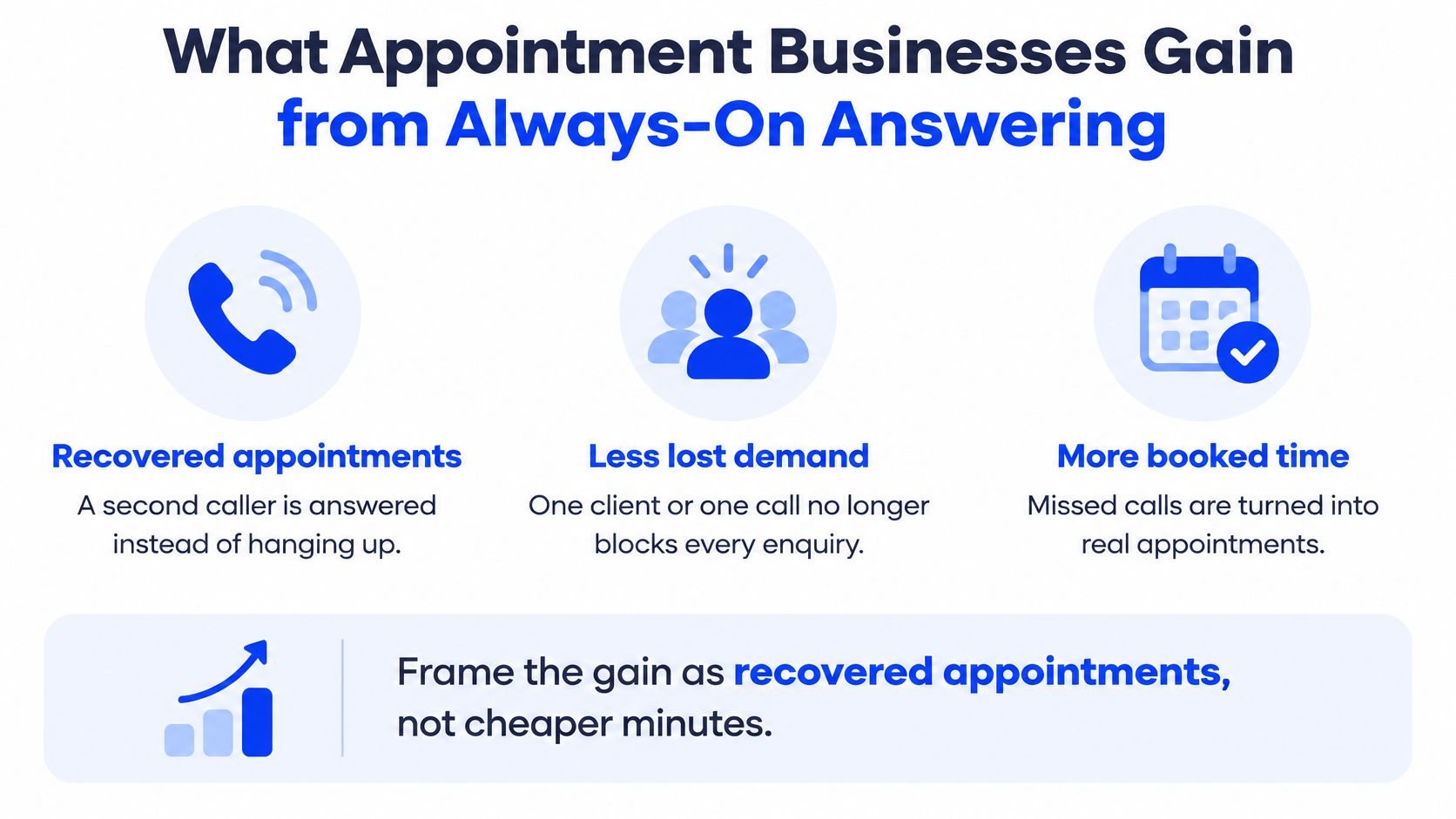
A second caller rings while you're already speaking to someone. They can't see that you're helping another client. They hear an unanswered call, hang up and may try another business.
The useful outcome isn't cheaper calling minutes. It's giving that caller a way to secure an appointment without waiting for you to become available.
With busy forwarding enabled, a second caller can reach our receptionist, which answers within two rings and can book while the original conversation continues. You don't have to end a useful conversation to protect the next enquiry.
The booking benefit is easier to see as a caller journey.
Availability should lead to a usable appointment
After closing, a caller may be ready to choose a time rather than leave a message. A useful receptionist needs accurate opening hours, service descriptions and calendar availability so it can offer something the business can honour.
Reception coverage also needs consistency. When staff change shifts or someone fills in, callers shouldn't receive conflicting information about which services are available or when the business opens.
The owner still has work to do:
- Keep service information current: Remove appointments you no longer offer.
- Block unavailable time: Include holidays, training and other commitments in the booking calendar.
- Define exceptions: Decide which enquiries need a message rather than an immediate booking.
An answered call is useful. An appropriate appointment, written into the calendar, is the operational result to check.
Protect the inbound route
Because our receptionist receives calls through carrier-level forwarding, it can keep answering when the owner's phone is off or the shop internet is down. That protects against those local failures, although it doesn't make the carrier or answering platform immune to outages.
None of this replaces outbound follow-up or texting. Those remain staff tasks unless you separately choose services that support them.
Look at where you lose contact: while providing a service, after closing, or while another call is underway. Each situation needs an answering plan, not necessarily a new phone system.
How Salons Clinics and Contractors Use It
The same phone arrangement can support different booking routines. The important difference is what the receptionist should collect and which appointment it's allowed to offer.
These situations show how the work changes across a shop, practice and job site.
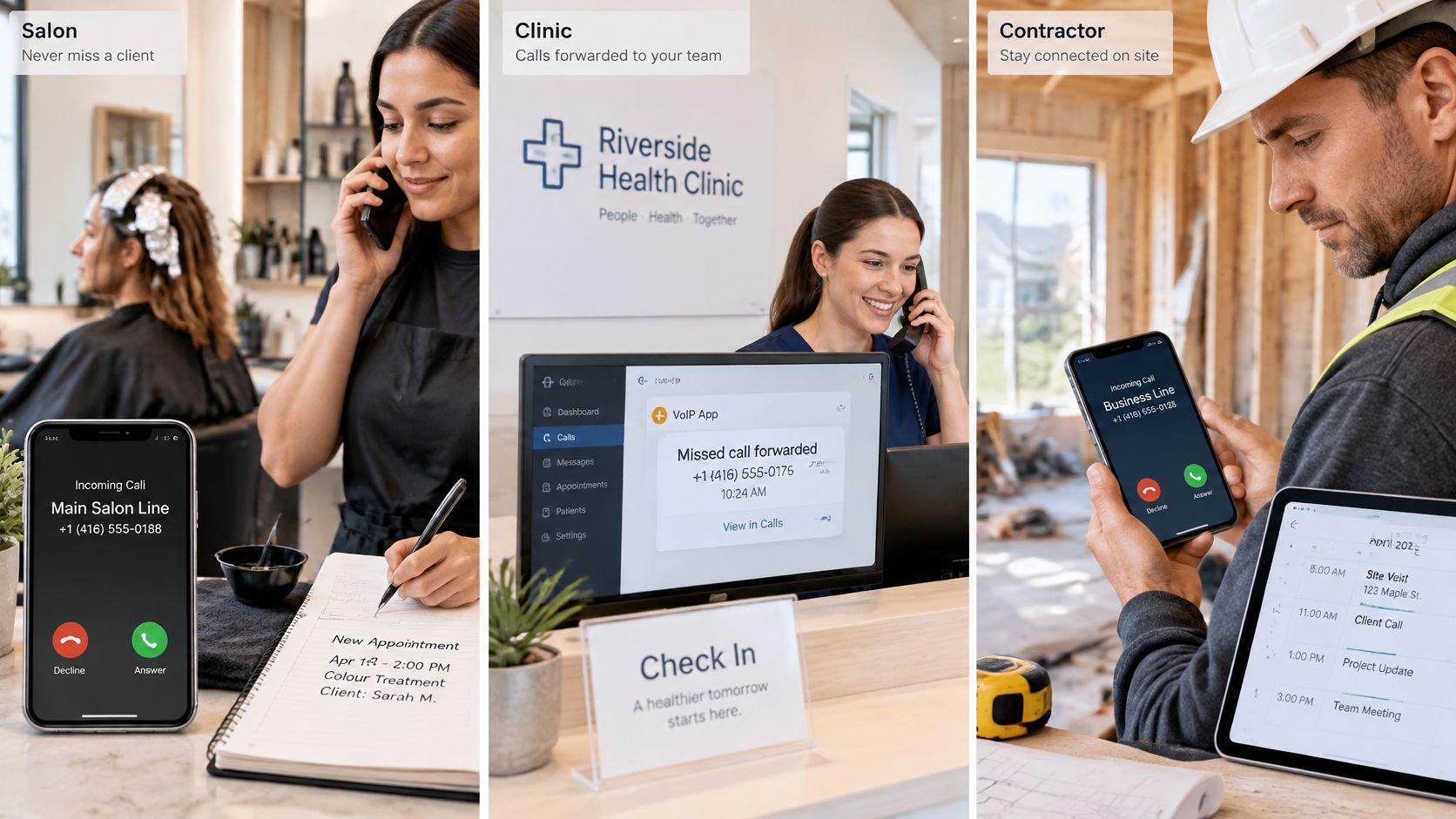
A salon appointment without stopping the service
Say a stylist is checking colour while the published mobile rings. The unanswered call reaches a receptionist configured with the salon's website information, including services and hours, which the owner has reviewed.
The caller asks for a haircut later in the week. With our Google Calendar integration, the receptionist can check open times and book an appointment; it can also reschedule or cancel an existing booking. The stylist carries on with the client rather than trying to handle the diary with occupied hands.
If that stylist later needs to text a running-late client from the salon number, forwarding won't provide that function. A messaging-capable business app serves that separate need.
A practice keeps intake focused
At a dental or aesthetics practice, a caller wants a routine visit rather than a menu of extensions. A suitable intake asks for the appointment type, name and preferred time, then uses an approved booking calendar.
Keep clinical explanations out of routine automated intake. A request that needs professional judgement should become a staff follow-up, not an improvised recommendation or a booking that implies clinical approval.
The configuration needs to reflect the practice's boundaries. Booking permission isn't permission to assess symptoms.
This demonstration offers another way to assess the conversational experience.
A contractor books the right kind of visit
A plumbing technician working under a house can't reliably stop to answer. A receptionist can collect the service request and offer an approved diagnostic window instead of leaving the owner with a voicemail to interpret later.
That booking shouldn't promise a repair price, arrival time or emergency response the business hasn't authorised. Configure the service area and appointment types before accepting live calls.
A restaurant can apply the same principle to reservations, while leaving large-party requests that need approval as messages. The details differ, but the owner's task remains concrete: define what can be confirmed immediately.
When comparing appointment scheduling software for a small business, match it to a real working day. Choose the scene that resembles your week, then test the exceptions as carefully as the straightforward booking.
Selection Criteria and Call Quality Tests
| Criterion | Target or test | Why it matters | Red flag |
|---|---|---|---|
| Calendar integration | Writes a confirmed slot during the call | Produces a booking rather than a message | Only sends voicemail or email |
| AI receptionist behaviour | Collects name, service and preferred time | Avoids repeated questions | Talks over callers or loses details |
| Mouth-to-ear delay | Test against the emergency-voice baseline below on LTE, 5G and Wi-Fi | Supports natural turn-taking | Noticeable conversational lag |
| Bandwidth | Check both upload and download against the baseline below | Voice needs capacity in both directions | Breaks up when the connection is busy |
| Voice quality | Request measured MOS against the baseline below | Assesses speech quality | Frequent choppy audio |
| Outage path | Test carrier forwarding or a cellular fallback | Protects against local handset or data failure | Entirely reliant on an online app |
| Emergency calling | Visible disclosure and native cellular fallback instructions | Supports safe staff procedures | Claims app GPS guarantees routing |
| Privacy controls | Recording notice, retention limits and restricted calendar access | Limits exposure of appointment details | No clear deletion or access controls |
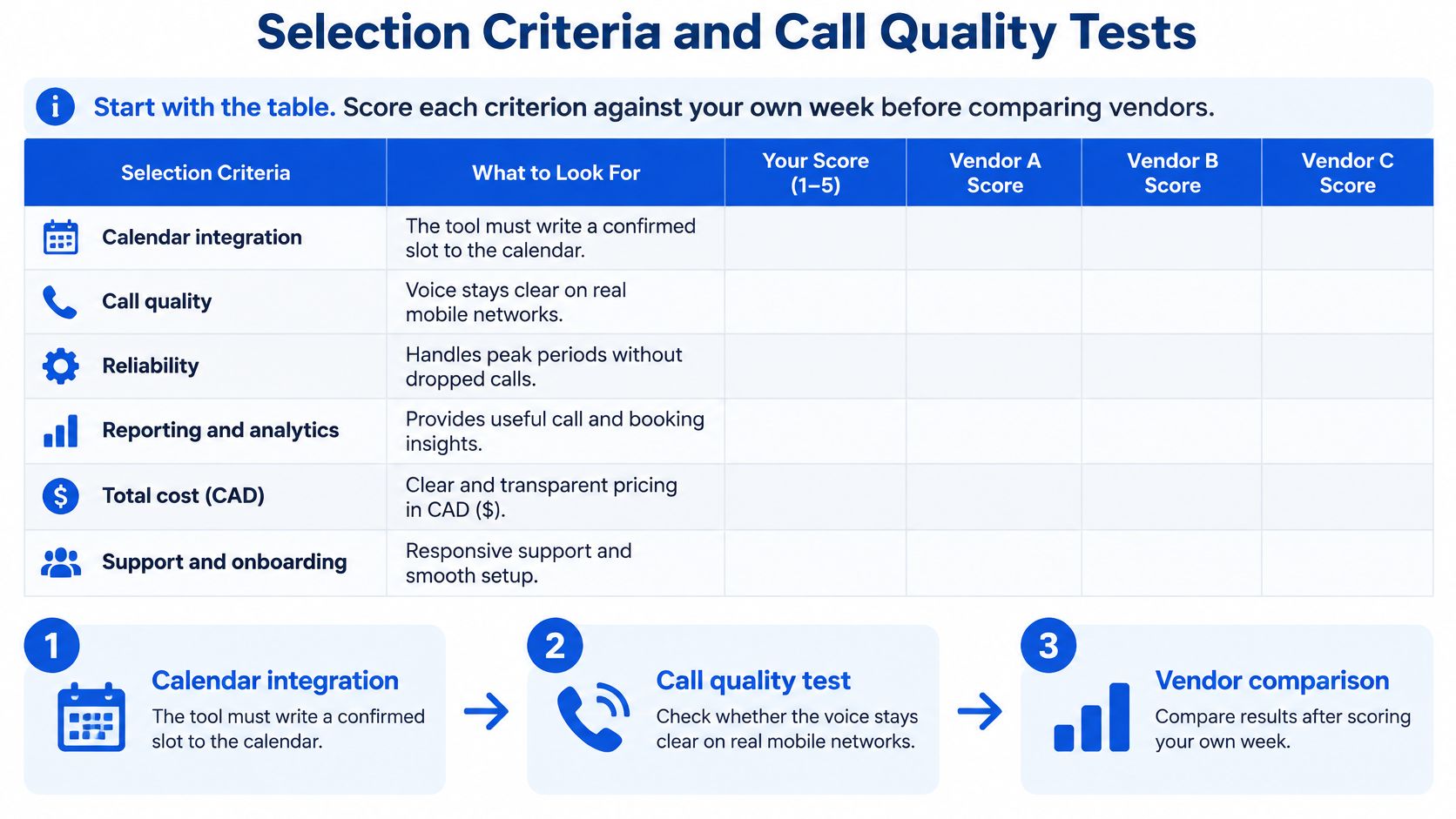
Score each criterion against your own working conditions before comparing vendors. Mark each as passes, fails or not needed, and record what you tested rather than relying on a feature tick.
For a booking business, start by making a real appointment in a test calendar. Check the service, date, time and caller details, then try changing it.
Use voice measurements in their proper context
The CRTC's mobile wireless services report specifies an emergency-voice engineering baseline for VoLTE or VoNR of latency below 150 ms, minimum 250/250 kbps uplink/downlink capacity and a Mean Opinion Score of at least 2.5. These aren't universal legal thresholds for appointment apps, but they provide useful reference points for technical testing.
Ask the vendor for mouth-to-ear delay measurements, not just server response speed. MOS is a speech-quality score; a speed-test result alone doesn't establish it.
Run calls on mobile data and the shop's busy Wi-Fi. Listen for missing words, delayed responses and whether someone can interrupt naturally. A jitter buffer holds arriving audio briefly to smooth uneven delivery, but excessive buffering makes the conversation lag.
Use this evaluation sequence to keep the comparison grounded in actual calls.
Test failures as well as features
Try the arrangement with the handset switched off, then with the local Wi-Fi disconnected. Ask what happens during a carrier or platform outage, because a local fallback doesn't resolve every upstream failure.
For an AI receptionist, change your preferred day mid-sentence and correct a name. Check whether the final appointment reflects the correction.
Reject a booking tool that can't write a correct appointment. For a handset app, investigate or reject a setup that misses your chosen latency target on the networks staff use, rather than accepting a polished demonstration on someone else's connection.
Canadian Checks Before You Go Live
Make emergency calling a separate decision
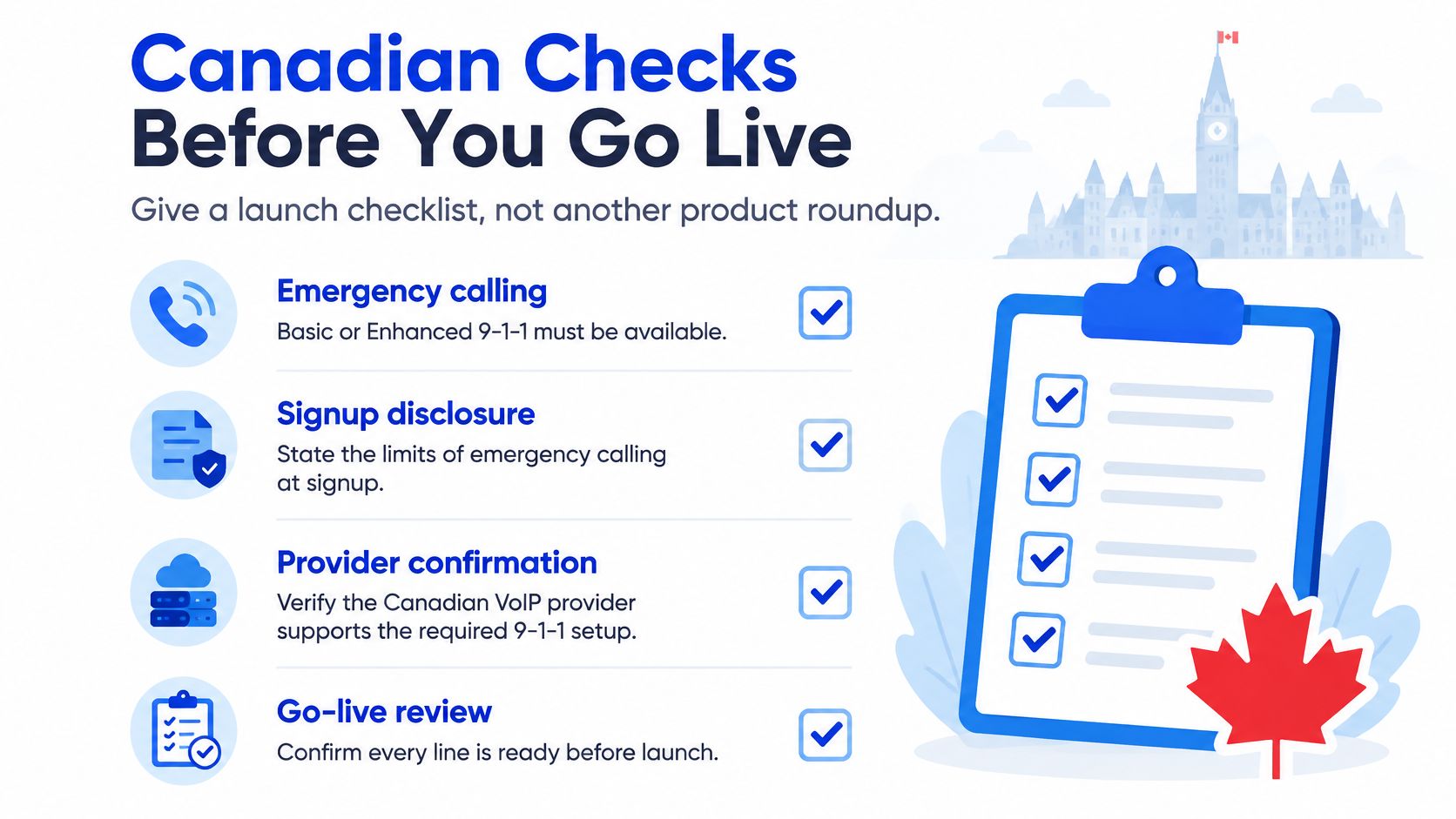
The CRTC's VoIP emergency-calling guidance requires local VoIP providers to offer Basic or Enhanced 9-1-1 and disclose limitations at signup, in marketing, in terms of service and in online documentation. Confirm what your actual phone service provides rather than assuming an answering add-on supplies emergency calling.
With nomadic VoIP, the person calling may be somewhere other than the registered address. The operator needs their current location verbally, with the registered address serving as a fallback if that confirmation isn't possible.
Don't treat app location permissions as a routing guarantee. Give staff clear instructions to use the phone's native cellular emergency-calling function when available, and ensure business automation doesn't intercept, delay or record emergency calls.
Use a launch checklist to make those responsibilities visible.
Limit what the receptionist collects
A name and preferred appointment time call for different handling from a medical history, legal explanation or payment details. Even ordinary contact details need protection, so configure intake around the minimum information necessary to arrange the visit.
The Office of the Privacy Commissioner of Canada's privacy research examines Canadians' expectations about personal information. For an owner, the practical response is to make information handling explicit rather than assume callers understand a cloud phone service.
Before launch, establish these controls:
- Notice and consent: Decide how callers learn about recording or transcription, and confirm the requirements applicable to your business.
- Restricted access: Give staff only the calendar and call-record access their work requires.
- Retention and deletion: Set a documented retention period and a process for removing information.
- Human escalation: Assign someone to handle sensitive disclosures, access requests and suspected privacy incidents.
Only describe information as stored in Canada when the contract supports that statement. A Canadian phone number doesn't establish where recordings, transcripts or backups reside.
Launch safeguard: If a caller starts sharing sensitive details, the intake process needs a safe way to stop collecting them and arrange appropriate follow-up.
Confirm voicemail timing and forwarding charges
On a VoIP or internet phone, turn the provider's voicemail off or set it to pick up after our receptionist. Other carriers need no extra step in our setup because the diversion answers before the mailbox does.
Carrier billing also deserves attention before you activate forwarding. Two Canadian carriers charge a separate per-minute fee for forwarded calls, and a third requires voicemail to be switched off before forwarding works. Check the rules attached to your particular line rather than assuming forwarded calls are covered by an unlimited calling allowance.
Finish with a live test that includes both an unanswered call and a busy line. Confirm emergency instructions, privacy settings, mailbox timing and forwarding charges before routing client calls through the new arrangement.
Decide Whether You Need the App at All
Install a VoIP mobile app when staff need to place outbound calls or send supported texts from the published business number on their smartphones. If the main loss is unanswered inbound enquiries, keep the existing number and test missed-call forwarding instead.
That decision avoids changing everyone's calling habits before you know what's missing. A receptionist can handle availability and booking while staff continue using the phones they already understand.
Test the smallest useful change
- Confirm the carrier settings. Get the conditional forwarding code for your line, check voicemail timing and establish whether forwarded calls attract extra charges.
- Activate the diversion. Copy the carrier's conditional forwarding code and dial it once from the business handset.
- Test from another phone. Call the published number while the business line is busy or unanswered. Confirm that the receptionist, rather than the mailbox, receives the call.
- Review a working week. Note when calls arrive, which become appointments and which still require personal follow-up.
Keep a simple record of outcomes, not just call counts. A correctly booked appointment, an incomplete intake and a request requiring professional judgement are different results.
Add a staff app only when the work requires it
Heyline fits the inbound-only arrangement: you retain your existing number, forward missed calls and manage the receptionist through a browser, including a phone browser. No installed app, new hardware or replacement phone is needed.
For salons, clinics, law offices, home-service firms and restaurants, compare call handling services by the tasks you can safely delegate. Reserve personal conversations for work that genuinely requires your staff's judgement.
If the trial shows that employees still need shared texting or outbound business caller ID, add a suitable softphone for those employees. You don't need to give the same tools to someone who only reviews appointments and someone who returns calls all day.
Start with a short divert test against your actual missed-call pattern. A working call route and an accurate calendar entry tell you more than migrating to a larger platform before testing the basics.
Heyline offers an inbound AI receptionist that answers questions, takes messages and books appointments into Google Calendar without a mobile app to install. Visit Heyline to build a receptionist from your business website and try a free browser conversation, then test whether missed-call forwarding covers the booking gap you're trying to solve.