Your phone lights up in the middle of a cut, a consultation, or a job on site. You can't pick up, you don't want the caller listening to endless ringing, and you definitely don't want to fumble through settings while someone's waiting in front of you. You just want that one call gone, cleanly, to voicemail.
That's a different problem from keeping calls away for a whole weekend, and it's different again from what a business line should do after hours. I separate those three jobs below, because mixing them up is where many people go wrong. You'll get the fastest one-call decline, the carrier codes for multi-day forwarding, and the point where voicemail stops helping and starts costing you the caller.
Send Calls Straight to Voicemail on iPhone and Android
For one call, right now, don't open Settings at all. Use the physical button while the phone's ringing, and you're done in a second.
The fastest one-call decline
On iPhone, press the side button twice quickly on an incoming call. The ring stops and the caller goes straight to voicemail. A single press only silences the ringer. The call keeps ringing on the lock screen for a few seconds, so the caller doesn't reach your greeting any faster.
On Android, press the power or side button once while it's ringing. Many models decline the call outright, but some only mute the ring and let it time out. That difference is model-specific, so I recommend testing yours once with a second phone before you rely on it in a meeting.
A button decline only handles the call that's already ringing. It sets nothing for the next call, and that's exactly what makes it safe.
Picking the method that matches your goal
Think about duration first, device second. A button press is a one-call decline. Do Not Disturb or Focus is a standing silence rule that stays on until you turn it off in the same menu. Carrier forwarding is a network rule, so it works even if your phone's off, busy, or out of reach. Business VoIP rules live in the provider portal, not on the handset, and they're covered further down for office lines.
Voicemail routing methods compared
| Method | How to set it | Speed | How to reverse it |
|---|---|---|---|
| iPhone side button | Press the side button twice on an incoming call | Immediate, one call only | Not needed |
| Android power button | Press the power or side button once while ringing | Immediate on most models, varies by model | Not needed |
| Carrier conditional forwarding | Dial *71 plus the full 10-digit number (Verizon) | Forwards after about 3 to 6 rings or when busy | Dial *73 |
| Do Not Disturb or Focus | Settings, then Focus or Do Not Disturb, then allow or block contacts | Continuous until turned off | Turn off in the same menu |
| VoIP or business portal rule | Provider portal, voicemail or call routing setting | Immediate or after a set number of rings | Change the same portal setting |
The carrier row needs a word of caution. Conditional forwarding doesn't send the caller away instantly. It lets your phone ring first, then forwards when the line's busy or unanswered. If you want zero rings, a button decline or Focus is faster. If you want the chance to answer before anyone else does, forwarding is the better trade-off.
Do Not Disturb and Focus for a block of time
Say you need two quiet hours, not two quiet seconds. Open Settings, then Focus or Do Not Disturb, and choose which contacts you're allowing through. Everyone else goes to voicemail without ringing you, and the rule stays live until you switch it off in that same menu.
Allow lists are where people trip up. If a favourite contact or a family member is allowed, their call will still ring, which can look like the feature failed. Set the allow list deliberately, then test it, rather than assuming silence means the rule worked for every caller type.
- One call only: Use the side or power button while it rings.
- A meeting or appointment block: Use Focus or Do Not Disturb and review your allowed contacts.
- Busy or unanswered coverage: Use carrier conditional forwarding so the phone rings first.
- An office number: Use the provider portal, not the desk phone handset.
Prove it worked with a test call
After any method, call your own number from another phone and listen. Hearing your greeting is the only real proof the call reached voicemail. A successful decline also leaves a voicemail entry in your missed-call log and no ring still sitting on the handset.
If you're sorting out the mailbox side of this afterwards, our guide to downloading a voicemail you've received covers saving and moving messages. Run the test every time you change a rule. Settings screens tell you what you selected. Only a live test tells you what the caller gets.
How to Use Carrier Codes for Voicemail Forwarding
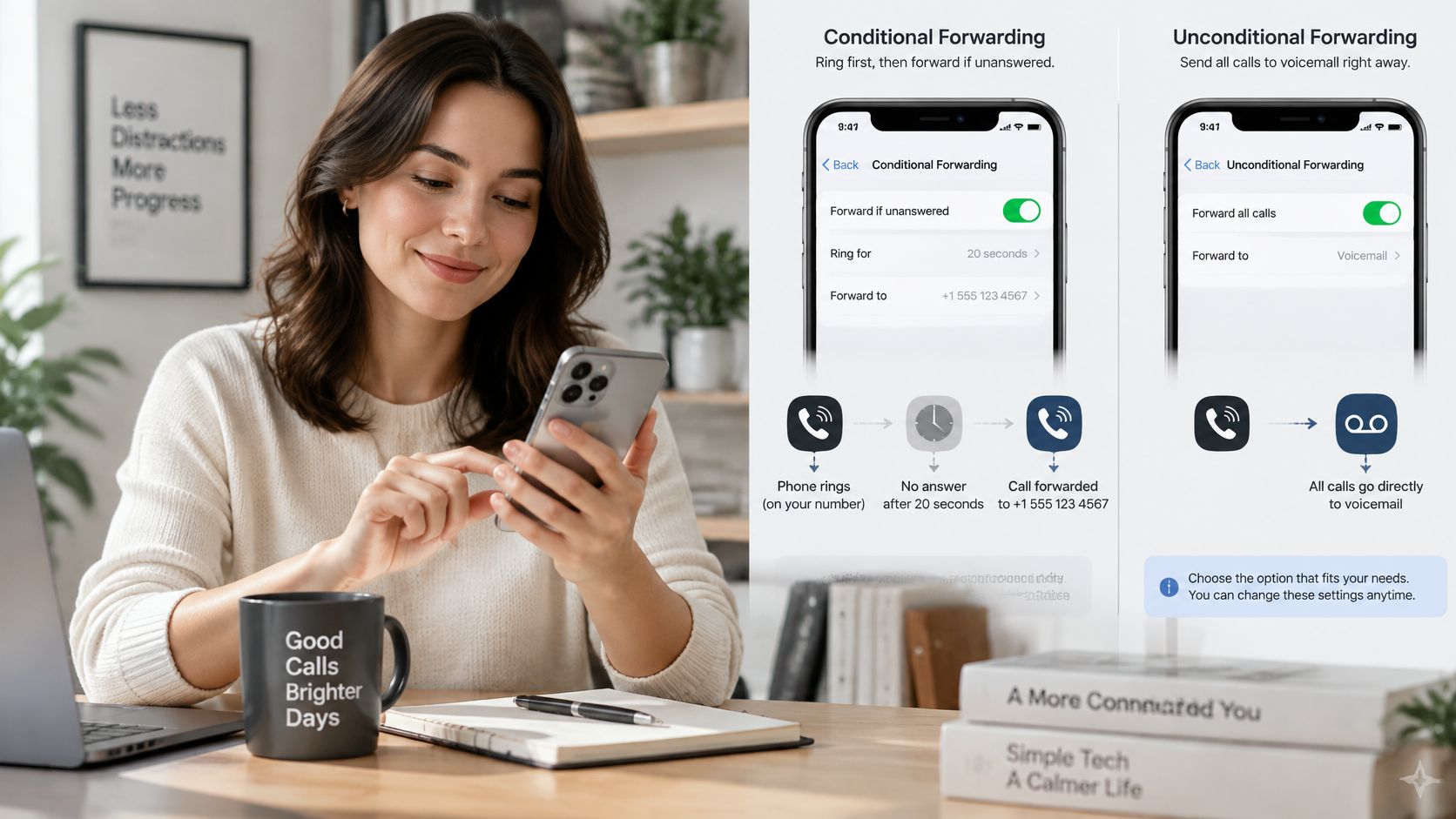
Carrier codes work at the network level, above your phone's own settings. The image below shows the kind of forwarding screen you're working around when you set a destination number.
Conditional versus unconditional forwarding
Conditional forwarding lets the phone ring first. It only forwards when the line's busy or nobody answers, which preserves your chance to pick up. Unconditional forwarding sends every call away from the handset immediately, so that chance never comes.
Someone who wants voicemail coverage over a long weekend wants conditional forwarding: missed calls get caught, but the phone still rings for anything answerable. Reserve unconditional for the case where no call should reach the device at all. For an appointment-based business it's also the expensive option, because a caller who lands on a greeting often rings the next name on their list instead of leaving a message.
Verizon's forwarding codes
| Code | What it does |
|---|---|
| *71 + 10-digit number | Forwards when the line is busy or unanswered |
| *72 + 10-digit number | Forwards every call immediately |
| *73 | Cancels forwarding and restores normal voicemail |
Verizon's conditional forwarding guidance has you dial *71 plus the full 10-digit number, with forwarding kicking in after roughly 3 to 6 rings when the line is busy or unanswered, and *73 to put the mailbox back. Mixing up *71 and *72 is the common mistake: the first rings before forwarding, the second never rings at all.
Codes differ by network. On AT&T, T-Mobile or a smaller carrier, pull the enable and cancel codes from that carrier's own support pages rather than assuming the Verizon pattern applies.
Setting it up in five steps
- Choose the destination: a full 10-digit number, area code included, on an active voice-capable line.
- Dial the code: open the dialler, enter the enable code and number, then press call.
- Wait for confirmation: stay on the line for the confirmation tones or message before hanging up.
- Test externally: call from a different phone and let it ring past the timeout.
- Know the way back: dial the cancel code to restore normal voicemail, and wait for its confirmation too.
The short video below walks through the forwarding flow so you can see the timing before you try it on your own line.
Two billing and mailbox checks come first. Two Canadian carriers bill a separate per-minute fee for forwarded calls, and a third requires its voicemail box switched off before forwarding works at all, so confirm both points on your own plan. Write the destination number down before you dial as well. Forwarding to the wrong phone is a quiet way to miss calls you fully meant to take.
Routing Calls on Business Lines and VoIP Phones
VoIP and internet phone systems don't take their orders from the handset. The rule sits in your provider portal, usually under account or phone-number settings, and changes typically take effect within minutes. Pressing buttons on a desk phone won't override what the portal says.
Three setups that cover most offices
The first option turns the provider voicemail off so calls go to another destination instead of a mailbox. The second sets voicemail to pick up after a chosen number of rings, giving staff a fair chance to answer first. The third sends calls to a receptionist or answering service only when the main line is busy or unanswered.
Say a dental office uses a VoIP line. It sets voicemail to pick up after four rings during clinic hours, so front desk gets first shot at every call. On Saturdays it turns voicemail off, because weekend callers need a live answering service that can judge urgency, not a greeting they may hang up on.
Portal rule of thumb: If you can't find the setting on the handset, stop looking there. It's in the account that controls the number.
On our side, you turn the provider's voicemail off or set it to pick up after Heyline. Other carriers need no extra step, because the diversion answers before the mailbox does. If the underlying logic is new to you, our explainer on what call routing means for a business number lays out how these rules chain together.
Before you change a live business line
Confirm four things first. Then make the change and test from an outside phone.
- Who receives the calls: Name the exact destination, not just the department.
- Caller ID preserved: Check whether the destination sees the caller's number or your business number.
- Recording notice: Check whether a notice plays before the call connects.
- Existing messages: Your carrier's voicemail box stays on your account as it is, and messages already in the box stay there.
Make one change at a time. If you alter ring count, destination, and mailbox status together and something breaks, you won't know which switch caused it.
Fixing Calls That Skip Voicemail or Keep Ringing
Most routing complaints follow the same pattern. The setting looks right, but the caller hears something else. Work from the symptom you can hear rather than re-entering every setting blindly.
You hear a greeting you didn't record
This usually means carrier voicemail is active alongside a forwarding rule, and the mailbox grabs the call first. Two systems are racing each other, and the carrier box wins on timing.
Turn off the carrier voicemail box, or set forwarding so it applies before the mailbox picks up. On a VoIP line, that means turning the provider voicemail off or pushing its pickup later in the portal. Then call your own number and confirm you hear the greeting you expect.
Calls still ring after you decline them
Check your Focus or Do Not Disturb allow list first. If that caller is allowed through, the phone is doing exactly what you told it to do. Remove the exception or narrow the list, then test again.
On Android, there's a second possibility. Your model may only mute the ring with one button press instead of declining. Time a test call and watch the lock screen. If the call stays visible after the sound stops, you've muted it, not sent it anywhere.
If the ringing stops but the call stays on screen, you've silenced it. You haven't routed it.
Forwarded calls fail with a tone or error message
The destination is usually the problem. Conditional forwarding needs a complete 10-digit voice number including area code, on a line that can take calls. A missing area code or a number that only receives texts will fail at the network.
Cancel the rule, re-enter the full number slowly, and confirm each digit before you press call. Also check whether your plan charges per minute for forwarded calls or requires voicemail to be switched off first, since either one can stop a clean setup looking complete.
Nothing changed after you dialled a code
You probably hung up before the confirmation tone. The code looked entered, but the network never finished registering it.
Dial the cancel code first and wait for its tone. Then enter the setup code again and stay on the line until confirmation finishes. Finish every fix the same way. Call from a different phone, note whether the greeting plays, and count how long it takes to get there.
Choose the Right Routing Before You Send Calls to Voicemail
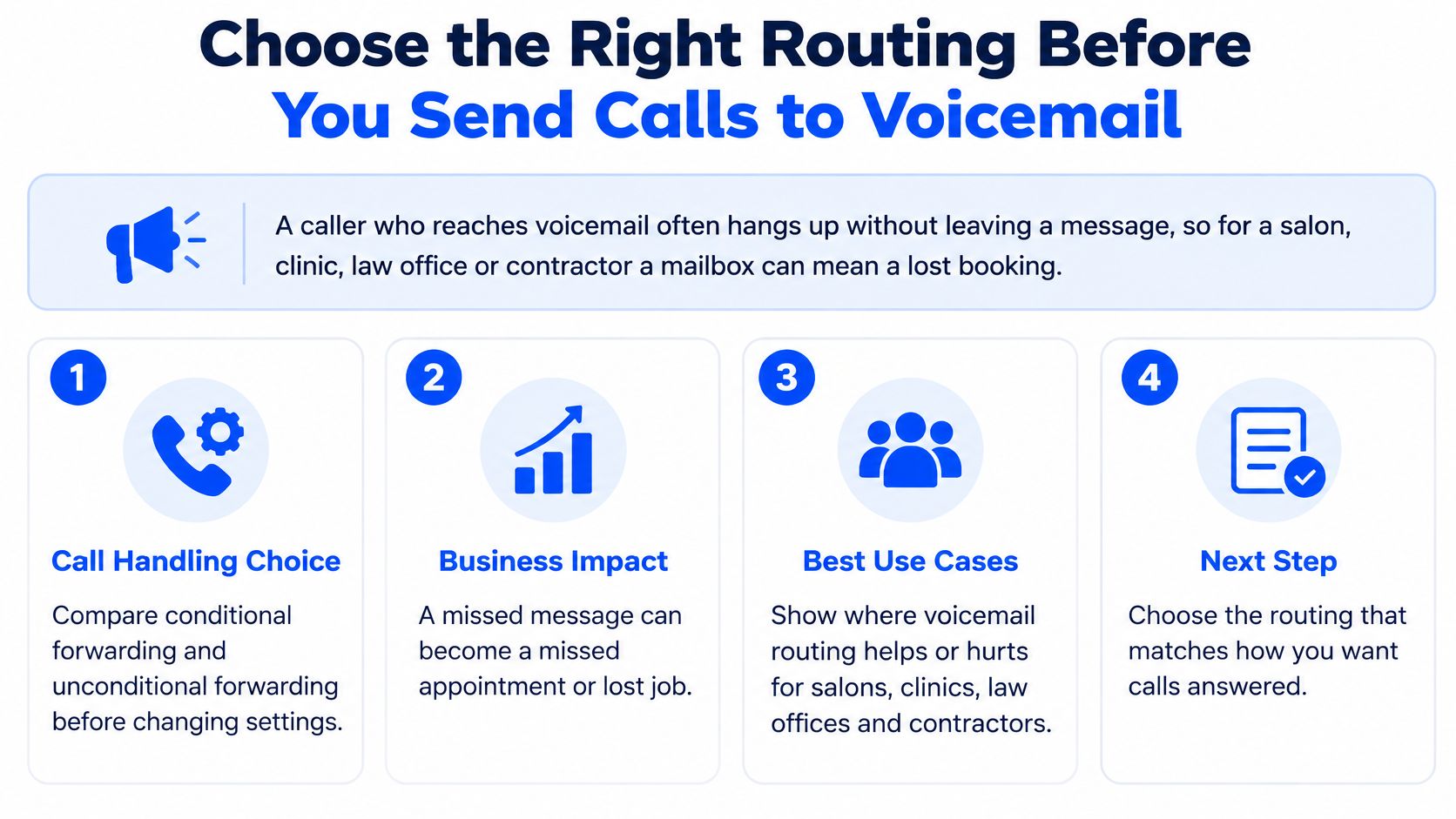
Three problems get lumped under "send it to voicemail": declining one call while you're tied up, forwarding calls for days while you're away, and routing a business line nobody can always answer. Each has a different right fix, and the wrong pick costs real callers.
For an appointment-based business that cost is concrete. A caller who reaches a mailbox often hangs up without leaving a message, so for a salon, clinic, law office or contractor, one declined call can be one lost booking. A mailbox records that a call arrived. It cannot show the caller got help.
The size of that leak shows up in Leverly's missed-call breakdown: 37.8% of inbound calls answered live, 37.8% reaching voicemail, 24.3% unanswered, and 80% to 85% of callers who reach voicemail abandoning without leaving a message or calling back. Treated as a default, voicemail turns a share of the inquiries you already paid to attract into hang-ups.
Match the route to the situation
- One-call decline. Send a single call to voicemail for a personal break or a meeting you'll leave within the hour. Your regulars still reach you next time.
- Multi-day forwarding. Forward unanswered calls when nobody covers the phone for a stretch and a recorded message is enough. This suits holidays and closures rather than day-to-day gaps.
- Screening rule. Filter suspected spam while known customers and urgent contacts still ring through. Anything stricter punishes real callers along with the junk.
- Live fallback. When a missed call could mean a missed appointment, use a receptionist, answering service or virtual receptionist that takes the caller's name, number and question and books the slot while they're still on the line.
Spam pressure makes blanket rejection tempting, and the volume explains why. The FTC Do Not Call data book for fiscal year 2025 recorded more than 2.6 million complaints and more than 258 million active registrations. Screening still has to give legitimate callers a recognisable business name, an urgent-call exception and a way to get helped, or it catches customers in the same net.
For unknown callers specifically, AT&T's Call Protect terms describe routing unsaved numbers to voicemail after enabling the setting and checking voicemail is active, with a warning that emergency responders may also be diverted. Test a saved contact, an unsaved number and a service number before you trust it. If you'd rather those calls get answered than screened, our notes on setting calls to auto-answer cover the opposite choice.
One last question decides the setup. Should every call reach the fallback, or should only missed calls forward while your own phone rings first? With busy and no-answer forwarding, your phone gets the first chance and the fallback only receives the ring your phone can't finish. Place one test call from an outside phone on the route you've chosen, and don't rely on it until that call lands where you intended.
If voicemail keeps swallowing bookings you'd rather confirm on the spot, Heyline answers the calls you miss, holds a natural conversation and books the appointment straight into your calendar while the caller is still on the line. When an answer needs you personally, it takes the caller's name, number and message and puts the callback on your to-do list. Keep your existing number, forward only the busy and unanswered calls, and you can undo it any time with your carrier's cancel code. You can call the receptionist yourself in the browser before you change a single setting on your own line.