You're with a client when the phone rings. Your hands are full, your colleague is taking payment, and voicemail gets another enquiry that should've become an appointment. Buying a newer phone won't fix that gap unless someone, or something, can finish the conversation.
The right business communication providers solve different problems. Some connect your staff; others answer customers. Choose by how quickly you can launch, whether callers can complete a booking, and how safely you can handle their information, not by how many features appear on the pricing page.
Four Kinds of Business Communication Providers
Buy answering coverage before replacing your phone system if nobody can pick up. A colourist with a client, a dentist treating a patient and a contractor working under a sink have the same constraint: a ringing handset doesn't create another available person.
Start with the job you need done.
Provider categories for an appointment line
| Category | Replaces | Books on the call | After hours | Owner skill |
|---|---|---|---|---|
| Hosted VoIP | Desk phones and voicemail infrastructure | Rarely without another app or an available employee | Only if someone answers or calls forward | Light IT or a phone vendor |
| Human virtual receptionist | A front-desk person for the phone | Sometimes, with calendar access and booking authority | Only if nights are in the plan | Write a script and manage a contract |
| Unified communications | Separate internal calling, chat and meeting tools | Sometimes through an add-on | Only if staff or forwarding cover it | An admin who knows the suite |
| AI receptionist | Missed-call and after-hours answering | Yes, when connected to a supported calendar | Designed to answer when staff cannot | Edit business details in plain language |
Choose the job before the technology
Hosted VoIP puts your business phone system in the cloud. You get numbers, extensions, voicemail and an auto-attendant, but employees still need to answer and do the booking. It's a sensible purchase when your current system makes transfers awkward or ties staff to a desk.
A human virtual receptionist supplies the person your phone system lacks. The important distinction is authority: can the receptionist reserve an appointment, or only promise that someone will call back? Choose human coverage when conversations need judgement, reassurance or careful escalation, then specify what the receptionist may commit to.
Unified communications, often called UCaaS, combines voice with team chat and video meetings. It suits an office that already coordinates work inside a shared application. A sole operator who needs inbound enquiries answered should ignore meeting features unless those features solve another genuine problem.
An AI receptionist concentrates on the caller conversation. A calendar-connected service can explain your services, collect intake details and reserve an available appointment without waiting for an employee.
Don't confuse connecting with completing
These categories can work together. A practice might use hosted VoIP for staff calls and a receptionist service for overflow, rather than replacing everything.
The trade-off is responsibility. With a phone platform, your staff own the conversation; with outsourced answering, you must define what another person or system may say and do. Choose the arrangement that completes the customer's next step, not the one with the longest menu.
Features and Call Quality Side by Side
A useful comparison starts with the caller's task: get an answer, choose an appointment and know what happens next. Features that don't help that task should earn their place separately.
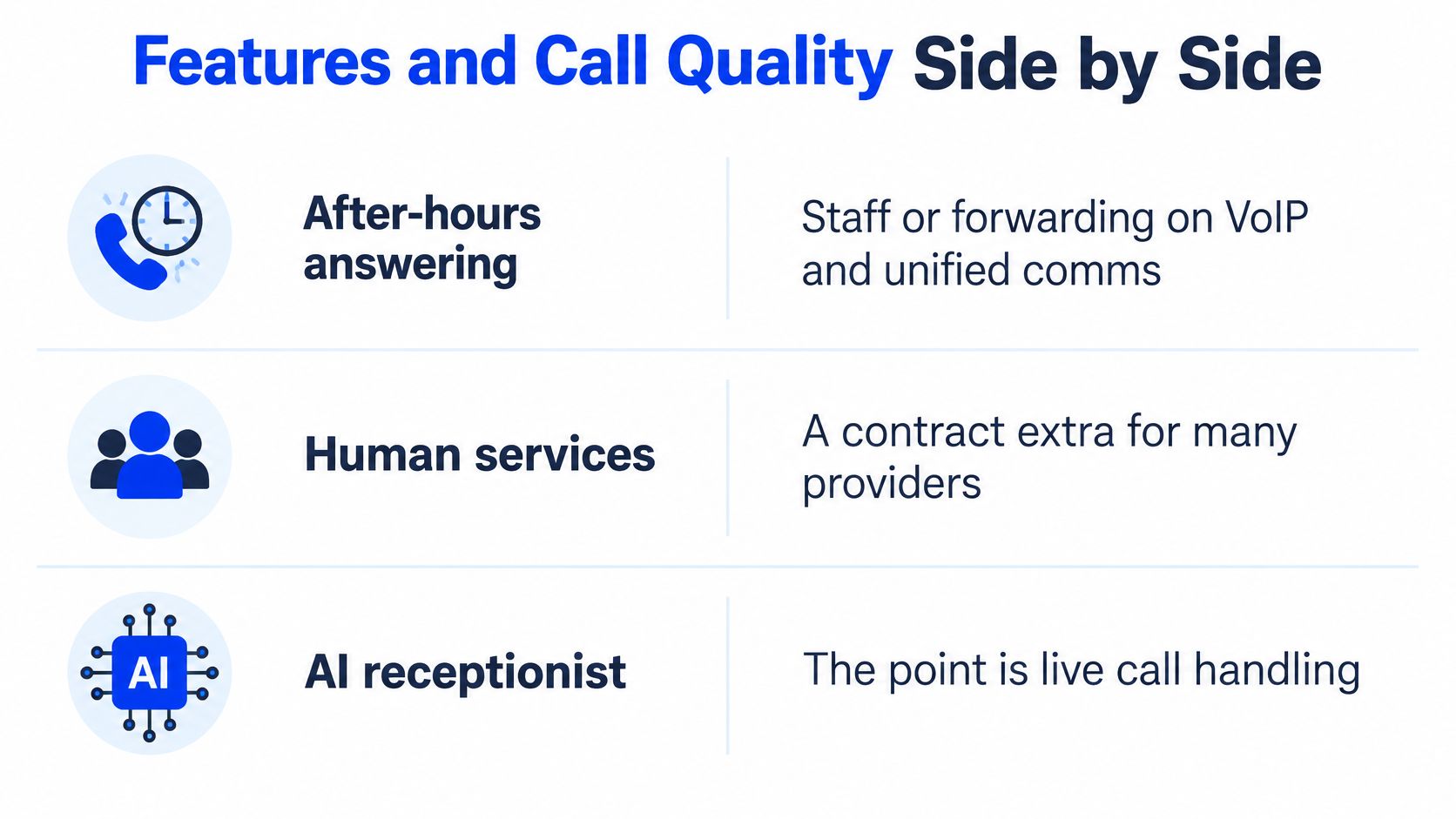
Feature fit for a small booking line
| Need | Hosted VoIP | Human receptionist | Unified comms | AI receptionist |
|---|---|---|---|---|
| After-hours answer | Staff or forwarding | Only if the plan includes nights | Staff or forwarding | Designed for round-the-clock answering |
| Books into the calendar | Usually a separate app and staff action | Booking permission required; otherwise a message | Add-on, not the core | During the call when the calendar is connected |
| Caller path | Often an auto-attendant menu | A person following your instructions | Menu plus staff routing | Spoken answers without a menu |
| Existing number | Port or keep through forwarding | Usually forward | Port or keep through forwarding | Forward misses or publish a dedicated number |
| Who maintains details | Owner or phone vendor | Answering firm updates its script | Suite administrator | Owner edits details; vendor operates the service |
| Best when | Staff already answer | Conversations need human judgement | Staff need calling, meetings and chat | Unanswered enquiries need immediate handling |
Booking authority matters more than message taking
A receptionist who collects a name hasn't necessarily secured a customer. Test whether the service can offer a suitable opening, distinguish services with different durations and handle a caller who changes their mind.
At Heyline, Google Calendar booking, message taking, intake questions, returning-caller recognition and transcripts are included on all three plans. Our receptionist checks open times and can book, reschedule or cancel appointments. We answer within two rings on every call.
Number handling deserves its own test. Decide where unanswered calls should go and what happens if nobody accepts a transfer; our explanation of call routing helps distinguish routing a call from resolving it.
A menu that answers promptly and a platform that stays online are useful. Neither proves that a caller can finish an appointment.
Demand a measurable quality scorecard
Use the proposed thresholds, not an assumption of regulatory compliance, in the Small Business Utility Advocates filing in a California Public Utilities Commission proceeding: at least 95% call completion, setup within 5 seconds, a Mean Opinion Score of at least 3.5 on a 1–5 scale, 99.9% availability, packet loss no greater than 1%, jitter below 20 milliseconds, and one-way latency at or below 150 milliseconds.
Those are useful procurement targets outside California too, not Canadian legal requirements. Ask each vendor whether its measurements cover the complete caller journey, the access network or only its own platform.
A connected call can still fail commercially. Clipped names, delayed replies and people talking over each other can prevent a booking even when the dashboard reports success. Test from a mobile phone, interrupt a response naturally, and check that the appointment details remain understandable.
What Providers Cost for a Booking Line
Say your location needs coverage for a month of appointment enquiries. Compare the total cost of handling those conversations, not a phone licence against an answering subscription as though they buy the same result.
A low per-user price isn't inexpensive coverage if your staff still have to answer every call. Equally, paying a receptionist to repeat opening hours may be poor value if routine enquiries use the allowance you need for complicated calls.
Compare billing structures without invented price bands
Obtain written quotes for human answering, hosted VoIP and unified communications. Without a current vendor price sheet, a precise market range gives you false confidence, especially when currency, taxes, contract terms and included services differ.
Cost patterns for one appointment business
| Category | How it bills | Planning basis | Easy to miss |
|---|---|---|---|
| Hosted VoIP | Per user per month | Quote for the staff who need calling access | Handsets, porting, taxes and separate scheduling |
| Human virtual receptionist | Per minute or monthly block | Quote for live minutes, night coverage and booking work | Overage, rounding and premium coverage |
| Unified communications | Per-user bundle | Quote for the required suite and phone capabilities | Extra numbers, SMS and unused seats |
| AI receptionist, Heyline Growth | Pooled monthly minutes | US$199 a month, 500 minutes, up to three businesses | Usage beyond the pool; follow-up remains your job |
Our Growth plan pools its included minutes across its businesses. Building a receptionist requires no card and no setup fee, so you can evaluate the conversation before committing.
For the other categories, request an invoice-style estimate rather than a headline price. Have the vendor include the number you'll use, the people who need access, your coverage hours and any calendar connection.
Price the complete workflow
A human receptionist can justify a higher bill when a conversation needs discretion or persuasion. But check whether the quoted service includes booking or merely message delivery, because a later callback still consumes your staff's time.
Our answering service cost guide can help frame the comparison. Keep the distinction between buying minutes of conversation and buying staff access to a phone system.
We never contact the client after a call. Reminders, confirmations and follow-up calls remain the business's responsibility, so include the staff time or separate tool required for those tasks.
Finally, ask what happens when the allowance runs out. Does answering continue with overage, stop, or move to voicemail, and can the owner see usage before that happens? A predictable invoice matters, but so does keeping the appointment line available.
Matching a Provider to the Appointment
The right choice changes with what your staff are doing when customers call. Buy around that interruption, not around your industry label.
Shops where the owner can't leave the work
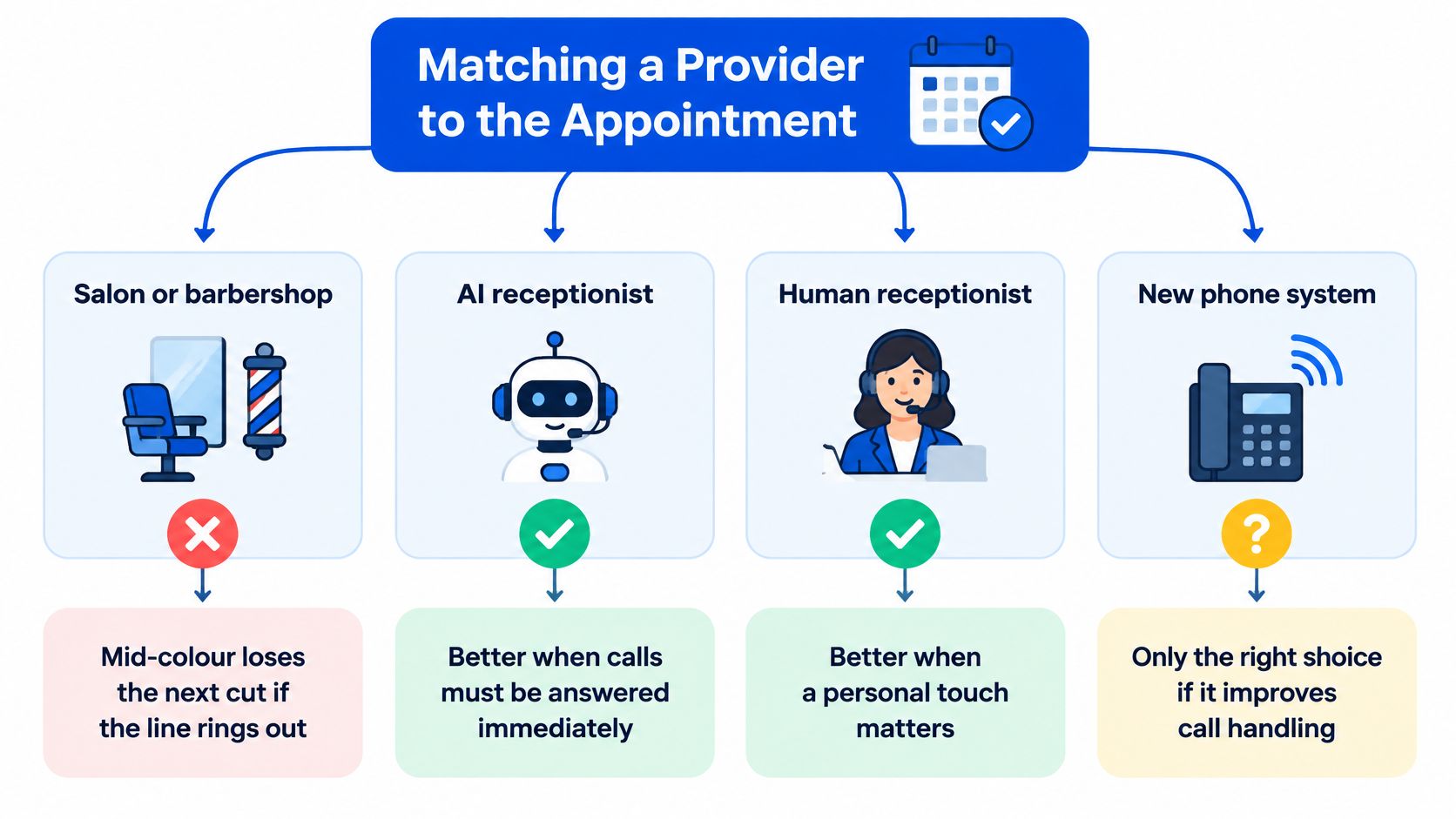
A salon or barbershop needs answering before extensions. When a stylist is mid-colour, another handset won't free their hands. Choose AI for clearly defined services and calendar booking, or a human receptionist when consultations require a nuanced conversation; choose a phone-system upgrade instead only if staff are available but calls aren't reaching them.
An HVAC or plumbing owner needs a different outcome. The caller may need to explain a fault, give an address and identify an urgent situation rather than pick an ordinary appointment. When you're busy on a job, our receptionist takes the call, asks intake questions and puts the message in your inbox.
Define the urgent-call boundary yourself. An answering service shouldn't improvise safety advice or promise an emergency visit your business can't deliver.
A restaurant should test reservation rules before buying extensions. Party size, available seating and special requests matter more than team chat. If your booking process requires a seating system the provider can't use, message taking alone won't replace reservation management.
If staff already answer reliably, buy VoIP or unified communications for how they work together. If calls go unanswered during lunch, treatments or field work, buy answering coverage.
Practices where routing and discretion matter
A dental or aesthetics practice may need both internal calling and overflow answering. The coordinator must reach clinical staff while still managing arrivals and payment. Keep the internal phone system if it works, and add coverage where the desk becomes overloaded.
A law office should prioritise a restrained intake script and a clear escalation path. Collect enough information to route the enquiry, not an unrestricted account of a sensitive matter. Human answering is the stronger choice when the first conversation requires judgement that can't be reduced to approved instructions.
For multi-site owners, compare account structure before buying separate subscriptions. We can run up to five businesses on one subscription, with separate receptionists and numbers and pooled minutes; the appropriate plan still needs to match the portfolio.
Let the booking process decide
Our small-business appointment scheduling guide is useful when the question is how an enquiry becomes a confirmed slot. Identify service duration, staff availability and any prerequisites before choosing the answering layer.
Night coverage is another distinct buying condition. We answer around the clock, including at 2 a.m., but that doesn't make automation the right choice for every daytime conversation. Put your chosen setup through the privacy and launch checks before signing a long contract.
Going Live with Privacy in Mind
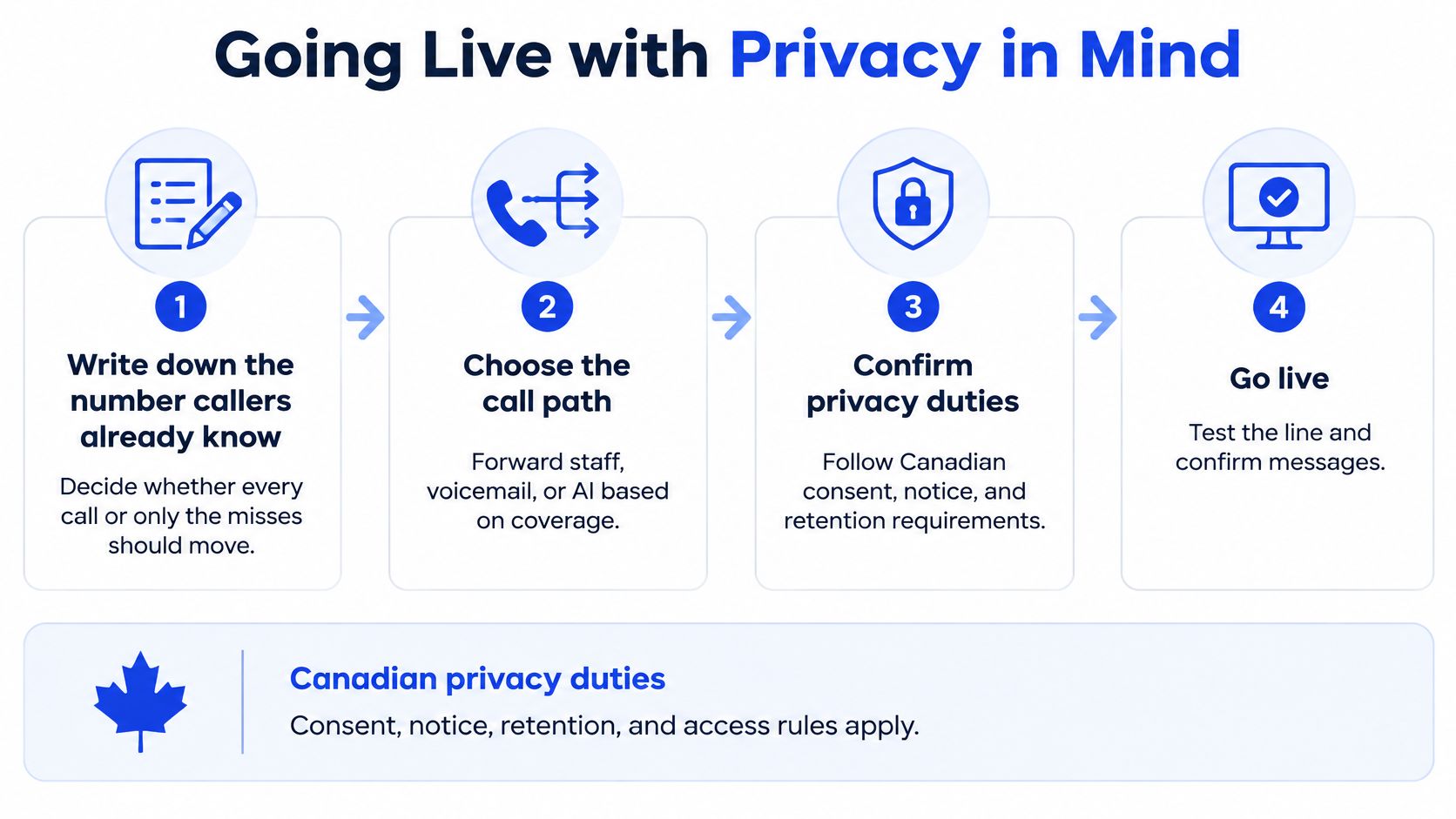
A fast demonstration isn't the same as a safe launch. You need accurate business information, a tested call path and explicit rules for what happens to caller information.
Set up the call path deliberately
Record the number customers know. Decide whether the receptionist should receive every call or only calls staff miss. We let you publish a dedicated number or keep your existing number and forward unanswered calls.
Build and review the receptionist. Paste your website, and ours is ready to answer about sixty seconds later. Review the services, hours and service area it learns, then edit anything outdated before customers hear it.
Connect the booking calendar. Use Google Calendar if appointment booking is the objective. Test the service, time and calendar entry together, rather than accepting a successful connection screen as proof.
Activate forwarding carefully. For busy and no-answer forwarding, copy the appropriate short code from your carrier's list and dial it. Test both conditions so you don't accidentally send all calls to the wrong destination.
Treat recordings and transcripts as customer records
Set notice and consent before recording. The Office of the Privacy Commissioner of Canada's call-recording guidance says organisations subject to PIPEDA must inform callers about recording, explain its purpose, obtain meaningful consent, apply safeguards and limit retention. We let the business switch recording off; don't assume that also eliminates transcripts, contact records or calendar information.
Define collection and access rules. Tell callers they're speaking with an AI receptionist rather than letting a human-sounding voice conceal automation. Document what information staff may collect, who can open records, where the provider stores them and who handles deletion; assess applicable provincial requirements, especially for health information.
Test resilience at the actual premises. Make calls while your usual internet traffic is running, and check the effect of a local outage. Maintain a mobile fallback where staff rely on internet-connected phones, and confirm how forwarding behaves when equipment is unavailable.
Privacy rule: Collect what you need to arrange the service, not everything a caller is willing to disclose.
Finish with a short acceptance test: make a booking, ask a question your website answers, leave a message or test an available transfer, and call outside business hours. Check the resulting records as carefully as the spoken replies.
Choose the Line That Fills the Calendar
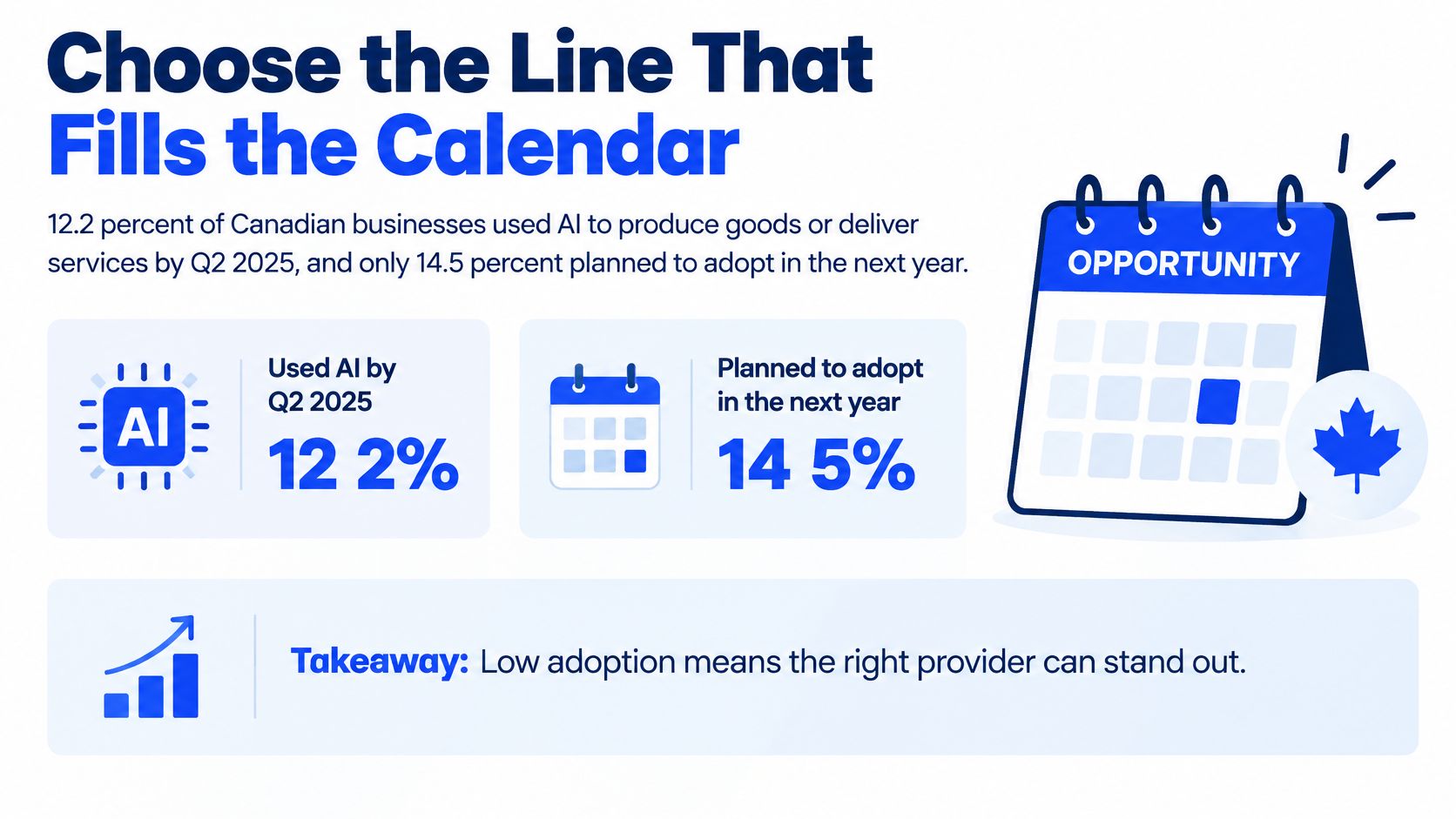
According to Statistics Canada's analysis of business AI use, 12.2% of Canadian businesses used AI to produce goods or deliver services in the twelve months before the second quarter of 2025. That's context for evaluating adoption, not proof that an AI product will be easy for your staff to maintain.
Implementation friction is a plausible obstacle, but low adoption alone doesn't establish its cause. Your buying decision should rest on whether the owner can operate the service after the demonstration ends.
Run owner-level acceptance checks
Don't let a salesperson operate every screen. Have the person who will maintain the system perform these checks using your own business information.
- Time to live. Start from an unconfigured account and record the work needed to reach a usable test call. Distinguish receptionist creation from calendar setup, privacy review and routing.
- Correction without a developer. Put an outdated price or opening time in the test information, correct it, then call again. The owner should be able to verify the change without editing code.
- A route to a person. Try a request the receptionist shouldn't resolve. Confirm whether the service transfers, takes a message or gives approved instructions, and who follows up.
- Calendar conflict prevention. Block an appointment in your real calendar and try to book over it. Also test a service with a different duration so availability isn't judged only by start time.
- Visible outcomes. Find the record of the call and the resulting appointment. If you can't distinguish a completed booking from an unanswered question, the dashboard won't help you manage coverage.
Include language fit in the conversation test. We serve small service businesses in the United States and Canada in English; a business that needs bilingual answering should make that a purchasing requirement, not a hoped-for capability.
Build the shortlist around the failure
If your staff answer customers reliably and struggle with transfers, remote working or scattered meeting tools, shortlist hosted VoIP or unified communications. Require the call-quality measurements discussed earlier, then test the system on the connections your staff use.
Don't pay for receptionist features merely because they're bundled. Your acceptance test should focus on reaching the right employee and maintaining an intelligible conversation.
If callers reach voicemail while employees serve customers, shortlist human or AI answering. Choose a human service when the additional judgement justifies the full cost, including the work your staff still perform after a message arrives.
Choose AI when the conversations follow clear business rules and the owner needs straightforward maintenance. Reject a product that requires a flow-building project just to change ordinary service information. Advanced customisation isn't an advantage if nobody in the shop can maintain it.
Make the provider prove the appointment
You can try our receptionist free in your browser by pasting your website and talking to it. Use that trial to challenge the answers, not just listen to the voice: ask about a service, change the requested time and introduce a question the website doesn't answer.
Before launch, require a successful calendar test, usable privacy controls and an owner-managed correction. A convincing greeting doesn't compensate for an incorrect price, an inaccessible transcript or a booking that never reaches the calendar.
Choose the provider that turns an enquiry into the correct next action. For an appointment business, that usually means a named customer, an appropriate service and an available time, with exceptions handed to someone who can resolve them.
Heyline offers an AI phone receptionist that answers enquiries, takes messages and books appointments into Google Calendar for small service businesses. Visit Heyline, paste your website and try the receptionist free in your browser, then test whether it can handle the calls your staff currently miss.