You need a TD appointment this week, and the first open slot you can see is either too far away or at a branch you cannot reach. The online page looks simple until the appointment type you need is missing, the branch filter hides the location you wanted, or a newcomer package turns out to need an in-person visit. Matching the reason for the visit to the right channel, before you pick a time, is what gets you seen on the first try.
Pick the Right TD Appointment Channel
For personal banking, TD's Book an Appointment page is the usual first stop, and TD's personal-banking contact page lists TD Canada Trust at 1-888-663-3279 for callers who want to book by phone. TD says you can meet an advisor in a branch or by phone, and it describes the booking process as fast and easy. The booking covers personal-banking needs such as account opening, financial guidance, and lending questions.
Start with the reason for the visit, then pick the channel.
Online booking works when you already know the topic, the area, and that a phone or branch meeting will do. A phone call to an advisor works when the calendar is empty, the appointment type is missing, the product is specialized, or you need someone to place the booking for you. An in-branch visit with a personal banker works when identity, documents, accessibility needs, or a product rule require you to be there. A newcomer package or a complex request is often faster by phone than by forcing it through an online form that was built for routine banking.
TD splits the phone lines by business area. Calling the wrong one usually means a transfer and a longer wait, so match the reason to a row before you dial. If you want a short script for that first call, a clear telephone script for answering and placing the call keeps the reason, the callback number, and the preferred times in one place.
| Reason for visit | Channel | Phone line | Notes |
|---|---|---|---|
| Personal banking, accounts and lending | Online booking or phone advisor | 1-888-663-3279 | Branch or phone meeting |
| Small business banking | Phone | 1-800-450-7318 | Separate business line |
| Commercial banking | Phone | 1-800-668-7328 | For commercial clients |
| Direct investing | Phone or investing appointment | 1-877-883-8125 | Separate investing pathway |
Card questions follow the card support path rather than the personal-banking booking line. Use the card contact option TD lists for your card type, then ask whether your issue needs a branch appointment at all.
The TD mobile app's Call Us feature works only when you are physically in Canada. If you are travelling, dial the listed number directly rather than opening the app and hoping the call connects.
Practical rule: For a personal account or a loan, start online. For a business account, an investment account, or a card, call the matching line.
What to Have Ready Before You Book
A second visit is almost always a missing document, not a rude advisor. Before you choose a slot, gather government photo ID, your SIN or ITN if account opening is involved, a phone number you answer, an email you check, an existing account number if you have one, your preferred language, and any accommodation you need. Photocopies and phone photos are a weak substitute. An advisor often has to see the original to verify identity on the spot.
Document lists change by product and by province. Confirm the list with the branch or the TD contact line before the appointment day, not on the morning you leave home.
Use this four-line note while you book:
- One-sentence reason: “I need to open a chequing account and ask about a small personal loan,” not “banking stuff.”
- Two time windows: a weekday evening and a Saturday morning, so the advisor can move you without a second call.
- A callback number you answer: voicemail that is full, or a work line that goes to a receptionist, is how confirmations die.
- Anything for someone else: a power of attorney, a joint applicant, or a parent's documents, named before the slot is held.
If the appointment is about a mortgage, a loan, or a new account that needs proof of deposits, pull recent statements before you call. When you are requesting statements from your bank, a clean PDF of the last few months is easier for an advisor to read than a stack of screenshots.
| Appointment type | Have ready | Check before booking |
|---|---|---|
| Everyday banking | Photo ID, existing account number if you have one | Whether a branch or phone advisor handles it |
| Account opening | Government photo ID, SIN or ITN if asked | Exact ID list for your province |
| Mortgage or lending discussion | Income and employment details, rough loan amount | Document list for that product |
| Investment advice | Recent account statements, time horizon and risk comfort | Whether direct investing or an advisor fits |
| Accessibility or interpretation request | Type of support needed and preferred format | Availability at that branch |
Say a new permanent resident wants a chequing account and a mortgage conversation in the same hour. Those are two appointment types. Book the account opening with the ID list confirmed, and book the lending conversation only after you know which income documents that product asks for. Combining them into one vague “new customer” slot is how people leave with homework and a second date.
Bring the folder even for a phone meeting. The advisor may ask you to read a document number, and hunting through email while you are on hold wastes the slot you waited for.
How to Book a TD Appointment Online Step by Step
TD keeps a public Book an Appointment path that is separate from general customer support. The Canadian Book an Appointment page ties the service to TD Canada Trust's Toronto-Dominion Centre office at 66 Wellington Street West, Toronto, Ontario, M5K 1A2. Investing conversations sit on their own pathway, so a personal-banking form is the wrong door for a direct-investing question.
Labels and layout on the page change. Match the wording on your screen, not a screenshot from last year. The flow below is the order the page usually asks for.
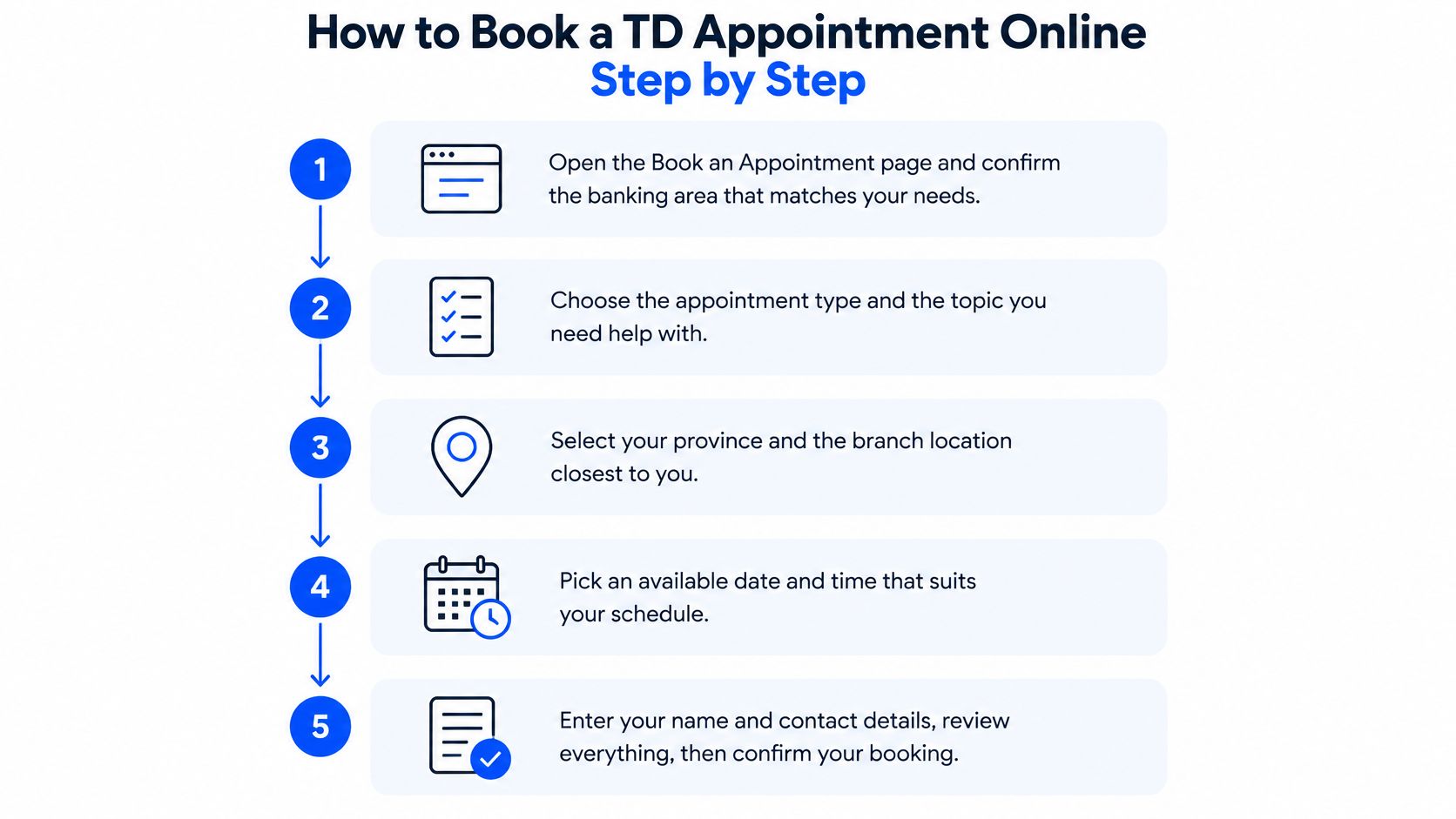
- Open the Canadian Book an Appointment page and confirm the banking area that matches your reason: personal, small business, or investing. Starting in the wrong area is the most common reason the appointment type you need never appears.
- Choose the meeting format, in branch or by phone. Pick phone if travel or mobility is the constraint, and branch if someone must see original ID.
- Enter your postal code or province so the page lists nearby branches. A downtown tower can look “closest” on a map and still be a poor choice if you rely on transit after work.
- Select a branch, and filter for accessibility or language features if the page shows them. If those filters are missing, do not assume the branch lacks the feature. Ask before you lock the time.
- Pick the appointment type, such as account opening, a mortgage discussion, investment advice, or everyday banking. A generic slot often cannot complete a product that needs a specialist.
- Choose an open date and time from the slots shown. If nothing in the next few days fits, stop refreshing.
- Enter your name, phone number, email, and a short reason for the visit. The reason helps the branch assign the right advisor.
- Review the summary and submit. Check the branch name, not only the time. Two TD branches in the same city are easy to mix up.
- Save the confirmation with the date, time, branch, and any reference number. A screenshot plus the email is safer than the email alone.
If you are booking around other fixed dates, such as a language test sitting, keep those commitments on one calendar before you accept a banking slot. Newcomers who are also booking an exam often use a CELPIP registration guide for PR applicants so the test day and the branch visit do not collide.
Putting the confirmed time on a calendar you open matters more than the booking page's own reminder. A simple setup for appointment scheduling with Google Calendar stops the TD visit from disappearing under work meetings.
A short walkthrough of the same idea, choosing a service, a place, and a time before you confirm, is here:
If no slots appear, a phone booking is usually faster than refreshing the page. An empty calendar on screen does not mean the branch has no advisor time. It often means that appointment type is not offered online at that location.
Requesting Accessibility Support Before You Book
A booking can be confirmed and still be the wrong booking. If the branch cannot provide the accommodation you need, the practical fix is to choose a different channel or a different location before the appointment is set.
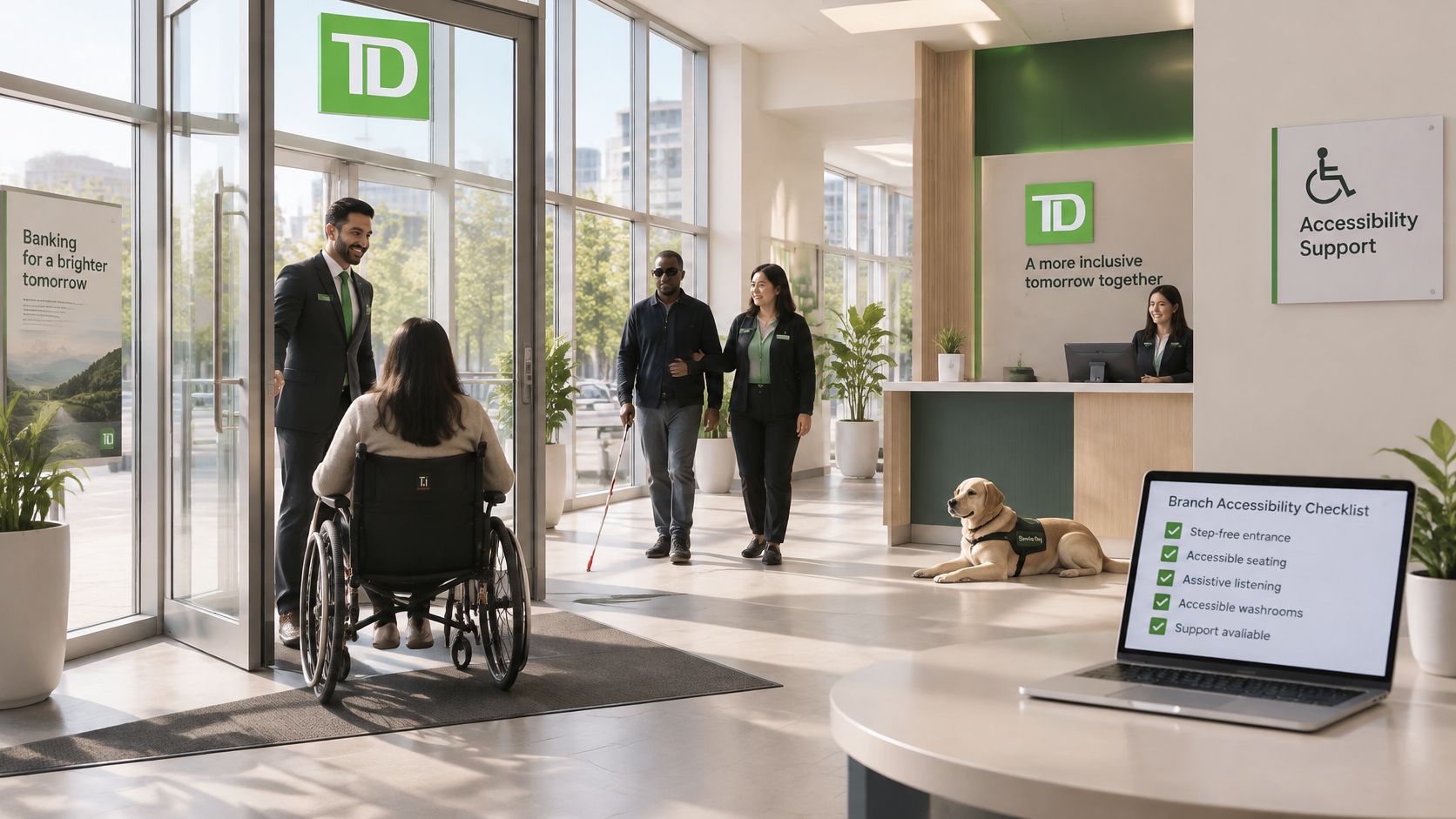
For a Canadian client who needs an appointment soon, online booking is useful only when the form shows what you need and the branch can deliver it. TD's Canadian accessibility materials state that features vary by location, and they name automatic doors, wheelchair-accessible teller stations, accessible ATMs, and real-time video interpretation. The same materials also describe virtual appointments with sign-language interpretation for Deaf and hard-of-hearing clients. Since the client is told to check with the local branch, treat the booking form as a starting point, not the final answer on access.
Pre-booking checklist
- Name the accommodation. Wheelchair access, ASL or LSQ interpretation, captioning, large print, or another alternate format. Vague requests such as “make it accessible” are hard for a branch to action.
- Check whether that branch offers it. A feature at one location is not a promise at the next.
- If the online flow does not show the option, call the branch or TD support. Silence on the form is not a no.
- Request interpretation or an alternate format well ahead of the date. Same-day requests often cannot be staffed.
- Decide between in person and virtual. A virtual meeting can be the better room when travel or a noisy branch would get in the way.
- Ask whether a TD employee can book the appointment for you. TD says employees can book for clients who need additional support, which generic booking steps often skip.
A phone-assisted booking is a feature, not a fallback you should feel awkward using.
Bring the same note you would use for any other visit: the support you need, the format you prefer, and a callback number. If the branch cannot provide it, ask which nearby branch can, and book that location instead of hoping the day of the visit will sort itself out.
Booking as a Newcomer or Complex Banking Client
Ordinary online account opening and the New to Canada Banking Package are not the same product. TD's newcomer guidance says the package requires an in-person appointment at a local branch. Newcomers can book with a personal banker, and the language selector can help you find an advisor who speaks your language. Use that selector whenever a language match matters. A fast English form is a poor trade if you will misunderstand a fee or a document request.
TD's contact information promotes meetings in branch or by phone, and TD operates a large Canadian retail branch network with employee-assisted booking for clients who need support. More channel choice is the point. Digital-only is not the only serious option.
| Intent | Likely channel | Preparation check |
|---|---|---|
| Newcomer account (New to Canada package) | In-person appointment at a local branch | Confirm the ID list with the branch |
| Newcomer account (ordinary online opening) | Online booking or phone advisor | Confirm ID and SIN or ITN needs |
| Mortgage or lending discussion | Online booking or phone advisor, branch if requested | Income and employment details; document list for that product |
| Investment advice | Investing appointment pathway by phone or advisor | Recent statements, time horizon and risk comfort |
| Everyday banking | Online booking or branch | Photo ID and existing account number |
| Language-matched advisor | Language selector, then book with a personal banker | Note preferred language at booking |
That lookup prevents three mistakes that send people back a second time.
Booking the package online and learning at the branch that an in-person visit was required. Bringing the wrong identification because a generic list from another province was treated as the rule. Choosing a phone meeting for a product that needs a branch, then spending the call being told to come in anyway.
Ask the right question before you choose the fastest-looking slot. At the moment you book, confirm whether your product requires an in-person visit, and ask for the document list directly. Requirements change by service. Immigration status, branch capability, and language needs all change the right answer, so a single walkthrough that treats every appointment as interchangeable will mislead you.
A newcomer who also wants a card should separate that conversation from the account opening. Building a Canadian file is its own project, and a practical guide to a first credit card for newcomers is worth reading before you ask an advisor to submit an application you are not ready to support with income documents.
For newcomers and for complex needs such as a mortgage plus investments, the fastest appointment is often the phone-assisted or in-person one. It costs a few extra minutes up front and removes the repeat visit.
Confirm Your Booking and Choose Your Next Step
Read the confirmation before you close the tab. It should show the date, the time, the branch, and any reference number. If one of those is missing, call back on the same line and ask for it while the booking is fresh. Then put the visit on a calendar with a reminder 24 hours before, and keep the documents in one folder.
Arrive about ten minutes early. Ten minutes covers finding the right wicket and having ID out. It does not require you to camp in the lobby for half an hour.
If plans change, call the same line you used to book. Starting a second online booking creates a duplicate, and the branch may hold two advisors for one person. Say you are changing an existing visit, give the reference if you have it, and wait until the new time is read back.
A confirmation text or email is only useful if you can act on it. Short, specific wording, the kind covered in text message appointment confirmation, should include the day, the time, and what happens if you need to move it.
When the online calendar is empty
Try these fallbacks in order, and stop at the first one that gives you a real time.
- Call a phone advisor for the same reason. Many personal topics do not need a chair in the branch.
- Try a different branch you can reach on that day. A farther branch with a tomorrow slot beats a nearby branch with nothing for two weeks.
- Ask for a callback on the matching phone line, and keep your phone free for that window.
Book the first workable slot through the right channel rather than waiting for a perfect evening. A slightly inconvenient time this week is better than a perfect time that never opens.
Book the first suitable appointment today, and confirm the details by phone if the branch, the format, or the document list is unclear.
If your own business lives on booked appointments, missed calls are lost slots. Heyline answers the business line, checks the connected Google Calendar, and books a real opening during the call, then emails a recap. See how Heyline handles that first conversation so callers leave with a time, not a voicemail.