A new client calls your salon during the lunch rush. The receptionist is washing color from a client's hair, the owner is with another appointment, and the phone never rings on either device. The caller hears voicemail, hangs up, and books with the salon down the street. Nothing appears broken, yet the business has lost a conversation that could have become an appointment.
That's why phone calls straight to voicemail should be treated as a conversion leak, not just a handset glitch. The cause might be Do Not Disturb, an incorrect forwarding rule, carrier screening, a broken ring group, or an after-hours schedule that starts too early. The outcome is the same when nobody responds while the caller is ready to act.
Voicemail feels like a safety net, but it often isn't. In a 30-day observation of 85 small businesses across 58 industries, only 37.8% of inbound calls were answered live, while 37.8% went to voicemail and 24.3% received no response at all, according to the published AI receptionist statistics fact check. Another compilation reports that about 85% of callers who reach voicemail don't call back (missed-call research for small businesses).
The practical fix has two parts. First, find out why the phone doesn't ring. Then build a response path that captures the caller before voicemail takes over. A clear phone tree guide can help you understand how calls should move through people, departments, and fallback options.
Common Reasons Business Calls Skip Ringing Entirely
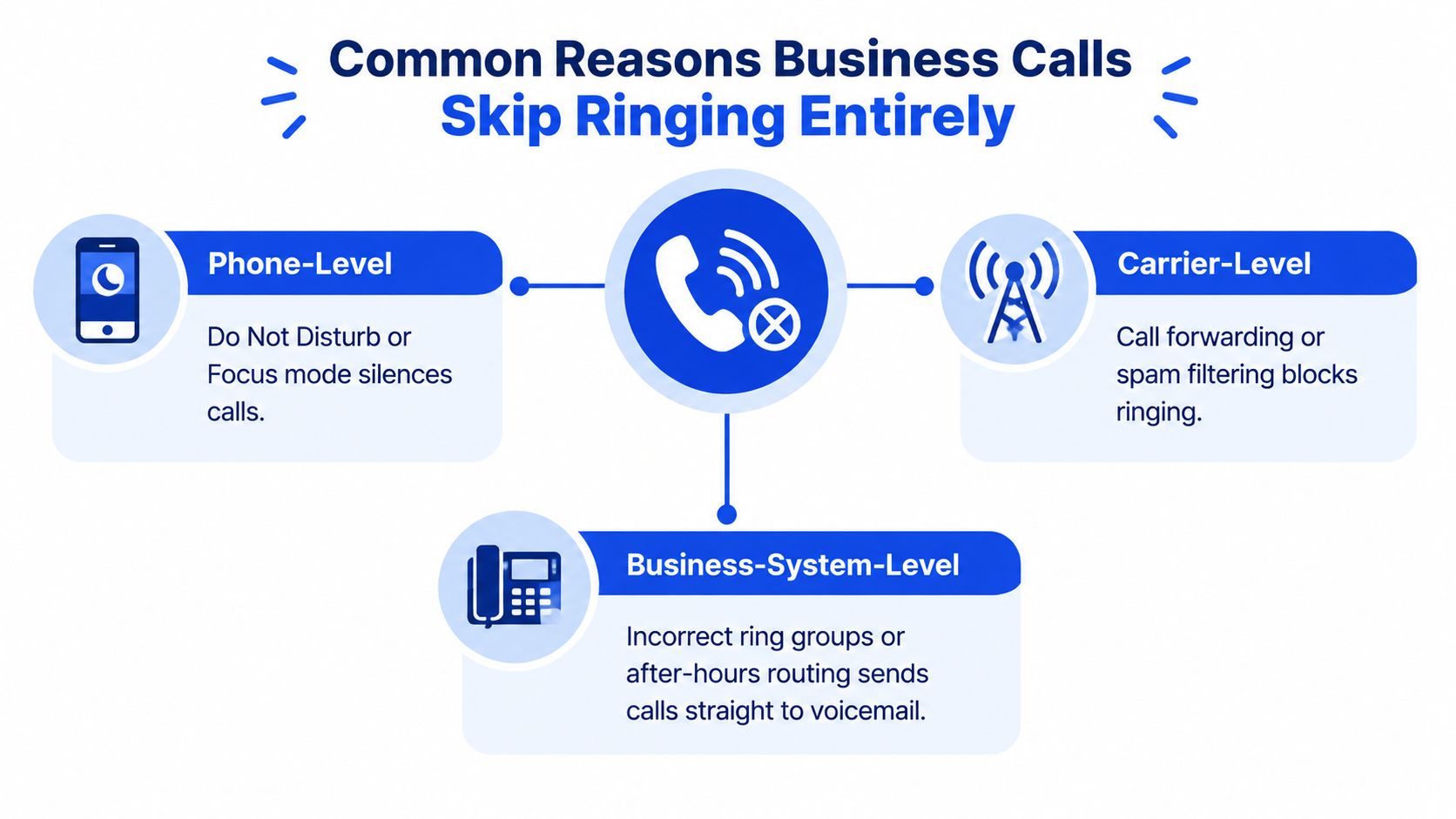
Straight-to-voicemail behavior usually comes from one of three layers: the phone, the carrier, or the business phone system. Start by identifying whether every call is affected, only calls from unknown numbers, or only calls outside a specific schedule. That distinction tells you where to look first.
Phone-level settings
Do Not Disturb or Focus mode can silence incoming calls while the phone remains connected. The symptom is simple: callers reach voicemail, but the device shows no incoming-call screen. Check scheduled Focus rules, sleep modes, driving modes, and allowed-contact lists.
Blocked contacts and spam filters can stop a call before it reaches the normal ring screen. Test from a known number and an unknown number. If one rings and the other doesn't, review the phone's blocked list and call-screening settings.
Weak device registration or software trouble can affect incoming calls even when the signal indicator looks normal. Restart the device, install pending updates, and test the SIM in another handset if you can. If the SIM works elsewhere, the original phone becomes the more likely fault point.
Carrier-level routing
Call forwarding may send calls directly to voicemail through unconditional or conditional forwarding. This often happens after a handset replacement, a carrier change, or an accidental setting change. The key symptom is that the phone never rings, regardless of caller.
Carrier spam protection and caller screening may classify legitimate business calls as suspicious. Unknown callers increasingly avoid answering numbers they don't recognize, and a 2026 survey cited by voicemail behavior research reported that only 18% of people listen to voicemails from unknown numbers. Branded caller ID and accurate business details can help, but they won't correct a forwarding error.
Number porting or SIM registration errors can leave outgoing calls working while inbound calls fail. Ask the carrier to verify that the number is correctly attached to the SIM or hosted phone service. Don't assume a working outbound call proves inbound routing is healthy.
Business-system rules
- Ring groups, hunt sequences, and business hours can bypass staff entirely. A VoIP platform might ring one unavailable user, forward immediately to voicemail, or interpret a lunch schedule as closed hours. If calls fail only during particular periods, inspect the schedule before changing the handset.
A voicemail greeting can't repair any of these causes. It only receives the call after the routing decision has already prevented a live conversation.
Quick Checks to Fix Your Phone and Carrier Settings
You can rule out many handset problems before calling your carrier. Use a second phone to place test calls, and change one setting at a time so you know which action affected the result.
Run the five-minute handset check
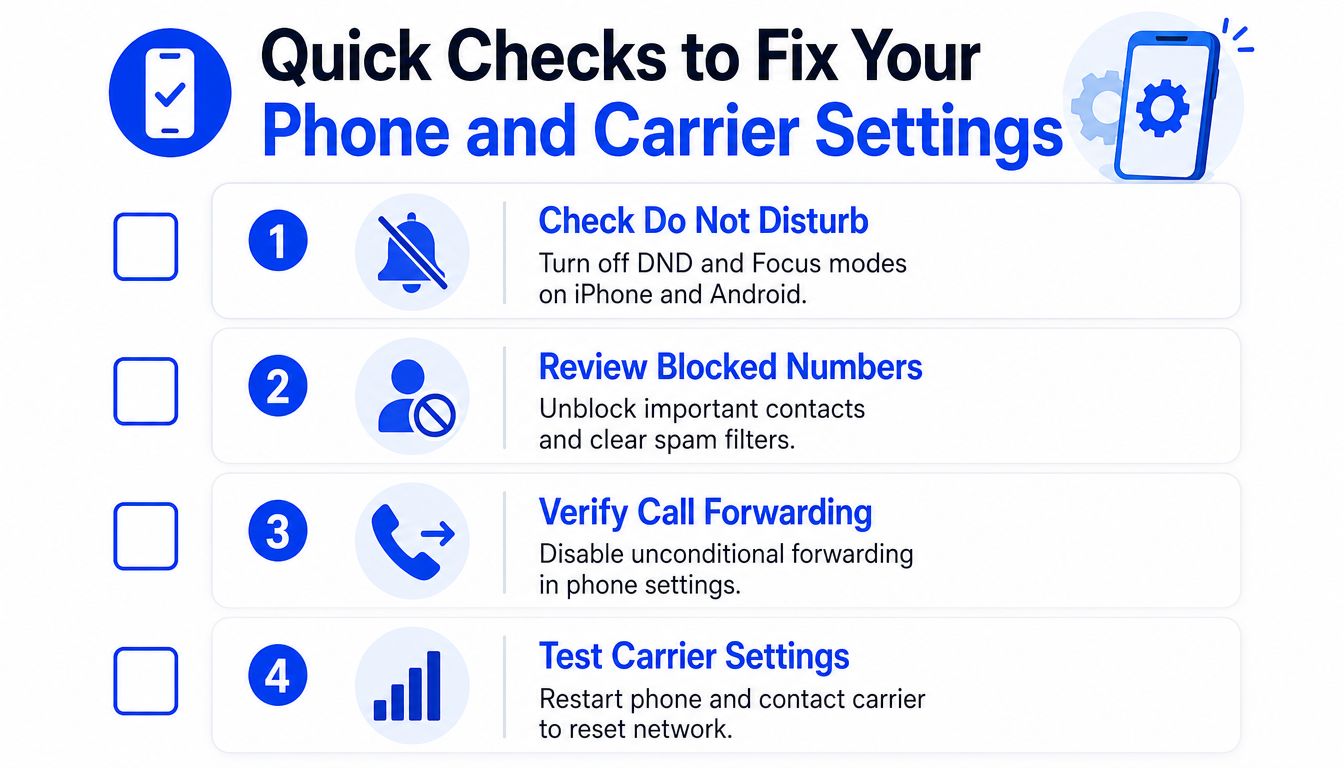
Turn off Do Not Disturb and Focus. On an iPhone, open Control Center and inspect Focus. Then review Settings for schedules and allowed callers. On Android, check Quick Settings and the notification or sound settings for Do Not Disturb, Bedtime, Driving, and automatic rules.
Review blocked numbers. Open the Phone app settings and inspect blocked contacts, call screening, and spam protection. Temporarily relax aggressive screening for a controlled test. Re-enable protection after you confirm the business number can ring.
Check call forwarding. Look for unconditional forwarding and conditional rules such as forwarding when busy, unanswered, or unreachable. Disable them temporarily, then call the number from outside the business.
Inspect the voicemail box. A full or misconfigured mailbox can produce inconsistent behavior. Delete old messages, confirm the greeting plays correctly, and check whether the carrier has activated visual voicemail properly.
Restart and test again. A restart can refresh network registration, but treat it as a diagnostic step, not a permanent solution. Place one call from a saved contact and another from an unsaved number.
Read the result instead of guessing
If both test calls ring after the changes, restore settings one by one until you identify the trigger. If neither call rings, move to the carrier or business phone system. If only unknown calls fail, focus on spam protection, caller ID, and screening rather than forwarding.
For a visual walkthrough of the basic checks, watch this troubleshooting video before changing deeper routing rules.
Don't spend an hour rewriting the greeting when the call never reaches the phone. A pass or fail test gives you a much cleaner starting point.
How to Fix Business Routing Forwarding and After Hours Setup
Once the handset passes its test, inspect the business number's call flow. Salons, clinics, and other appointment-based businesses commonly lose calls. The number may belong to Google Voice, a VoIP provider, a mobile carrier, or a separate answering platform, and each layer can contain its own forwarding rule.
Audit the live call path
Start at the public business number and follow the call as a customer would. Confirm which phones should ring, whether they ring simultaneously or in sequence, how long each stage lasts, and what happens when nobody answers.
Check these settings in order:
Ring groups. Remove former employees, disconnected extensions, and devices that no longer belong to the team. A stale destination can delay the call or send it to voicemail before the current receptionist has a chance to answer.
Forwarding destinations. Look for “always forward,” “forward when busy,” and “forward when unanswered.” Verify every destination digit by digit. An old mobile number or voicemail box can intercept the business line.
Ring duration. Give the intended staff group enough time to answer, but don't create a long dead-air experience. If your system supports a separate overflow destination, send unanswered calls there before the carrier mailbox activates.
Business hours. Check opening, closing, lunch, holiday, and special-event schedules. A clinic that closes at a different time on one weekday can accidentally route live calls to a closed greeting.
After-hours behavior. Decide whether callers should leave a message, reach an answering service, request an emergency response, or book through an automated system. “Closed” shouldn't automatically mean “unrecoverable.”
A business phone routing guide can help map the intended sequence before you edit provider settings.
Use the symptom to choose the repair
| Symptom | Likely Cause | Fix to Apply |
|---|---|---|
| Every call skips the staff phones | Unconditional forwarding or disabled ring group | Remove the always-forward rule and reactivate the correct group |
| Calls ring one person, then stop | Sequential hunt or unavailable extension | Add simultaneous ringing or reorder active users |
| Calls fail only outside normal hours | Incorrect schedule or holiday rule | Rebuild open, closed, lunch, and holiday periods |
| Calls reach voicemail during busy periods | Short timeout or no overflow destination | Extend the ring window and add a live overflow path |
| Some callers never see a ring | Spam labeling or screening | Review caller ID presentation and carrier filtering |
Test from an outside mobile, a saved contact, an unsaved number, and a number calling during each relevant schedule. Watch the actual result, not just the dashboard status. A routing system can report “active” while a forwarding destination remains unreachable.
Practical rule: Every phone-system change needs a real inbound test. Don't consider the issue fixed until a caller can reach a person or an immediate response path.
Stop Losing Leads When Voicemail Cannot Save Them
Fixing the ring solves only the technical half. The commercial question is what happens when every staff member is occupied, the clinic is closed, or the receptionist is already helping someone face to face.
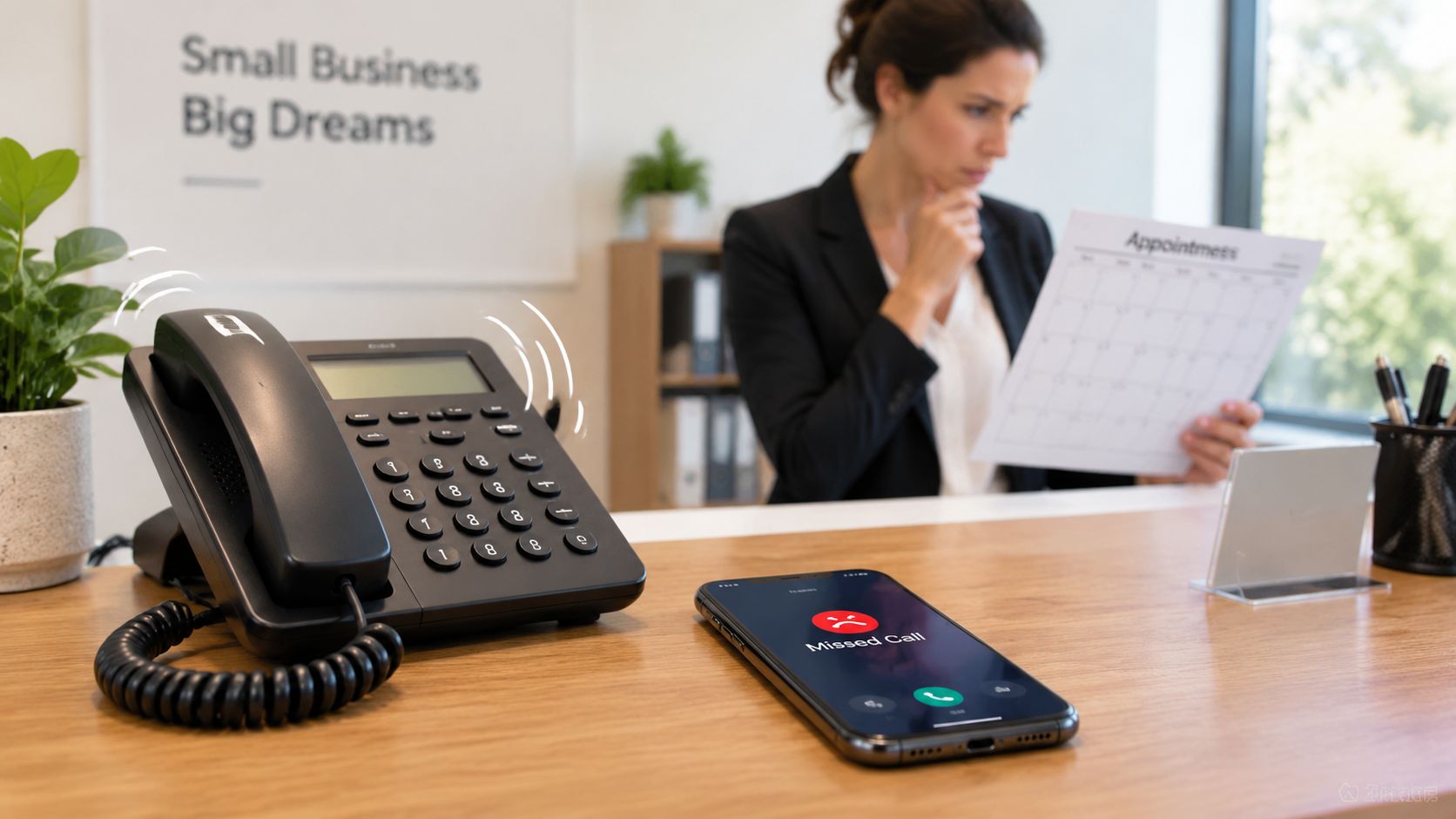
Voicemail has a narrow recovery path. Independent summaries report that fewer than 3% of callers who reach voicemail leave a message, and about 85% never call back, as described in end-to-end missed-call conversion research. That means a polished greeting can improve clarity for the small group that stays, but it won't rescue the larger group that hangs up before leaving usable details.
Recent local-business summaries estimate that roughly 80% to 86% of callers hang up without leaving a message when they reach voicemail, according to small-business missed-call research. The right metric is therefore not voicemail volume. Track live answer rate, abandonment before capture, callback completion, and booked appointments.
Compare the three practical capture models
| Approach | What happens to the caller | Main trade-off |
|---|---|---|
| Voicemail only | The caller hears a greeting and may leave a message | Low operating effort, weak immediate capture |
| Staff overflow | Another employee or answering service responds | More human coverage, higher coordination and staffing demands |
| AI receptionist | An automated receptionist answers, gathers intent, and may schedule | Continuous coverage, requires accurate business information and calendar setup |
A receptionist overflow service works well when staff can answer consistently and the call volume is predictable. It becomes harder when the team is small, peak periods shift, or after-hours demand matters.
An AI receptionist can answer unanswered or busy calls before the carrier voicemail box takes over. Heyline configures its receptionist from a business website, connects with Google Calendar, answers questions in a natural conversation, and books available appointments without requiring node editors, webhooks, or prompt engineering. It's one option for owners who need a continuous response path without building a complex phone system.
For businesses handling high call volumes, the strongest setup is usually layered. Keep voicemail for unusual cases, but route busy and unanswered calls to a live person or automated receptionist first. That changes the caller's choice from “leave a message or leave the business” to “get an answer or complete the next step now.”
Keep Calls Ringing With a Simple Prevention Routine
A phone system can work perfectly today and fail after a staff change, handset replacement, carrier update, or calendar adjustment. Prevention needs to be routine, not something you remember only after a customer complains.
Weekly checks
Place an outside test call during the busiest operating period. Confirm that the expected phones ring, the right person can answer, caller ID looks legitimate, and unanswered calls follow the intended overflow path.
Run another test outside business hours. Listen to the greeting, verify the schedule, and make sure the caller reaches the correct after-hours option rather than an unexpected carrier mailbox.
Review the voicemail box and delete stale messages. If voicemail remains part of the process, make the greeting specific about expected response timing and alternative contact options. Don't treat that greeting as the primary recovery mechanism.
Monthly and change-triggered checks
After any staff departure, update ring groups and forwarding destinations immediately. Recheck holiday schedules, lunch rules, and extensions whenever opening hours change. Watch for spam labels by calling the business from a personal mobile and checking how the number appears.
Keep a short record of the test results:
- Inbound ring: Which devices answered?
- Routing: Did simultaneous or sequential ringing behave as intended?
- Fallback: Who or what answered after the first ring group?
- Schedule: Did open and closed rules match reality?
- Booking: Could the caller complete the next action?
Voicemail should be the last resort, not the default destination.
If calls still go straight to voicemail after the routine, escalate with a documented test time, caller number, handset, location, and exact behavior. That gives your carrier or provider something concrete to trace.
If unanswered calls are sending salon, clinic, or service inquiries to voicemail, Heyline can answer the business number, handle natural caller conversations, and book available appointments through the connected calendar. Visit Heyline to test a continuous answering setup before the next busy hour turns a ready caller into a lost lead.


