A patient calls your dental office after work, ready to schedule an exam. Your front desk is already checking out a patient, receiving a delivery, and helping a hygienist find an opening. The phone rings until it reaches voicemail. By the time someone returns the call, that patient may already be speaking with another practice.
That scenario is not a minor service flaw. It is a revenue and access problem. A dental office that treats its phone line as an overflow task will lose high-intent callers precisely when they're most motivated to book. An AI receptionist for dental practices gives those callers an immediate, conversational response while keeping the practice's privacy, scheduling, and escalation rules in place.
The Hidden Cost of the Busy Signal
The missed call usually happens at the worst possible moment. A patient is standing at the desk with a billing question, another patient needs help completing paperwork, and the clinical team is asking whether tomorrow's schedule has room for an urgent visit. The phone keeps ringing in the background. Nobody ignores it deliberately. The team can't be in three conversations at once.
Voicemail is where the commercial damage begins. A new patient who has searched for a dentist, checked the location, and decided to call has already completed much of the buying journey. Asking that person to leave a message and wait for a response creates friction at the exact point where the practice should make booking easy. A competing office with a live answer can secure the appointment before your team gets back to the caller.
The same weakness appears after hours. Patients often research dental services in the evening, during lunch breaks, or around work and school schedules. If the only available response is a generic recording, the practice has no opportunity to answer questions, identify the visit type, or offer the next available appointment.
Practical rule: Treat every unanswered call as an interrupted booking workflow, not merely an administrative inconvenience.
An AI receptionist changes the first response. It can greet the caller, explain that it's a virtual assistant, answer routine questions drawn from approved practice information, and guide the person toward a suitable appointment. It can also recognise when the conversation needs a human and route the call according to the office's instructions.
That doesn't make the system a replacement for a treatment coordinator or practice manager. It gives those people control over the calls that require judgement instead of forcing them to spend every busy period repeating office hours, location details, service explanations, and basic scheduling options. The operational model described in Heyline's guide to handling high call volumes is useful here: continuous phone coverage should protect the front desk from avoidable interruptions while preserving a direct path to booking.
The right objective isn't to make every conversation automated. It's to ensure that a caller never disappears just because the team is serving someone else.
Calculating Missed Appointment Revenue
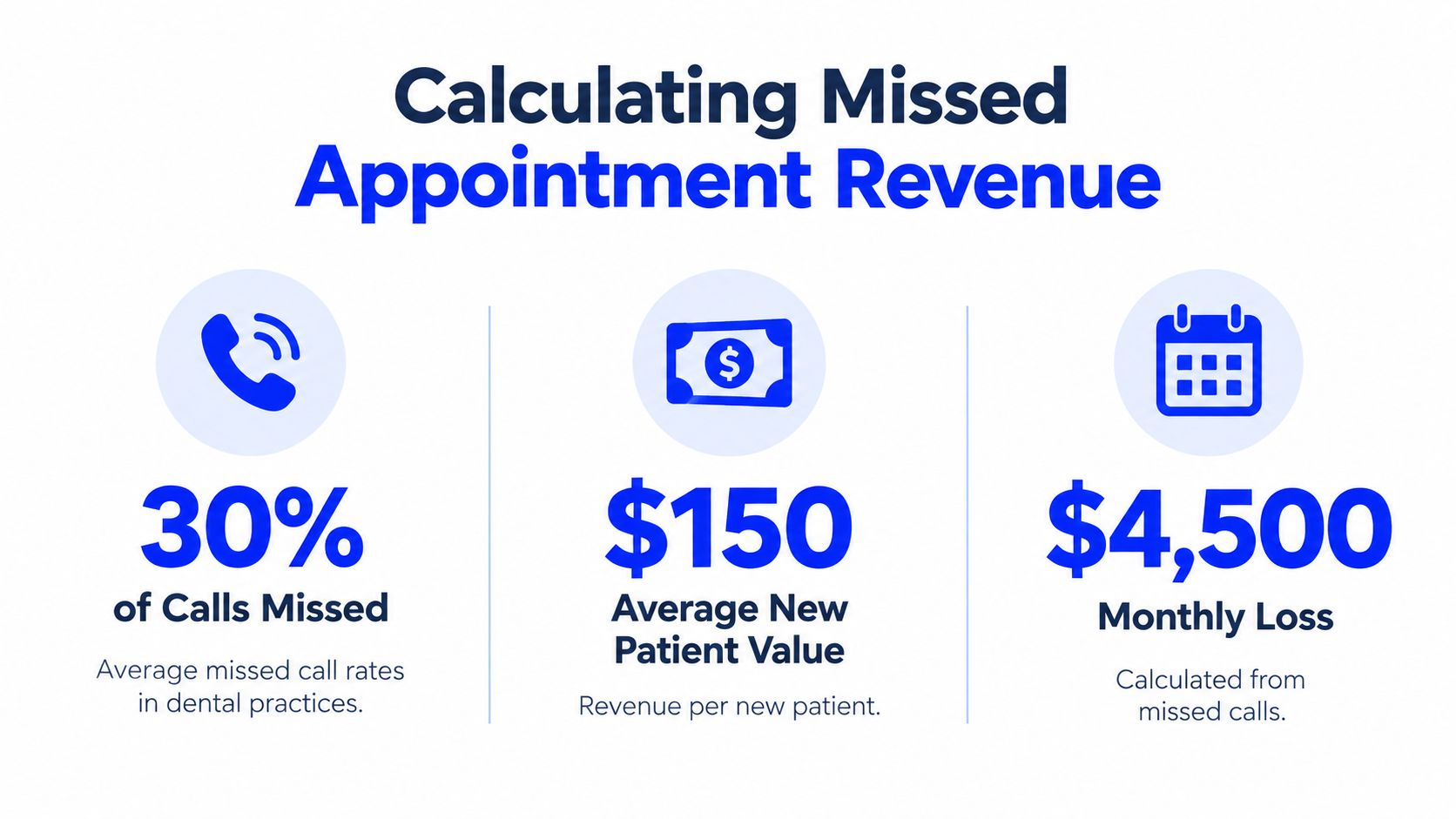
A missed call is a revenue problem the moment it prevents booking. Start with a planning model, then replace it with your own call data. One California-focused dental example models 50 calls per day, with 46% arriving after hours or during busy windows. That creates 23 at-risk calls per day, or roughly 506 calls per month across 22 working days. The figures come from California dental call-centre guidance, and they should be treated as a planning model rather than a guarantee for every office.
A separate benchmark from the ADA Health Policy Institute notes that patient behavior and access patterns vary sharply by practice and location, which is exactly why a local call audit matters. Use that reality to test your own schedule, not to assume your phones behave like the example.
The same California example assumes that 12% of at-risk calls would have booked. That produces approximately 60 appointment opportunities per month. Using the source's representative average patient value of $1,200, the resulting exposure is about $72,000 in revenue at risk. The point is simple, a small phone gap can hide a large amount of lost production.
Build your own exposure model
Use your actual call records instead of assumptions. Ask your phone provider or practice management team for:
- Daily inbound calls: Separate new-patient calls from existing-patient calls where possible.
- Unanswered calls: Include calls sent to voicemail, abandoned calls, and calls answered after a long delay.
- Timing gaps: Identify after-hours calls, lunch-period calls, and calls that arrive while the front desk is occupied.
- Booking outcomes: Track which missed callers eventually schedule and which never reconnect.
- Appointment value: Use your own accepted production or patient-value estimate, and keep new-patient and existing-patient values separate if your data supports it.
A simple model is:
At-risk calls × likely booking rate × average patient value = potential revenue exposure
That is not a forecast. It is a management tool. It tells you whether the practice has an occasional coverage problem or a structural leak.
California guidance also cites missed-call exposure in the 20% to 30% range and argues that practices need to answer 95% or more of calls to remain competitive. Use that benchmark once, then move on. The same California dental call-centre resource should shape your service standard, not your marketing claim.
Revenue isn't the only loss
A missed call can also create an empty slot, a delayed urgent visit, or extra work for the team. A caller who wants to cancel or reschedule may not reach anyone until the appointment is already close, leaving staff with less time to refill the opening. Continuous coverage gives the office a chance to capture the request while there is still time to act.
The pricing question comes after the coverage question. Before comparing subscriptions, calculate what your current answering gaps cost and review the decision framework in this guide to virtual receptionist pricing. A system that never connects to your calendar, follows no escalation rules, or mishandles sensitive information is not inexpensive. It shifts cost into missed production and compliance risk.
Core Capabilities of a Dental AI Receptionist
A capable AI receptionist dental workflow should behave less like an old phone tree and more like a trained member of the front desk. The caller should be able to describe what they need in ordinary language, ask a follow-up question, and receive a relevant response without pressing through a chain of numbered options.
Start with the information layer. The system needs approved answers for services, office hours, location, accepted appointment types, and the questions your team hears repeatedly. Those answers should be editable. A practice manager must be able to correct a service description or change an operational instruction without commissioning a new phone-tree build.
Booking must be calendar-aware
The receptionist's most important action is not answering a question. It's securing the right next step.
A calendar-connected system should check live availability before offering a time. It should understand the appointment category and apply the practice's scheduling rules rather than placing every caller into the first open slot. That reduces double-booking risk and limits the phone tag created when a caller is promised a time that staff later have to revise.
The conversation should also support practical exceptions:
- New-patient intake: Collect only the information the practice has approved for an initial conversation.
- Routine questions: Answer office and service questions from the maintained knowledge base.
- Cancellation requests: Capture the request and apply the office's escalation or rescheduling workflow.
- Urgent concerns: Follow a clear instruction for routing, emergency guidance, or human intervention. The AI shouldn't diagnose or improvise clinical advice.
- Human handoff: Transfer or create a staff follow-up when the caller is confused, upset, or asking for something outside the approved scope.
The system should maintain a consistent voice, but consistency doesn't mean pretending to be human. The caller needs a clear understanding that they're speaking with an AI assistant and a straightforward way to reach the practice team.
A broader explanation of the operating model appears in this overview of what an AI receptionist is. For a dental office, the useful test is concrete: can the system answer the common question, check the appropriate calendar, document the interaction, and escalate the exception?
The following demonstration shows the kind of conversational interaction practice owners should evaluate before deployment.
Don't judge the product only by how natural the voice sounds. Test whether it follows office policies under pressure. Have staff ask about new-patient visits, cancellations, unavailable times, urgent symptoms, insurance questions, and requests that require a human. A polished voice with weak boundaries is a liability, not a receptionist.
Navigating Privacy and Compliance Mandates
An AI receptionist in a California dental office is a privacy-controlled intake system, not just a convenience tool. California's call-recording rules require a business that records calls to disclose the recording at the start of the conversation. Violations of the California Invasion of Privacy Act can carry $2,500 to $5,000 per incident, according to California dental AI receptionist compliance guidance.
That requirement changes the opening script. If calls are recorded, the system must announce the recording before collecting patient information. It should identify itself clearly and avoid gathering sensitive details before the required disclosure. The practice should also know whether transcripts, recordings, and extracted information are stored, who can access them, and how long the vendor retains them.
California's CCPA and CPRA add requirements around patient-data handling, including access, deletion, and opt-out rights. Those obligations need an owner inside the practice. “The vendor handles compliance” isn't an implementation plan. The dental office still needs to approve the information collected, document the workflow, and know how to respond when a patient exercises a right.
Configure the guardrails before launch
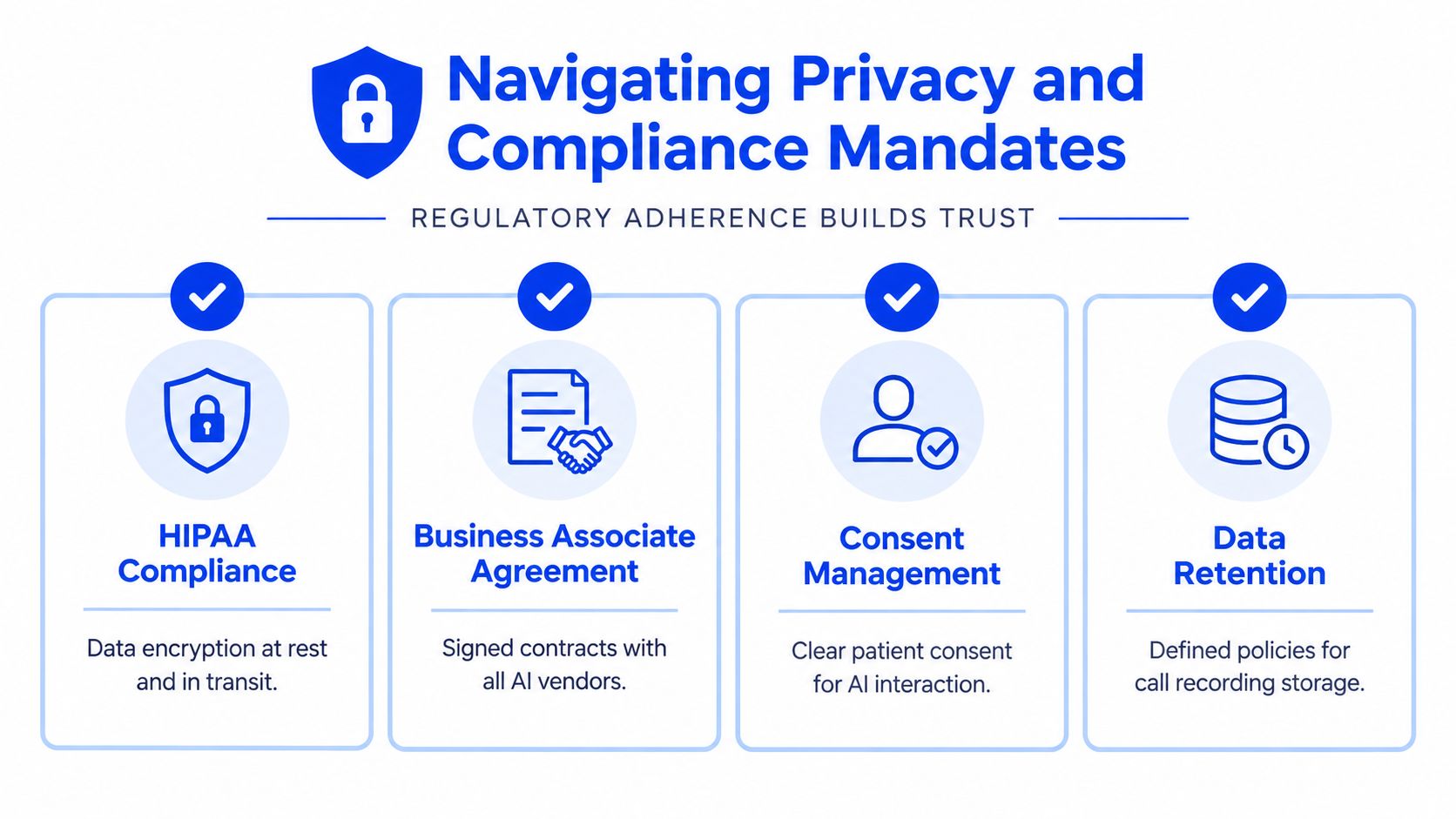
The California Dental Association's guidance on SMS, AI, and new technology advises practices to use a signed BAA, minimise PHI, and select closed, health-care-grade systems. It also describes transparency requirements for generative AI in patient communications, including telling patients when a message was AI-generated and explaining how to reach a human clinician.
Your launch checklist should therefore include:
- Vendor review: Confirm the BAA, security terms, data-access controls, retention policy, and subprocessors.
- Disclosure script: Test the opening language for AI identification and call-recording notice where recording is used.
- Minimum necessary intake: Decide what the AI may collect and what must wait for a human.
- Escalation rules: Define what happens with clinical questions, emergencies, complaints, privacy requests, and billing disputes.
- Communication transparency: Make AI involvement clear in calls, texts, voicemails, and appointment messages.
- Access and deletion process: Assign staff responsibility for handling patient data requests under the practice's applicable obligations.
Build the Medi-Cal workflow separately
Medi-Cal and Denti-Cal callers need more than a generic cancellation flow. California Medi-Cal Dental guidance tells patients to contact the dental office at least 24 hours before a visit if they can't attend, and it prohibits dentists from billing patients for missed appointments. The provider can report the no-show so Medi-Cal Dental can help reschedule, as explained in the official Medi-Cal Dental member bulletin.
The AI should capture a cancellation or rescheduling request, identify the appointment, and route the outcome into the office's calendar and missed-appointment process. It shouldn't promise a fee, invent a policy, or treat a missed Medi-Cal appointment like a standard private-pay transaction.
California's dental association guidance on missed Medi-Cal appointments reinforces the need to document the missed visit correctly and preserve the human handoff. A generic booking bot falls short here. The practice needs a controlled workflow that protects the patient, the schedule, and the office's programme obligations.
Website-Derived Configuration vs Developer Tools
Traditional phone automation often starts with a technical project. Someone designs call states, builds branching logic, connects webhooks, maintains integrations, and updates the system whenever the practice changes a service or policy. That approach can work for a large organisation with technical staff. It's a poor fit for most independent dental offices that need the office manager to make a correction quickly.
A website-derived system begins with the practice's public information. The platform reads the site to understand services, hours, location details, and other approved content, then presents those details in editable fields. The practice team still needs to review the result. Automatic extraction is a starting point, not a compliance approval.
Choose the operating model that fits the practice
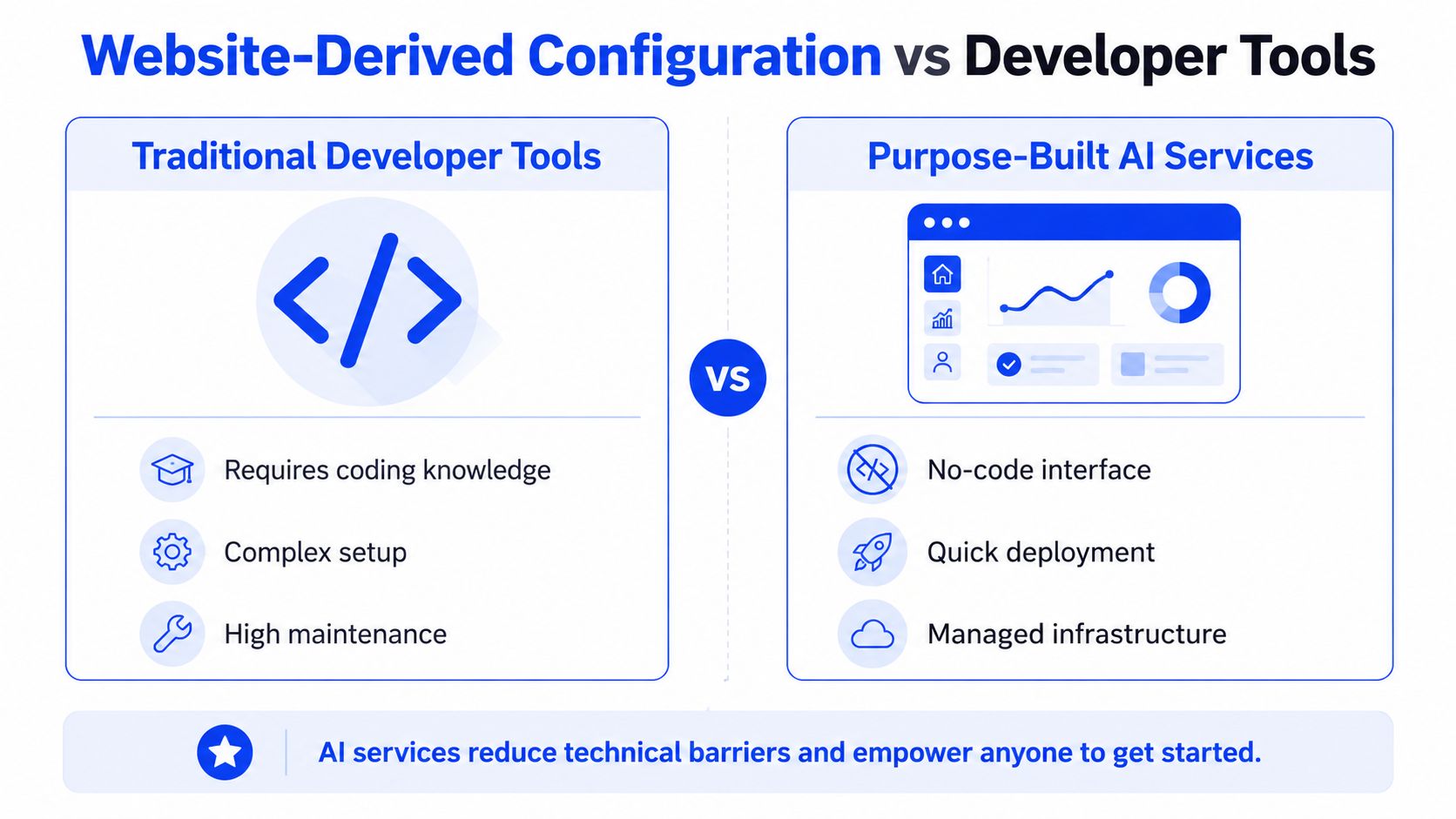
| Traditional developer tools | Purpose-built AI service |
|---|---|
| Requires technical configuration and ongoing maintenance | Uses plain-language settings for practice staff |
| Often depends on custom call flows and integrations | Starts from website information and editable knowledge |
| Updates may require a developer or agency | Staff can revise approved answers directly |
| Reliability depends on the team maintaining the stack | The vendor manages the underlying service |
| Flexible, but difficult for non-technical owners | Faster to adapt for local appointment workflows |
The key distinction is ownership. A developer-first stack makes the practice dependent on whoever built it. A purpose-built service lets the practice manager own the business rules while the vendor maintains the infrastructure.
That simplicity doesn't remove the need for review. Website content may be outdated, may omit an exception, or may describe a service in language that's unsuitable for an automated call. Before going live, staff should check every patient-facing answer and explicitly add rules for human transfer, privacy disclosures, emergencies, cancellations, and rescheduling.
For a small practice, the better choice is usually the tool that allows authorised staff to manage ordinary changes without technical intervention. Save custom development for workflows that genuinely require it. Don't build a complicated telephony system just to answer questions already present on the practice website.
Deploying Your AI Receptionist in Minutes
A non-technical launch can be simple, but it still needs disciplined preparation. The fastest setup is not the one that skips review. It's the one that separates configuration, testing, and activation so the practice can catch errors before patients encounter them.
Start with the public website
Paste the practice website into the setup screen and allow the system to extract the core information. Review every field for accuracy, especially:
- Services: Confirm that the system distinguishes exams, hygiene visits, emergency requests, consultations, and other appointment categories.
- Hours and location: Check regular hours, holiday instructions, parking information, and the correct office address.
- Scheduling language: Remove any promise the calendar can't support.
- Contact instructions: Add the right path for billing, records, clinical questions, and human support.
- Privacy wording: Insert the approved AI and recording disclosures before the system handles patient details.
Keep the knowledge base operational. Don't load it with broad clinical material that encourages the AI to answer questions it shouldn't handle.
Connect the calendar and define authority
Connect the practice calendar so the receptionist can check availability before offering appointments. Then decide which calendars, appointment types, buffers, and staff rules apply. A calendar connection doesn't automatically create a safe scheduling policy. The office must determine what the AI can book, what it can cancel, and what it must send to a team member.
Run test calls before routing live traffic. Ask staff to behave like impatient, confused, and time-pressed callers. Test an after-hours booking, a cancellation, a request for a specific clinician, an unavailable appointment time, and a question outside the knowledge base. Listen for incorrect assumptions, missing disclosure language, and awkward handoffs.
Select the voice, then activate routing
Choose a voice that fits the practice's brand without trying to imitate a specific employee. It should sound calm, clear, and respectful to anxious callers. Let staff hear complete conversations, not only the greeting.
Connect the office number or call route only after the tests pass. Start with clear escalation instructions and monitor the first live interactions closely. Review transcripts or call summaries according to the practice's privacy and retention policy, correct knowledge fields when needed, and keep a change log for important workflow updates.
The launch is complete when the AI can do three things reliably: provide approved information, offer legitimate scheduling options, and hand off anything outside its authority.
Transforming the Patient Calling Experience
A voicemail system asks the patient to adapt to the practice's staffing constraints. A conversational receptionist adapts the first response to the patient's request while keeping the office's rules intact.
That shift matters for more than convenience. Continuous answering protects high-intent enquiries, reduces repetitive interruptions for the front desk, and gives patients a clearer path when they need to book, cancel, or reschedule. In California, it also forces the practice to treat disclosure, data minimisation, recording controls, and Medi-Cal workflows as launch requirements rather than later fixes.
California's access-to-care standards provide a useful responsiveness benchmark. Health-plan phone customer service should answer within 10 minutes during normal business hours, and urgent callback requests should be returned within 30 minutes, according to the California Department of Managed Health Care's timely-access guidance. A dental office doesn't need to copy every health-plan process, but it should take the underlying lesson seriously: delayed phone access creates avoidable patient friction.
Audit your unanswered calls, test your current voicemail journey, and document exactly what an AI system may collect or schedule. Then choose a receptionist that supports those rules instead of treating compliance as a settings page.
Heyline provides an AI phone receptionist for appointment-based businesses that answers incoming calls, holds natural conversations, and books appointments through a connected Google Calendar. Visit Heyline to evaluate a non-technical setup for capturing dental enquiries while keeping your practice's scheduling and escalation rules explicit.