Your business phone is ringing while you're with a customer, and you can't pick up. You've switched on forwarding, but you still don't know whether the next caller will reach your greeting, hear a busy tone, or keep ringing until they give up.
Forwarding calls to voicemail isn't finished when the setting says it's on. It's finished when an outside caller reaches the right mailbox and you can retrieve their message. The setup differs between mobile phones, carrier landlines, and office phone systems, so start with the rule your line supports.
Forwarding Codes for Each Forwarding Type
Each forwarding type is a different rule, and dialling the wrong code sends the wrong calls. Decide which rule you need first, then get the code from the carrier that controls your line.
| Forwarding type | Activate | Cancel | Use it when |
|---|---|---|---|
| Unconditional (every call) | Common carrier pattern: *72 + voicemail or destination number, where supported | Common carrier pattern: *73, where supported | Every call should go straight to voicemail |
| Busy line | The busy-call code on your carrier's forwarding list, dialled once from your handset | The matching cancel code on the same list | A second call arrives while the line is in use |
| No answer | The no-answer code on your carrier's forwarding list, dialled once | The matching cancel code on the same list | The phone rings out before forwarding should start |
| VoIP or internet phone | In the provider's portal, turn the provider's voicemail off or set it to answer after your forwarded destination | Switch the same portal setting back; the mailbox takes unanswered calls again | The provider's own voicemail would answer first |
There is no universal conditional code. Busy and no-answer forwarding each use a short code from your own carrier's published list, dialled once from the handset, and the undo code sits on the same page. Per-carrier codes are collected in Heyline's call forwarding guide, but the carrier's support page is the authoritative source. Never substitute a code from another carrier because the phones look identical.
Carrier quirks change the plan. Two Canadian carriers charge a separate per-minute fee on forwarded calls, and Rogers refuses conditional forwarding until its voicemail is switched off. On the big US carriers, forwarded calls draw on plan minutes the same way as calls you answer yourself.
Choose the destination before the code
Decide whether callers should land in your existing mailbox or a separate answering destination. Your voicemail retrieval number is not necessarily a number that accepts forwarded callers. Some services attach the mailbox to your line automatically; others need an overflow configuration or a dedicated destination number.
The California Public Utilities Commission's business voicemail decision distinguishes direct-dial mailboxes from voicemail arrangements that use forwarding when a line is busy or unanswered. That distinction matters more than memorising a star code.
For a staffed business, conditional forwarding is usually the right starting point: staff answer what they can, and the fallback catches the calls they miss. Unconditional forwarding suits planned closures or a line you never want ringing locally.
Practical rule: A confirmation tone after dialling proves the carrier accepted a code. It proves nothing about the mailbox. Ring your own number from an outside phone before you call the job done.
Mobile lines usually fail because the carrier never accepted the rule. VoIP and office systems fail differently: the provider's own voicemail answers faster than the forwarded destination, so the portal setting has to be changed first. If the carrier's instructions never name a voicemail destination, call support and ask for busy and no-answer forwarding to your existing mailbox, not the number you dial to listen to messages.
Turn On Forwarding and Test It
Start with the handset, but remember that the carrier controls whether the feature is available. A missing menu doesn't necessarily mean forwarding is unavailable, and a visible toggle doesn't prove the carrier accepted the change.
The handset sequence below is a starting point; menu names can change with the operating system and carrier.
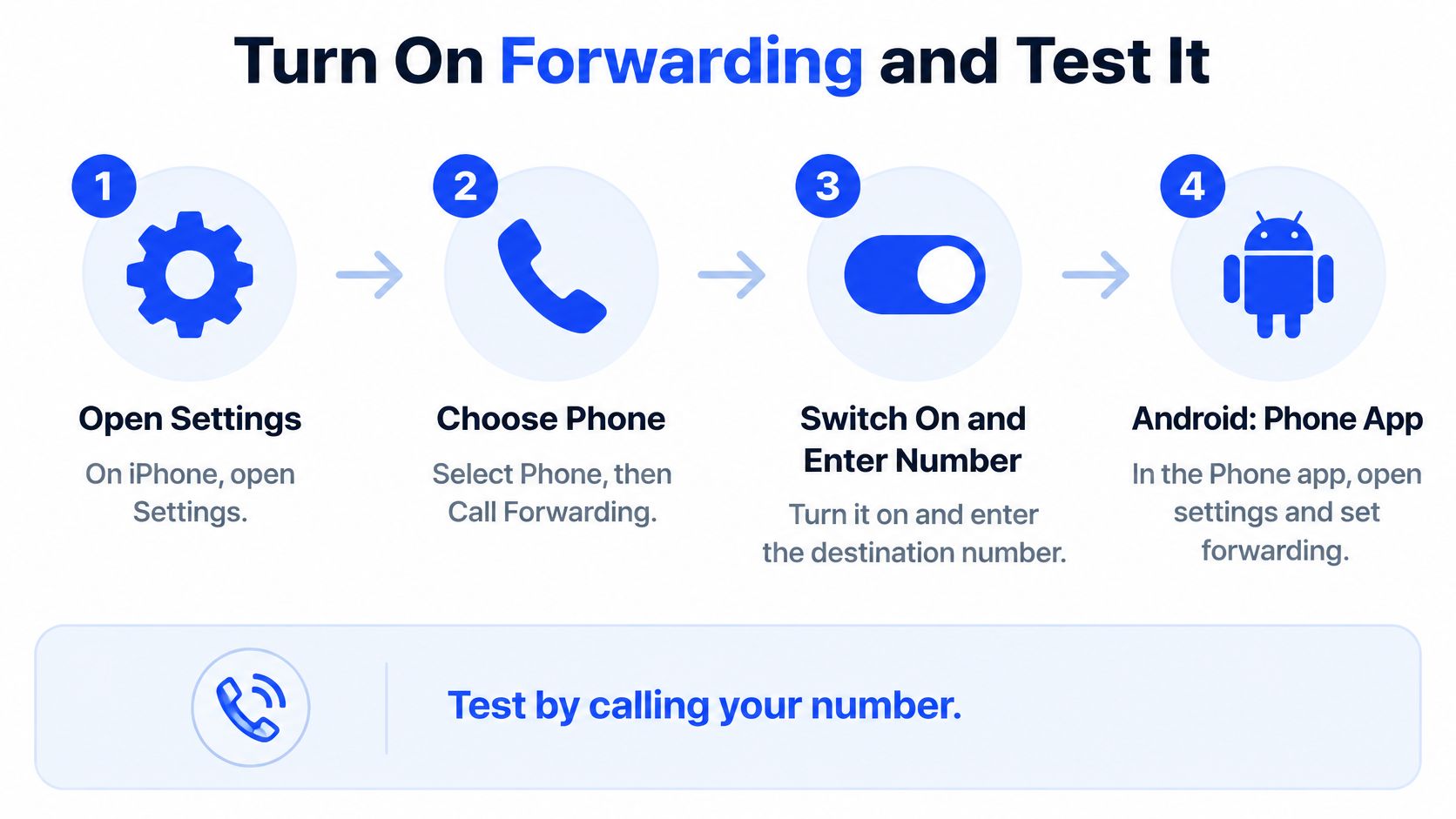
Activate the right rule
Open the forwarding controls. On an iPhone, look under Settings, then Phone, then Call Forwarding. On newer layouts, Phone may sit under Apps. On Android, open the Phone app and look under Settings, Calls or Calling accounts, then Call forwarding. Select the correct SIM if your phone has multiple lines.
Check what the menu changes. An iPhone's visible forwarding switch may offer all-call forwarding rather than separate busy and no-answer rules. Android menus also differ by manufacturer and network. If you need conditional forwarding and the menu doesn't offer it, use your carrier's published procedure.
Confirm that voicemail is active. Complete the mailbox setup, record a recognisable business greeting, and check that you can sign in to retrieve messages. Verify the forwarding destination separately from the mailbox access number. Don't enter your business's own number unless the carrier explicitly tells you to.
Apply the setting from the correct line. For a dial-code setup, copy your carrier's complete activation string and dial it from the phone whose calls you're diverting. Follow its instructions for entering the destination and completing the request. Some systems need a confirmation tone, an answered destination, or another activation attempt.
Wait for confirmation. Don't treat a dismissed screen or disconnected call as success. If you get no confirmation, check the carrier's procedure before retrying. Repeatedly entering different codes makes it harder to work out which rule is active.
For our forwarding setup, you copy your carrier's conditional forwarding code and dial it once from your phone. Keep that complete string in your office records, along with the cancellation instruction.
Prove the caller's route
Use an outside phone, not an internal extension that might bypass the public number's routing. Start with the business line idle, call its published number, and let the call go unanswered. Listen until you reach the greeting or an unmistakable failure.
Then occupy the business line with another conversation and place a fresh outside call. This checks the busy condition, although call waiting or spare line capacity may prevent the system from treating the line as busy. For a multi-line business, also test incoming calls while the available answering positions are occupied.
Frontier's phone user guide warns that callers may hear a busy signal when voicemail hasn't been provisioned. That's why mailbox availability must be checked independently of the forwarding setting.
Record what the caller hears rather than marking the test as failed:
- Prolonged ringing: Inspect the no-answer delay and any additional ringing at the destination.
- Busy tone: Check mailbox provisioning, busy forwarding, and destination capacity.
- Carrier announcement: Recheck the destination and whether the carrier permits that route.
- Wrong greeting: Identify which mailbox answered before changing another setting.
These symptoms are clues, not definitive diagnoses. A busy tone alone doesn't prove the mailbox is missing.
Retrieve the message and document the result
Leave a distinctive message naming the test condition, then end the call normally. Retrieve it from the business handset and through any remote-access method staff use. Check that the greeting, recording, notification, and playback all work.
When testing our setup, ring the business number from another phone. When the call reaches Heyline instead of voicemail, the forwarding setup is live.
A caller hearing a greeting proves reachability. Finding and playing their message proves the recovery process works.
Save the carrier name, forwarding type, destination, ring delay, activation instruction, and undo instruction together. Include who checks messages and who handles callbacks, so a technically successful diversion doesn't leave customer enquiries unattended.
Setting It Up on VoIP and Business Phone Systems
On a mobile line, forwarding usually comes down to one carrier rule. On an office system, the same incoming call can pass through a main number, an opening-hours schedule, a ring group, an extension, and a mailbox before anyone answers, and each stage can pick up or divert the call first. That layered path is why VoIP and business systems fail differently than mobile lines: the forwarding code can be correct while a schedule or hunt group answers before it.
Keep the provider's portal open while checking the desk phone configuration.
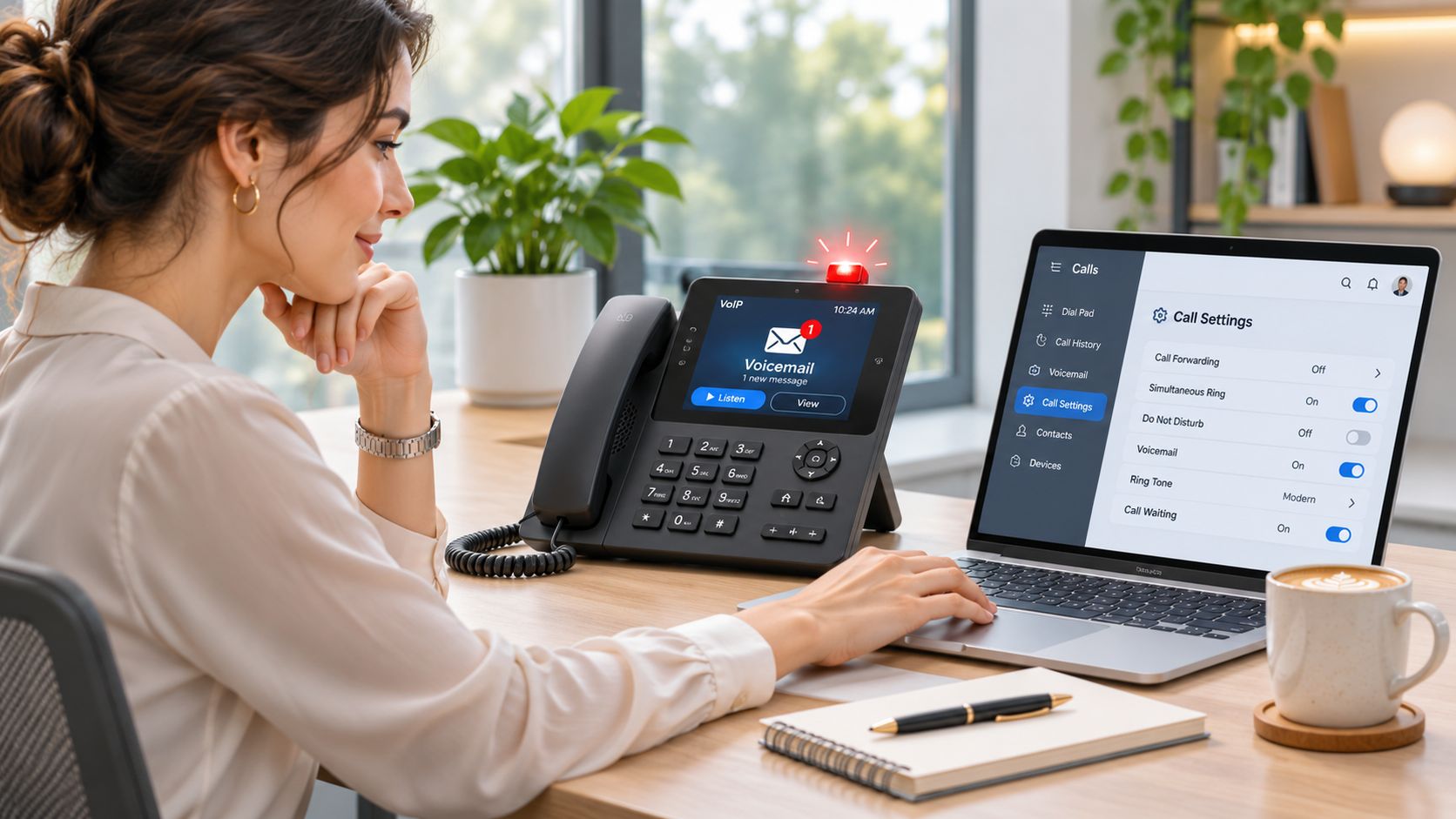
Check which system answers first
On a VoIP or internet phone, turn the provider's voicemail off or set it to pick up after your answering destination. Other carriers need no extra step, because the diversion answers before the mailbox does. Rogers does not accept conditional forwarding until its voicemail is turned off.
Before disabling anything, confirm which mailbox you want callers to reach. Switching voicemail off makes sense when the provider's box would intercept calls meant for another destination. It is the wrong move when that same box is the destination.
A business phone system needs a wider check. Forwarding an employee's extension leaves the published main number untouched, and forwarding a direct-dial number does nothing to the reception hunt group. Our explanation of how call routing works helps distinguish those paths.
Use this video alongside the written checks, keeping your provider's actual settings in view.
Inspect timing and charges
Check the main number's ring timer, the hunt group order, and each extension's overflow action. If reception rings before the group starts ringing, callers experience both waits. Set the timing around the caller's total wait, not just the final extension's timer.
Forwarding charges depend on the carrier. Two Canadian carriers charge a separate per-minute fee for forwarded calls, and a third requires voicemail to be switched off before forwarding works. On the big US carriers, forwarded calls use plan minutes the same way as calls the owner answers. If the account page does not identify the charge, ask support to confirm it for your specific plan.
Then prove the route end to end. Dial the published main number from an outside line during business hours and again after hours, since the schedule can send the same call down a different path. The setup is finished once a real call reaches the intended mailbox through the number customers use.
- Voicemail state: Identify which mailbox should stay active and which would intercept the call.
- Per-minute billing: Confirm how forwarded calls are charged on your plan.
- Ring delay: Time the complete route, including schedules, groups, and extensions.
Fixing Forwarding That Sends Calls to Nowhere
A busy tone, endless ringing, or a silent destination needs a specific check, not another random activation code. Start with the symptom the outside caller reports and inspect the rule responsible for that stage.
| Symptom | Likely cause | Fix |
|---|---|---|
| Caller hears a busy tone | Voicemail box not set up, or destination unavailable | Enable and initialise the mailbox; call the carrier if provisioning is missing |
| Long silence before forwarding starts | No-answer timer set too high | Lower No-answer delay or Ring duration on the line or extension |
| Calls ring endlessly or bounce | Destination forwards back to the original number | Edit Forward to so it points to the final destination; remove the return rule |
| Forwarding stops after a carrier change | Rule tied to the old account | Reactivate forwarding using the new carrier's code or portal |
| Owner's phone still rings | Rule set for busy calls only | Add No-answer forwarding using its carrier-specific code, if unanswered calls should divert |
Change one setting at a time
Timer changes and destination edits are usually quick account adjustments when you have administrator access. Missing mailbox provisioning, rejected feature codes, and account restrictions need a carrier call. Ask support to verify the feature on the line rather than walking you through the same handset toggle again.
For code-based lines, use the carrier's busy or no-answer activation and cancellation instructions for the affected rule. There isn't a safe universal code to print for those fixes. An unconditional cancellation code may leave conditional forwarding untouched.
If the handset itself struggles to receive ordinary calls, separate that problem from forwarding. The Tech Today guide to measuring signal in dBm explained can help you assess reception before changing routing rules that may already be correct.
Roll back without deleting the mailbox
To return from our forwarding setup to voicemail, dial your carrier's undo code from your own handset. Once it goes through, the mailbox takes unanswered calls again. On a VoIP or landline account with portal controls, switch off the corresponding forwarding rule there, without opening a support ticket.
Rollback check: After cancelling, make an outside call and let the business line go unanswered. Verify the original greeting rather than assuming the cancellation restored it.
If your goal is to have calls answered rather than recorded, changing voicemail settings alone won't achieve that. Compare the routing requirement with the answering behaviour described in our guide to automatically answering calls, then configure the destination deliberately.
When Voicemail Is the Wrong Place for a Call
Voicemail works when a caller wants to leave a message and someone will act on it. It's less useful when the caller needs an available appointment, a straightforward answer, or urgent instructions.
| Call type | Best route | What to capture |
|---|---|---|
| Routine question on hours or prices | Short answer or callback option | Name and number if a callback is needed |
| Appointment request | Book in the call, or capture a preferred time | Time, service and contact details |
| Urgent service call | Emergency instructions, then voicemail only for appropriate follow-up | Callback number and service address when relevant |
| Caller declines recording | Non-recorded route, such as a callback request | Name and number only, through the non-recorded channel |
Match the fallback to the caller's need
A plumbing enquiry about a future installation can wait for a callback. A caller reporting an immediate hazard needs clear instructions before any invitation to leave a message. Healthcare and legal practices should have their responsible professionals approve urgency wording rather than asking reception staff to improvise it.
For appointment-led businesses, compare message-taking with after-hours answering services that can handle the request during the interaction. Don't collect sensitive details that aren't needed to arrange the next step.
Make recording explicit
Forwarding and recording aren't the same action. In California, Penal Code §632 generally requires all parties' consent before recording a confidential communication and provides for fines of up to $2,500 per violation.
Disclose recording before collecting a message, explain transcription if enabled, and offer a non-recorded alternative. A greeting isn't a substitute for reviewing the law applicable to your workflow. The fallback should resolve the caller's need where possible, not merely put it in a queue.
Set Up Forwarding and Test It Today
Choose between a mailbox and an answering service based on what callers need next. If staff can reliably return messages and the enquiries aren't time-sensitive, a working voicemail route may be enough. If callers need appointments while the business is closed, consider a receptionist that can check availability and book during the call.
Keep an outside phone beside you while making the change.
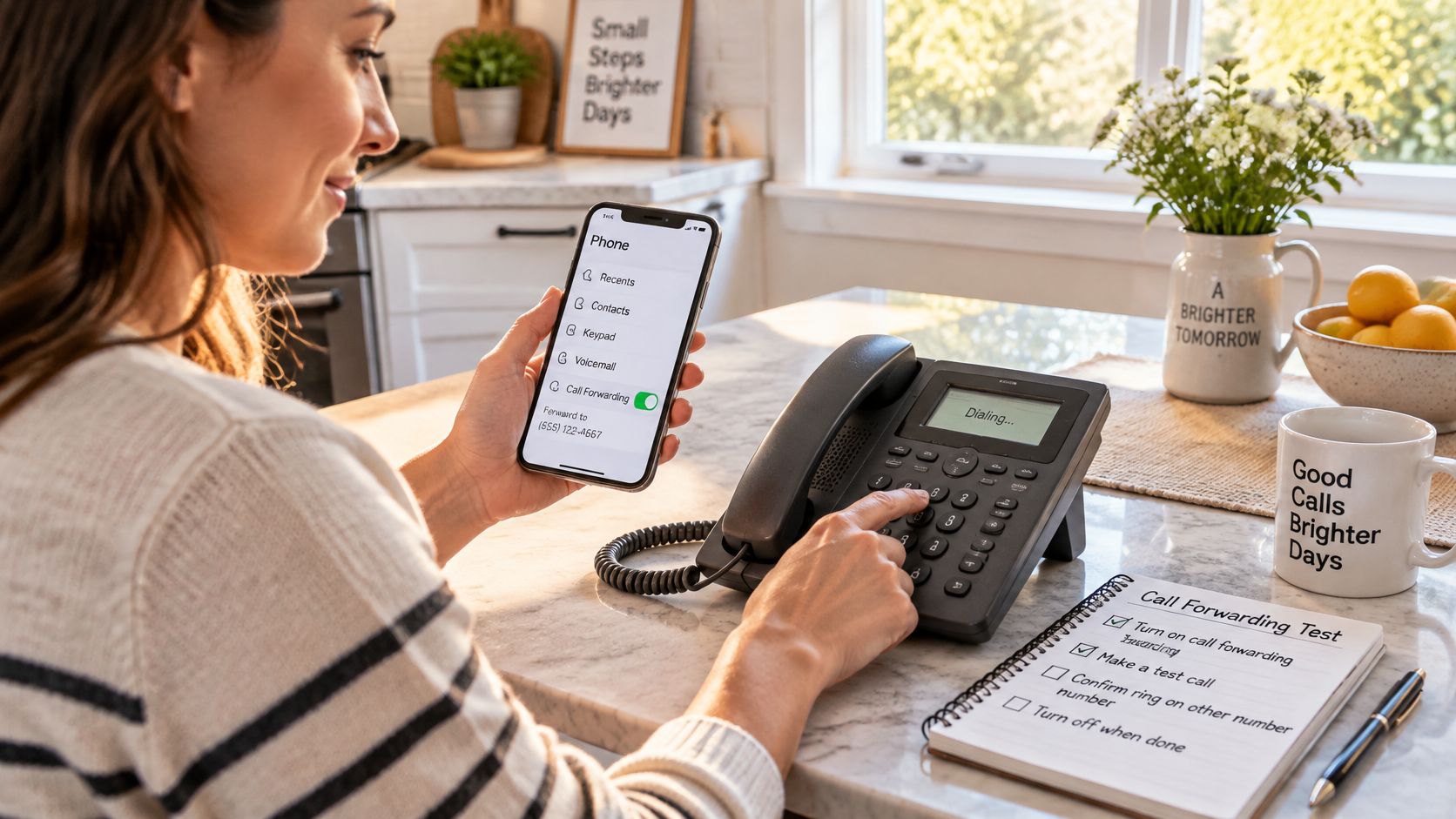
Make the change with a rollback ready
- Choose the forwarding type: Match it to busy calls, unanswered calls, or a planned all-call diversion.
- Apply the carrier's instruction: Use the correct line or account, then save the confirmation.
- Check the complete outcome: Test the route, leave a message where applicable, and verify the follow-up.
- Retest after launch: Repeat the outside call after any final schedule, destination, or account changes.
With Heyline, you can keep your existing business number and forward busy or unanswered calls to a dedicated Heyline number, or use that number directly.
Write down who owns the setup and who can reverse it. The action to take today is simple: call your business number from a phone that isn't the business's own, then listen to the experience your customers get.
Heyline offers an AI receptionist that answers missed calls, responds to routine questions, and books appointments against your connected calendar. Visit Heyline to set up an answering destination for your forwarded calls, then place an outside test call before relying on it.