Your schedule looks full until the day arrives. Then a chair sits empty, the practitioner waits, and your receptionist spends time calling someone who may not answer. The appointment wasn't merely forgotten. Your booking process failed to secure attendance or recover the slot.
Learning how to reduce no show appointments starts with rejecting the reminder-only approach. A reminder announces a time. A working confirmation system asks for a decision, removes barriers, and gives the customer an immediate way to confirm, cancel, or reschedule.
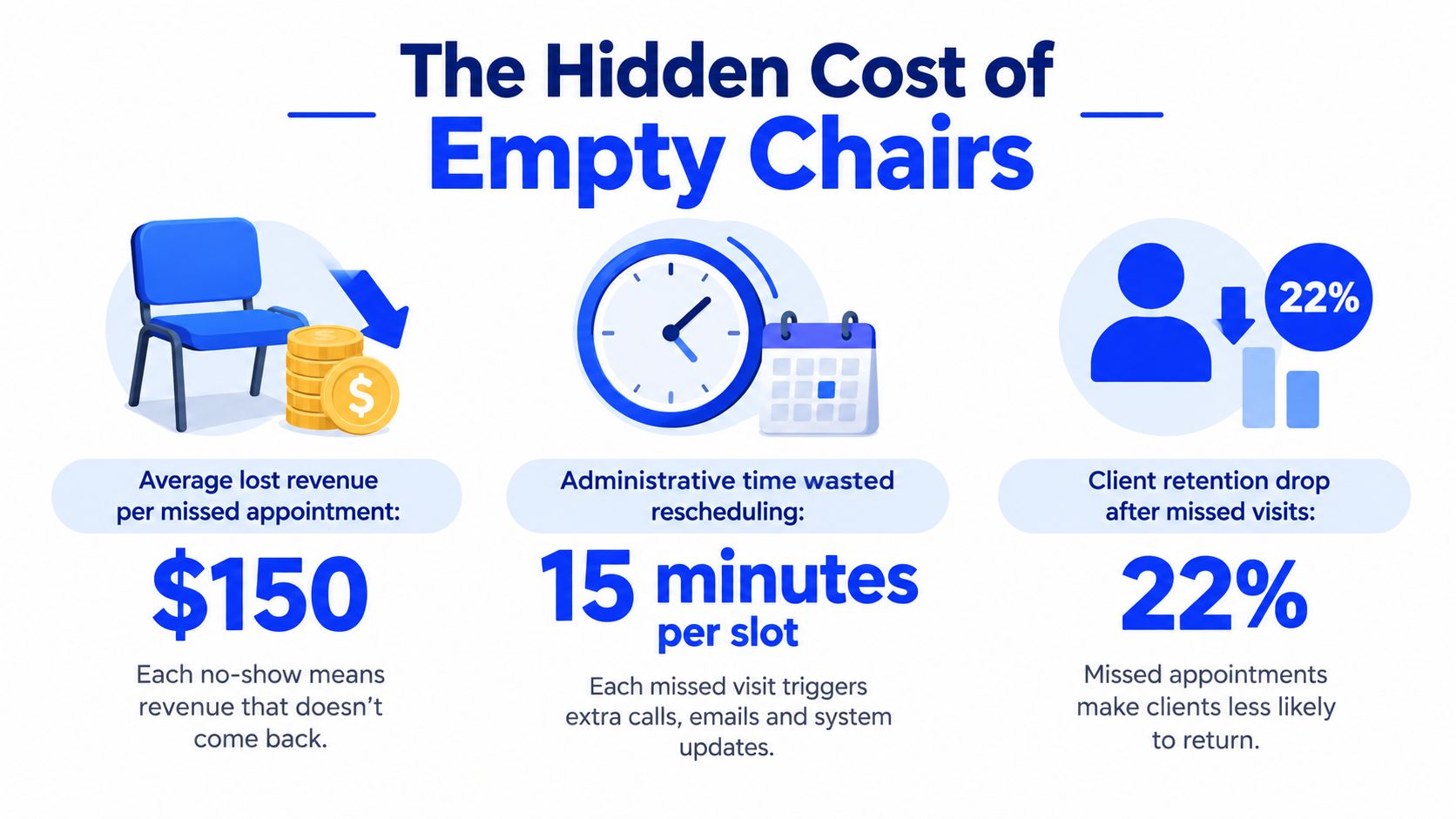
The Hidden Cost of Empty Chairs
At 10:00 a.m., the treatment room is ready. Supplies are open, the practitioner is available, and the front desk has prepared the file. The client doesn't arrive. By the time the team realises the appointment is gone, the slot is too close to fill.
That empty hour costs more than the service itself. Staff still prepared the appointment, the room and equipment remain unused, and another customer who wanted that time never got the opportunity to book. A missed visit also creates follow-up work, because someone must contact the absent client, document what happened, and attempt to rebuild the schedule.
California healthcare data shows the scale of the operational problem. The University of California San Francisco estimated about 67,000 no-show patients annually and roughly $7 million in financial impact for the health care system, as reported in this peer-reviewed analysis of missed appointments. That evidence comes from healthcare, but the underlying workflow applies to dental offices, salons, aesthetics practices, legal consultations, and home-service appointments.
A reminder isn't a commitment
A generic text saying “You have an appointment tomorrow” only transfers information. It doesn't test whether the client still intends to attend, whether the time still works, or whether a practical obstacle has appeared.
A confirmation prompt does something different. It asks the client to choose Confirm, Reschedule, or Cancel. That response gives your team useful information early enough to protect the slot.
Practical rule: Never send a reminder that doesn't give the recipient a clear next action.
California's access data makes this distinction more important. The California Health Care Foundation found that 53% of Californians skipped or postponed health care because of cost, rising to 74% among low-income Californians, in its 2024 survey (CHCF survey findings). A customer who appears forgetful may be worried about affordability, confused about coverage, or unable to keep the original time.
Your process should therefore treat the no-show as a signal. Secure attendance when the client can attend, surface the barrier when they can't, and release the time early enough for someone else to use it.
Building a Multi-Touch Confirmation System
One automated email won't protect a busy schedule. Build a sequence in which every contact has a different job, and make each message actionable.
Start at the moment of booking
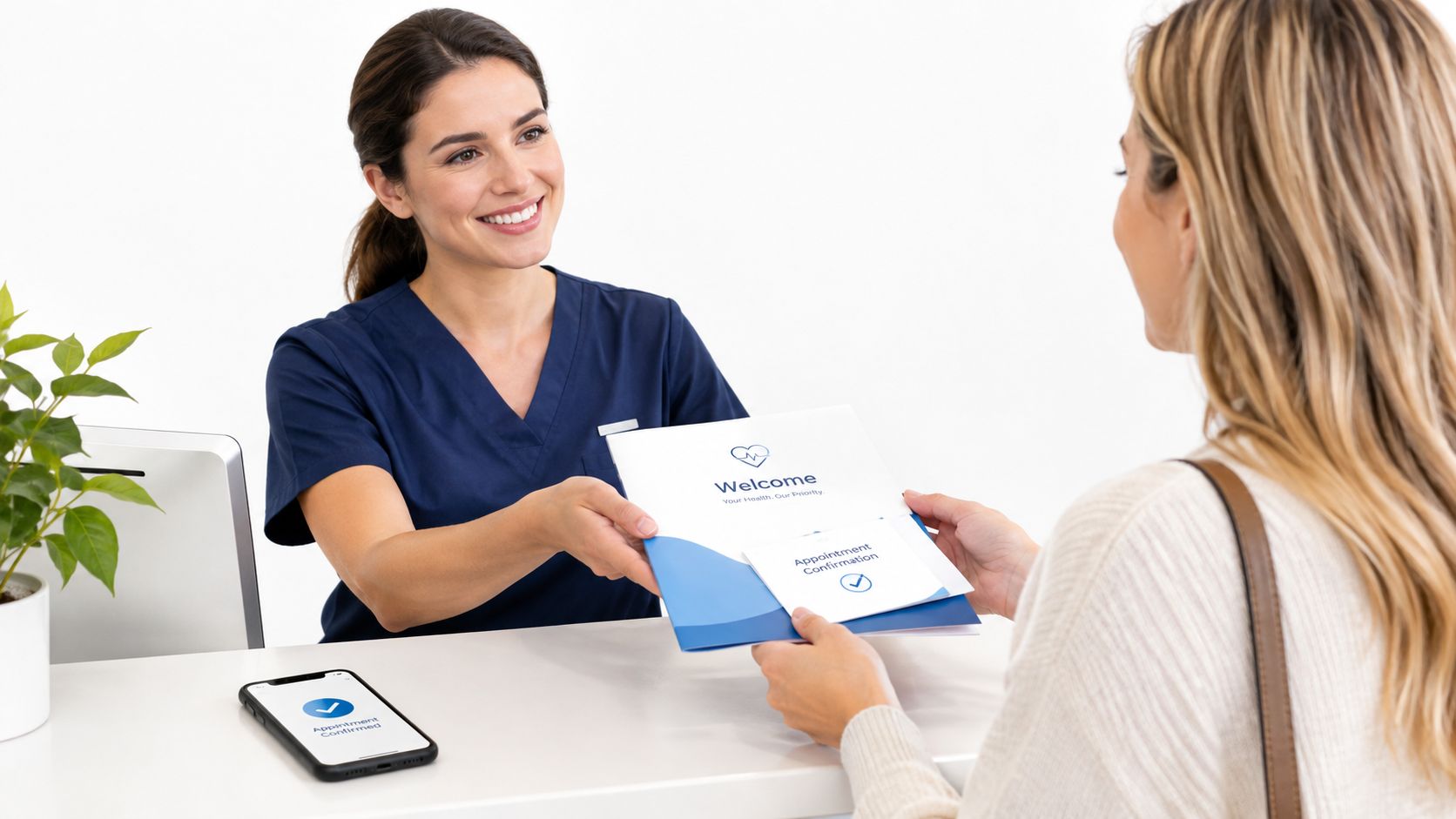
Send an immediate acknowledgement by SMS or email. Include the date, time, location, service, preparation instructions, cancellation terms, and a direct way to change the booking. Don't bury the rescheduling option in a footer or force the client to call during office hours.
The first message should also verify that the booking is correct. If the customer selected the wrong practitioner, misunderstood the service, or entered an old phone number, you want that error exposed immediately rather than on the appointment day.
For businesses that rely on texts, a two-way text message appointment confirmation process should let the recipient reply without navigating a complicated portal. A simple response creates more commitment than a passive calendar notice.
Ask for an explicit decision before the appointment
Send a second prompt before the appointment, with timing based on how far ahead you book. The message should ask for a confirmation rather than merely repeat the details:
- Confirm: Keep the appointment and show the customer what to expect.
- Reschedule: Open a short path to alternative times.
- Cancel: Release the slot and trigger your backfill process.
- Need help: Route questions about preparation, access, cost, or documents to the right person.
Use SMS for speed, email for detailed information, and voice outreach when the customer needs conversation or may not respond reliably to written messages. Research on healthcare reminders found that any type of contact reduced no-show rates, while differences between delivery methods weren't statistically significant in some settings (behavioral-economics reminder research). The operational lesson is simple: contact matters, but the right channel depends on whether the customer can act through it.
Add a short day-of nudge
The final message should be brief. State the appointment time, arrival instructions, and a one-tap or one-reply option to report a problem. Don't overload it with marketing copy or repeat every intake instruction.
Set a response rule for staff. Unconfirmed appointments should enter a defined follow-up queue, not sit invisibly on the calendar. For multilingual or time-constrained customers, offer voice support and plain-language instructions instead of assuming another text will solve the problem.
Strategic Deposits and Cancellation Policies
Deposits can improve commitment, but they aren't a substitute for a usable booking process. A charge may make a customer think twice before abandoning an appointment, yet an inflexible policy can also discourage legitimate bookings and punish people who face genuine barriers.
The right policy protects capacity without creating distrust. Start by deciding what behaviour you're trying to influence. A small deposit can establish commitment. A clearly communicated cancellation window can give you time to refill the slot. A rescheduling rule can preserve goodwill while keeping the customer accountable.
Build the policy around recoverability
A fair policy usually distinguishes between three outcomes:
| Customer action | Operational response |
|---|---|
| Cancels early | Return or transfer the deposit according to the published policy |
| Reschedules with reasonable notice | Apply the existing deposit to the new booking |
| Misses the appointment without contact | Apply the stated consequence and require clear rebooking terms |
The wording matters. Show the policy before payment, repeat it in the booking confirmation, and explain how to reschedule. A customer shouldn't discover the consequence only after the slot is lost.
California's affordability data argues against using fees as the primary lever. The CHCF survey report found that 53% of Californians delayed or skipped care because of cost, while the figure reached 74% among low-income Californians. If the booking experience doesn't clarify expected costs, insurance questions, or available options, a penalty may address the symptom while worsening the underlying friction.
Test the policy, don't guess
Track deposits alongside booking conversion, cancellations, reschedules, and complaints. If new customers abandon the booking screen, the financial barrier may be too high or introduced too early. If repeat customers repeatedly cancel without notice, the policy may be too vague or staff may be applying it inconsistently.
For small businesses, appointment scheduling software guidance can help you map payment, calendar, and cancellation steps into one process. The technology matters less than execution. Customers need to understand the commitment, know how to change it, and see that your team applies the rules consistently.
Turning Cancellations into New Bookings
A cancellation isn't automatically a lost appointment. It becomes a loss when your business fails to offer the opening to someone else quickly.
Teams handle cancellations in the weakest possible way. A receptionist changes the calendar, makes a mental note to call the waitlist later, and returns to the next task. By then, the available time may be difficult to sell, and the people on the waitlist may have made other plans.
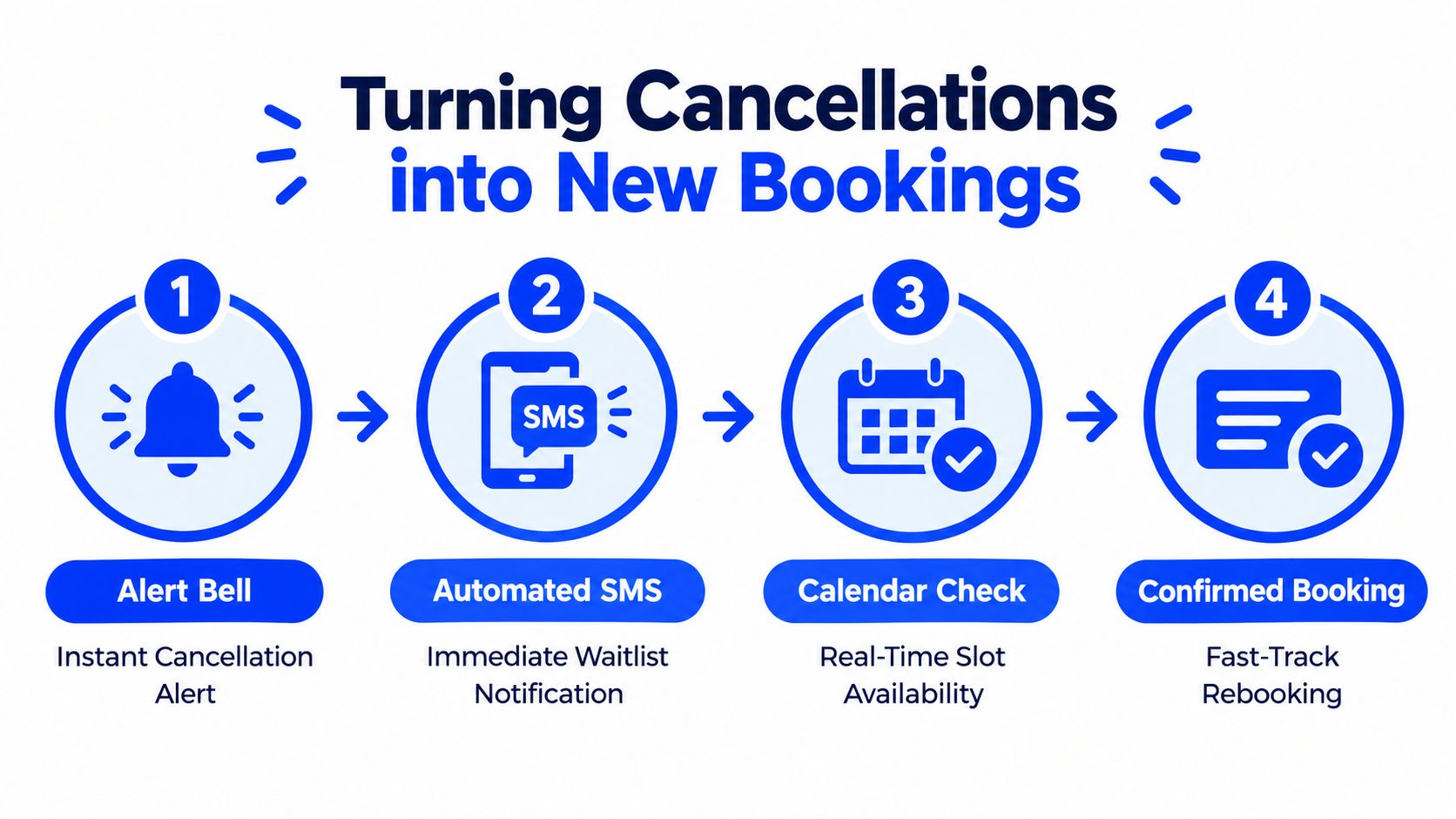
The fix is an automated recovery workflow. The moment a customer cancels, the system should identify suitable waitlist contacts, send the opening to them, and record who accepts it. The customer who cancels gets a clean exit, while another customer receives a timely opportunity.
Design the trigger sequence
Use this sequence as your operating model:
- Detect the change: Mark the appointment as cancelled, not merely as a note in a staff inbox.
- Match the opening: Filter the waitlist by service, practitioner, location, duration, and availability.
- Contact suitable customers: Send an SMS or place an automated call that states the opening and its expiry.
- Lock the replacement: Book the first confirmed customer and remove the others from that specific alert.
The message should create urgency without misleading anyone. Tell the recipient that the time is newly available, explain whether it can be held, and provide a direct confirmation route. Don't promise a slot that the calendar hasn't reserved.
Keep the waitlist useful
A waitlist is only valuable when customers can state their preferences. Ask whether they're open to earlier times, same-day appointments, a particular practitioner, or a different location. Store those answers in the scheduling system so staff don't have to call everyone for every opening.
The NBER's research on automated appointment reminders and clinic efficiency identified a useful spillover: timely cancellations and rescheduling can help clinics care for more patients, not only reduce absences. That is the point many no-show programmes miss. A confirmation workflow creates information, and a rebooking workflow converts that information into recovered capacity.
Set a service standard for cancelled slots. Someone should own the trigger, the waitlist rules, and the exception queue. If a replacement doesn't book automatically, the system should tell the front desk exactly what remains to be done.
Leveraging AI Receptionists for 24/7 Booking
Your front desk can't answer every call while checking in a customer, assisting during a procedure, or closing the business for the evening. Voicemail creates a delay at the exact moment a caller wants to book, cancel, or move an appointment.
An AI phone receptionist can answer those calls, collect the required details, check live availability, and book directly into a connected calendar. It can also give customers a practical way to reschedule before a conflict turns into a no-show.
Connect the phone to the real calendar
Don't deploy a voice tool that only records messages. The receptionist must check the actual calendar, follow your appointment rules, and write the booking back immediately. Otherwise, your team still has to re-key information and resolve double-booking risk.
Configure the system with:
- Services and durations: Define what each appointment includes and how much calendar time it needs.
- Availability rules: Set working hours, buffers, locations, and practitioner restrictions.
- Customer questions: Capture names, contact details, service needs, and any required preparation information.
- Escalation paths: Send complex, urgent, or sensitive requests to a human instead of forcing automation to improvise.
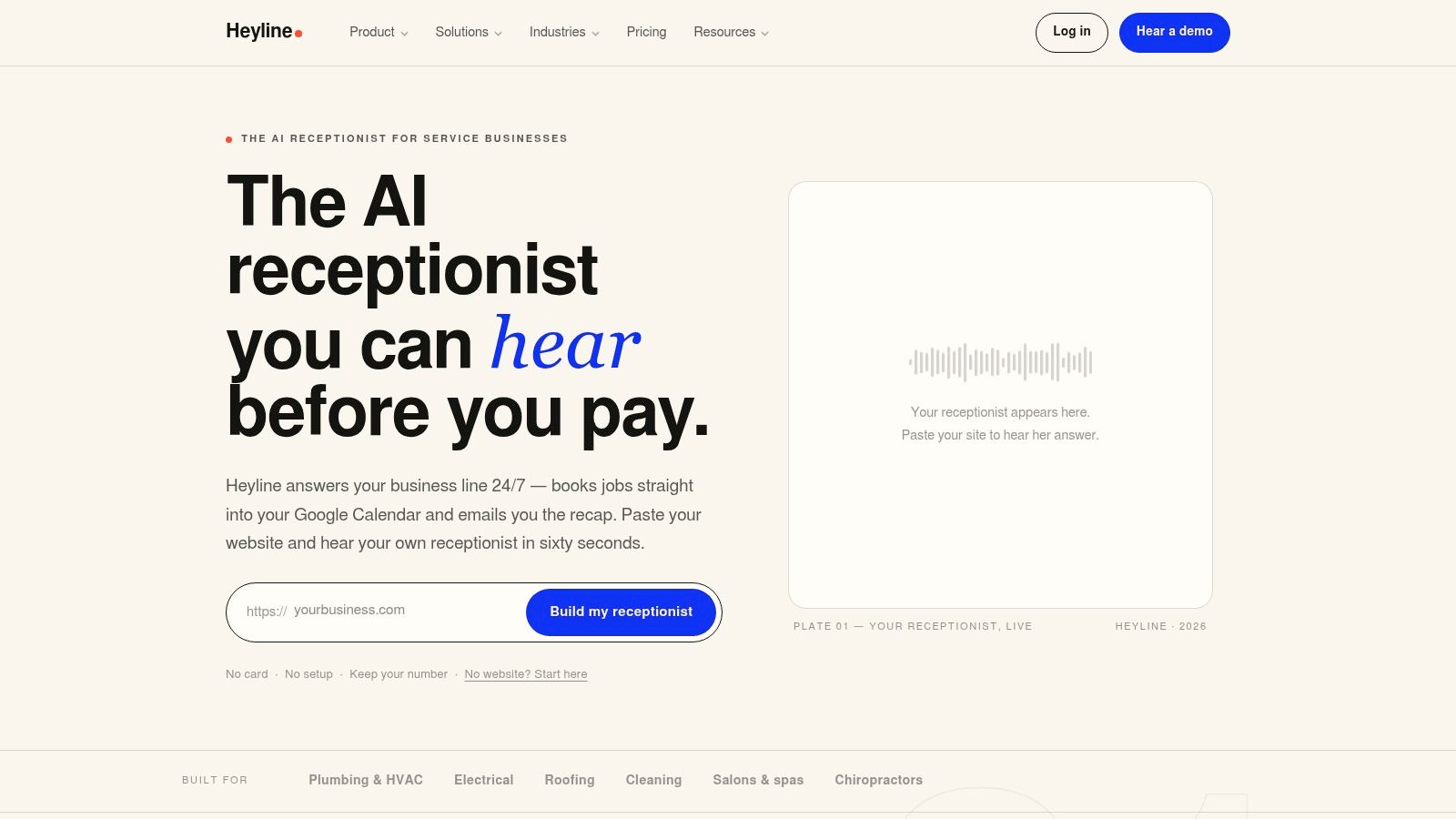
Heyline is one option for this workflow. Its AI phone receptionist uses a business website to capture service information, answers calls around the clock, checks Google Calendar availability, and books appointments during the call. Its AI phone receptionist overview describes a setup built for owners who want to connect a website, calendar, and phone number without building a developer-managed call tree.
A working implementation needs testing, not just activation. Call from outside office hours, request a cancellation, attempt a reschedule, ask a question the system shouldn't answer, and inspect the calendar entry. Then review the call record and improve the knowledge fields where the receptionist misunderstood your policy.
The video below shows the type of phone-based booking experience businesses can evaluate before choosing a setup.
Use automation to remove waiting, not to remove judgement. Staff should still handle exceptions, sensitive conversations, and customers who need reassurance. The system's value is that routine booking and rescheduling no longer depend on whether a person happens to be free.
Final Implementation Checklist
No-show reduction works when the parts operate as one system. A reminder without confirmation creates noise. A cancellation policy without easy rescheduling creates friction. A waitlist without instant alerts leaves recovered capacity unused.
Audit your workflow this week:
- Inspect the booking message: Confirm that every acknowledgement includes the appointment details and direct confirm, cancel, and reschedule actions.
- Create the contact cadence: Assign an immediate booking message, a pre-appointment confirmation request, and a concise day-of nudge.
- Remove predictable barriers: Explain costs, preparation, location, parking, required forms, and what customers should do when plans change.
- Write staff scripts: Give the front desk exact language for late cancellations, affordability concerns, policy exceptions, and urgent escalation.
- Activate backfill: Connect cancellations to a waitlist that knows each customer's service and timing preferences.
- Test phone coverage: Call during a busy period and after closing. Verify that the caller can reach a real calendar, not a voicemail queue.
- Review the right measures: Track missed appointments, cancellations, confirmations, completed bookings, and how quickly cancelled openings are refilled.
Train staff on the reason behind each step. They should understand that a cancellation is useful information, not a failure, and that a confirmed appointment is only valuable when the customer can still attend. Review the process regularly and fix the point where customers are forced to wait, guess, or repeat themselves.
Heyline provides an AI phone receptionist that answers appointment calls, handles booking and rescheduling, and connects with Google Calendar so your team can protect open slots even when nobody is available at the front desk. Visit Heyline to evaluate whether 24/7 phone coverage fits your no-show recovery workflow.