A caller phones a dental practice during the morning rush. At the front desk, a patient is waiting to check in, another appointment is running late, and the receptionist is trying to work out whether the caller needs an urgent transfer or a routine booking. The first response can set expectations, protect the schedule, and determine whether that inquiry becomes an appointment.
Reception work is more than greeting people and answering a desk phone. California's occupational estimates treat receptionist work as a defined labor-market function, with duties that commonly include routing calls, recording messages, sharing routine information, and maintaining appointment calendars (California's OEWS wage and employment estimates). For appointment-based businesses, that makes reception part of the service itself: it connects customers to the right person, captures information accurately, and keeps the next step clear.
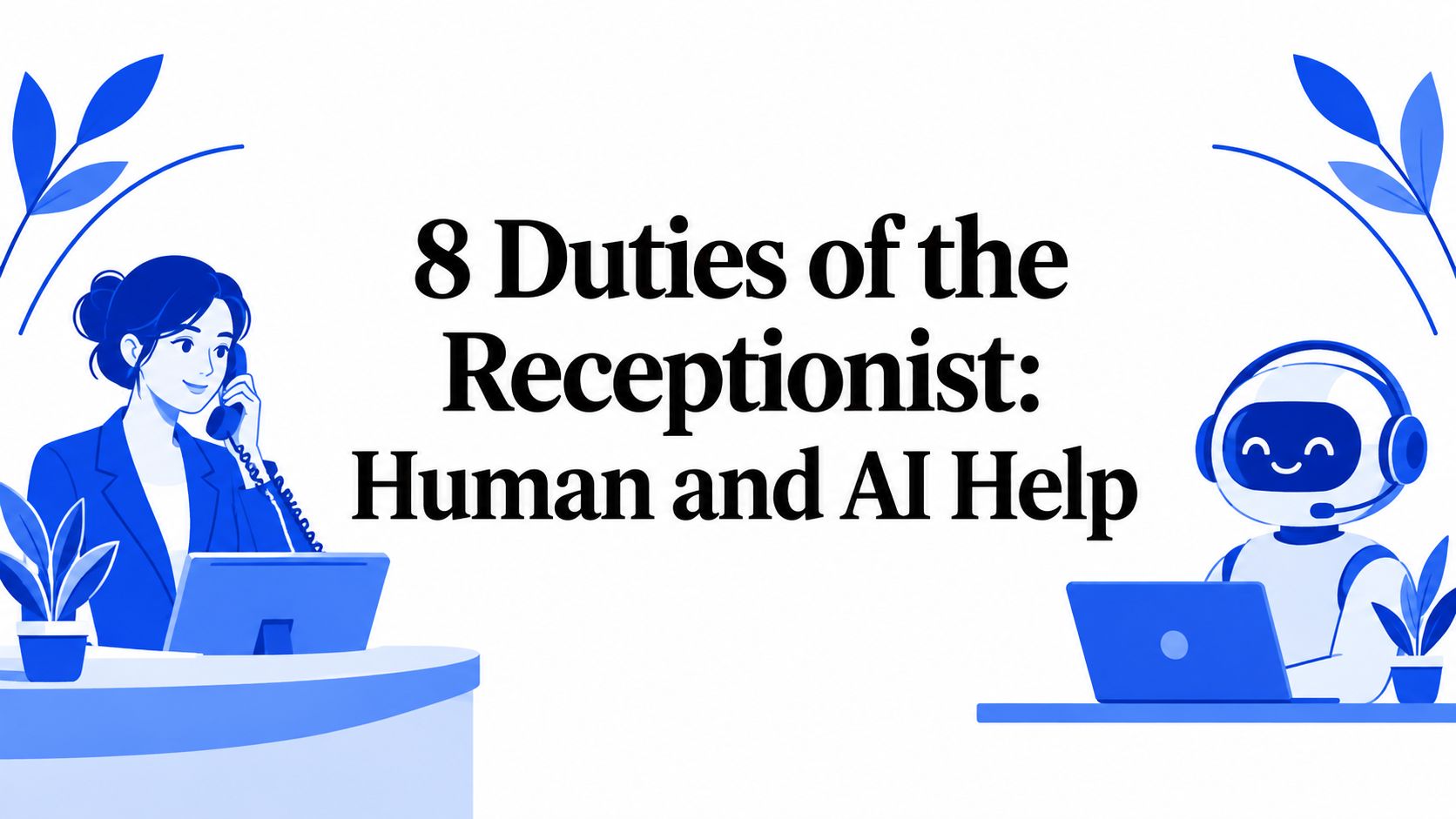
The duties of the receptionist below range from call handling and visitor check-in to scheduling, follow-up, intake, and escalation. Each one works best when the business decides what a person should handle, what an AI receptionist or scheduling tool can do consistently, and where human judgment must remain in charge.
1. Answering and Routing Incoming Calls
Answering the main business line is one of the most visible duties of the receptionist. The receptionist identifies the caller's need, answers routine questions, and either resolves the request or transfers it to the right person. A rushed or confusing response can lose a prospective client before the conversation reaches the person who can help.
A dental practice, for example, might route a caller describing urgent pain to the on-duty dental team, while sending a routine cleaning request to the booking process. At a salon, a receptionist handling a busy Saturday can answer a new caller's question and offer an available appointment while keeping track of walk-ins. Those decisions require more than transferring calls. Staff need clear rules for what counts as urgent, who is available, and what information to capture before a handoff.
Practical rule: Don't transfer a call without telling the caller where it's going and why. A brief explanation keeps the handoff from feeling like a dead end.
Where automation helps, and where people matter
An AI receptionist can answer routine calls outside business hours, provide approved business information, and route or record requests when staff are occupied. Heyline, for example, is designed to answer calls around the clock and book appointments during conversations. Businesses comparing options can use this guide to understand how call routing works.
Automation works best when the business keeps its hours, staff directory, service details, and transfer rules current. A person should take over when a caller describes a complex problem, disputes a policy, or needs a decision that isn't covered by the approved call flow. Start with a concise greeting, keep a current list of staff roles and availability, and review missed calls to find when coverage is falling short.
2. Greeting and Checking In Visitors
When someone walks through the door, the receptionist welcomes them, confirms who they're meeting, checks the appointment, and lets the relevant provider or employee know they've arrived. That first in-person exchange should feel attentive, even when the desk is busy. A visitor who has to guess where to go or whether anyone has noticed them starts the appointment with avoidable uncertainty.
A medical clinic might use a digital check-in tablet and notify the nurse when a patient is ready. At a barbershop, the receptionist can alert the barber and tell the client if there's a delay. In either setting, the receptionist needs to balance the person in front of them with phone calls and other arrivals, while keeping private information out of public view.

Make check-in clear without making it impersonal
A booking system or AI receptionist can confirm appointment details before the visit and reduce confusion about the time or service. It can't replace a staff member who notices a visitor is distressed, needs help with an accommodation, or isn't sure which service they booked. Keep the check-in process simple, and make sure someone owns the in-person welcome.
A useful routine is to acknowledge each visitor promptly, even if it's only to say you'll be with them shortly. Use a check-in list or digital tool to prevent missed arrivals, communicate delays directly, and position sign-in materials so other clients can't read them. These details matter because receptionists handle customer information as well as hospitality.
A short demonstration can help teams think through how a digital check-in might fit their front desk:
3. Scheduling and Calendar Management
A schedule is useful only if it reflects the time and resources each appointment requires. Receptionists book new appointments, handle changes, coordinate provider calendars, and catch conflicts before they disrupt the day. A calendar filled with bookings can still fail if service durations are inaccurate, travel time is ignored, or staff availability hasn't been updated.
Consider a law firm scheduling consultations with attorneys who have different availability. The receptionist needs to select the right calendar and appointment type, not just find an open-looking slot. For an HVAC company, booking a service call also means allowing for travel between jobs. A shared calendar can help prevent conflicting entries, but staff still need to maintain its rules and review the day's schedule.
Let the calendar set boundaries
AI scheduling can check availability during a call and book an appointment directly into an integrated calendar. Heyline's appointment scheduling connects with Google Calendar, helping callers secure an available slot without waiting for a manual callback. For a closer look at how this can work, explore virtual receptionist appointment scheduling.
Automation shouldn't be allowed to invent availability or squeeze appointments into unsuitable gaps. Define service durations, buffers for travel or documentation, and which appointment types each provider can accept. A receptionist should review exceptions, such as a client asking for a longer visit or a job that requires special preparation.

4. Providing Business Information
Callers often contact reception to ask about services, hours, locations, payment policies, or what to do before an appointment. The receptionist needs to answer clearly and consistently, without guessing when a question falls outside their role. Accurate information helps a prospective client decide what to do next and reduces preventable back-and-forth.
At a spa, a receptionist might explain the difference between two facial services, including how much time each appointment requires, then help the caller book. A restaurant host might clarify whether the kitchen can accommodate a dietary request or explain the terms for a private dining booking. These are routine questions only if the business has agreed on accurate answers.
A knowledge base gives both staff and automation a reliable reference. Keep a concise FAQ covering services, hours, policies, and common preparation instructions, and update it whenever those details change. If an AI receptionist uses information from the business website, someone still needs to review the imported details and correct anything incomplete or out of date.
Keep the boundary clear: Reception can explain an approved policy. It shouldn't provide clinical advice, legal opinions, or technical assurances that require a qualified professional.
AI can handle repeat questions when the business has supplied clear, current answers. Human oversight remains important for ambiguous requests, exceptions, and questions involving individual circumstances. Teach receptionists to say when they don't know, capture the caller's question, and route it to the right person rather than improvising.
5. Taking Messages and Following Up
When the person a caller needs is unavailable, the receptionist's job doesn't end with “they'll call you back.” A useful message gives the right colleague enough information to act, and a follow-up process ensures the request doesn't disappear into voicemail or an unattended inbox. A missed message can delay service and leave the caller uncertain about what happens next.
For a plumbing company, a report of a burst pipe should be marked for prompt attention and sent to the on-call technician. In a clinic, a prescription-related request should go to the appropriate clinical staff member, not be treated as a routine appointment question. The receptionist can capture the caller's details and urgency, but shouldn't promise a clinical response or decide what treatment is needed.
Capture, assign, and close the loop
Use a consistent message format with the caller's name, callback details, reason for calling, and any urgency the caller reports. Read back names or phone numbers when accuracy matters, assign the message to a person or queue, and mark it complete only after the next step has happened. A target response window can help staff prioritize, but it should reflect the business's actual capacity and the type of request.
An AI receptionist can collect standard details when staff are busy or the office is closed, then create a callback task for a person to review. This is useful for capturing information, not for deciding that a sensitive request can safely wait. Staff should monitor unassigned messages and follow up when the caller's concern needs human attention.
6. Client Intake and Information Capture
Intake prepares a business to serve a new client by gathering the information needed for the first appointment. Depending on the business, that might include contact details, the reason for the visit, service preferences, or forms the client needs to complete. Collecting the right information can make the appointment smoother; asking for too much too soon can make the process intrusive or confusing.
A dental office might send a medical-history form after booking so the patient can complete it before arrival. A law firm receptionist can collect basic contact and matter details, then route them to an attorney for review and any required conflict checks. In both cases, reception should collect only what the business needs at that stage and follow its privacy procedures.

Use automation for consistency, not judgment
A booking workflow can capture basic prospect details during a call and send the relevant forms afterwards. Automated reminders can prompt clients to complete missing paperwork, while staff review unusual or incomplete submissions. In healthcare, businesses should design intake around applicable privacy requirements, including HIPAA where it applies, and limit access to people who need the information for their work.
Keep intake questions short and explain why the business needs each answer. Don't ask an AI receptionist to collect sensitive details unless the business has approved the questions, the handling process, and the escalation path. Human staff should handle requests to correct information, questions about how data is used, or disclosures that require professional judgment.
7. Confirmations, Reminders, Rescheduling, and Cancellations
A booked appointment still needs clear follow-through. Receptionists confirm the details, communicate changes, process cancellations, and help fill openings when possible. The practical aim isn't to send the most reminders. It's to make sure the client understands the appointment and has a clear way to respond if plans change.
A medical aesthetics clinic might send a confirmation with the appointment details and a straightforward way to request a change. A salon can keep a waitlist of clients who want an earlier opening and contact them when a cancellation comes in. Those workflows only help if the calendar is current and someone checks that replies or cancellation requests have been handled.
Automated texts can reduce manual work for routine confirmations and reminders. Heyline books appointments directly into Google Calendar during a call, which can reduce the need for separate follow-up to secure the slot. Businesses can also review guidance on text-message appointment confirmations.
A reminder is not a rescheduling policy. Tell clients what changes they can make, how to contact the business, and what happens when the requested time isn't available.
Keep cancellation terms consistent across booking conversations and reminders. A waitlist or cancellation-recovery process can help staff offer newly available slots, but don't let automation tell a caller there are no options if a staff review, alternative provider, or waitlist may be appropriate. People should handle disputes, special circumstances, and requests that require an exception to policy.
8. Triage and Escalation of Urgent or Sensitive Requests
Not every caller should follow the same path. Receptionists need to recognise when a request involves an emergency, a complaint, a legal deadline, a privacy concern, or another matter that should reach a qualified person quickly. Good triage means identifying the right next step, not trying to solve every problem at the front desk.
A veterinary clinic receptionist who hears a caller describe possible poisoning should transfer the call to a veterinarian or direct the caller to an appropriate emergency service under the clinic's protocol. An HVAC dispatcher may need to flag a no-heat call for urgent review, while avoiding promises about arrival time until a technician has confirmed availability. The receptionist's role is to capture the concern, follow the escalation rule, and communicate clearly.
Set limits before a difficult call arrives
Write down which situations require immediate human attention and who is responsible for each type of handoff. For healthcare settings, that distinction is especially important: a receptionist can route a triage call to a registered nurse, but shouldn't diagnose or advise a patient independently. California's provider-access standards address telephone responsiveness and appointment availability, so reception procedures should make it clear how staff respond when callers can't get the appointment or timely answer they need (California oral-health access report).
An AI receptionist can handle routine booking and approved information, then capture details for a callback when it can't resolve a request. It should also have explicit instructions for emergency language, sensitive disclosures, and human handoff. Review escalated calls with staff, update the protocol when a gap appears, and avoid guarantees the business can't keep.
Receptionist Duties: 8-Point Comparison Guide
| Receptionist Duty | 🔄 Implementation Complexity | Resource Requirements | 📊 Expected Outcome | Ideal Use Case | ⭐ Key Advantage |
|---|---|---|---|---|---|
| Answering and Routing Incoming Calls | Medium: scripts, call directory, and escalation paths | Phone system, trained staff, or 24/7 AI receptionist | 📊 Fewer missed calls and faster connections | Businesses with high call volume or after-hours inquiries | ⚡ Consistent first response with fewer staff interruptions |
| Greeting and Checking In Visitors | Low–Medium: check-in steps and wait-time communication | Front-desk coverage, appointment system, optional check-in tablet | 📊 Smoother arrivals and clearer wait expectations | Clinics, salons, and other in-person businesses | ⭐ Welcoming, accountable visitor experience |
| Scheduling and Calendar Management | Medium–High: provider availability, service lengths, and buffers | Shared calendar or booking software; staff oversight | 📊 Fewer conflicts and better schedule utilization | Appointment-based teams with multiple providers or locations | ⚡ Reduces booking back-and-forth |
| Providing Business Information | Medium: accurate FAQ and policy maintenance | Current service, pricing, hours, and policy reference | 📊 Faster answers and more consistent information | Businesses receiving frequent questions from prospects or clients | ⭐ Builds trust and can support booking decisions |
| Taking Messages and Following Up | Low–Medium: message template, routing, and ownership rules | Shared message log, CRM, or task system | 📊 Fewer lost inquiries and more accountable follow-up | Teams whose staff are often unavailable to answer calls | 💡 Captures caller details and next steps in one record |
| Client Intake and Information Capture | Medium–High: forms, secure storage, and privacy procedures | Intake forms, access-controlled records, and staff review | 📊 More complete records and less appointment-day paperwork | Healthcare, legal, and other businesses requiring client details | ⭐ Improves readiness while supporting data accuracy |
| Confirmations, Reminders, Rescheduling, and Cancellations | Medium: reminder timing, policies, and exception handling | Scheduling software, messaging tools, and optional waitlist | 📊 Fewer no-shows and more opportunities to refill slots | Businesses affected by missed appointments or late cancellations | ⚡ Automates routine reminders and schedule updates |
| Triage and Escalation of Urgent or Sensitive Requests | High: protocols, staff training, and clear escalation routes | Written procedures, trained staff, and communication tools | 📊 Faster handling of urgent issues and fewer mishandled requests | Medical, legal, emergency-repair, and complaint-sensitive settings | ⭐ Gets high-priority concerns to the appropriate person |
Build a Reception System That Never Leaves Callers Waiting
The best front desk isn't a person answering calls. It's a coordinated system that captures information accurately, protects the schedule, records commitments, and sends exceptions to someone qualified to handle them. That system can include reception staff, an AI receptionist, a shared calendar, digital intake forms, and a clear process for follow-up.
Start by documenting the duties of the receptionist in your business and naming who owns each one. Write down approved answers to recurring questions, the rules for booking and transferring calls, and the information staff need to record before handing off a request. Then decide which tasks are predictable enough to automate, such as routine call answering, checking calendar availability, standard intake, and appointment reminders.
Keep people responsible for sensitive advice, complaints, emergencies, and requests that don't fit the standard process. Automation can collect details and make the next step easier, but it shouldn't substitute for clinical, legal, or other professional judgment. Make sure callers can reach a person when their situation needs more than an approved answer or a routine booking.
For California businesses, reception is a practical part of customer access and daily operations, not just an administrative layer. Review missed calls, booking errors, response delays, no-shows, and escalations regularly. If a pattern shows callers are getting stuck, update the process, the information staff rely on, or the coverage plan.
Heyline is one option for local, appointment-based businesses that want phone coverage beyond the moments when staff can answer. It can answer incoming calls, respond using business information drawn from the company website, and book appointments directly into Google Calendar. Staff can then focus on in-person visitors and issues that require human attention.
Heyline offers an AI phone receptionist that answers callers, provides business information, and books appointments directly into a connected Google Calendar. Visit Heyline to see whether its call coverage fits your reception and scheduling workflow.