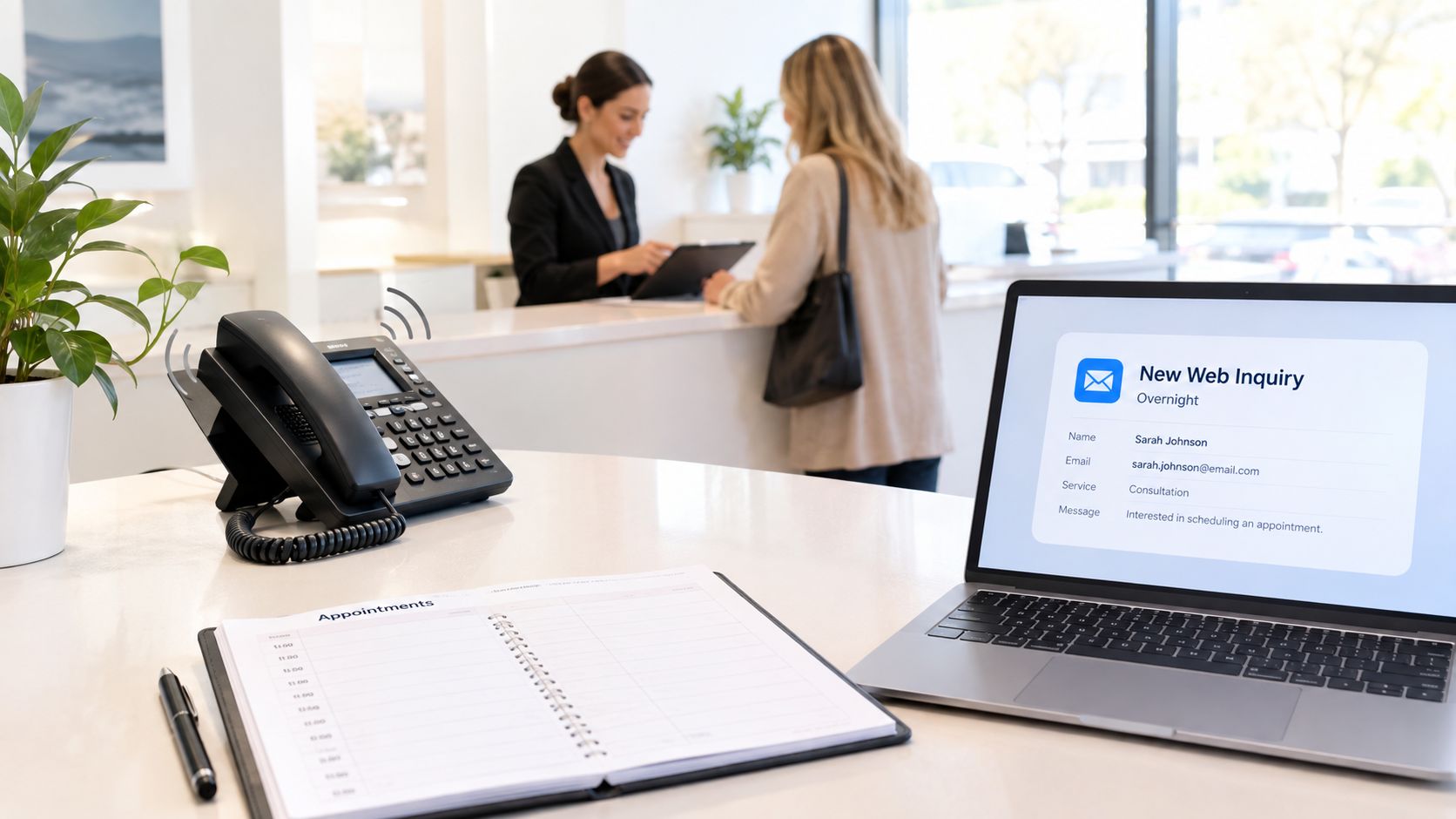
A receptionist at a busy California salon is colouring a client's hair when the phone rings. She can't answer. A website form arrives a few minutes later, but nobody sees it until the next morning. By then, the caller has booked with another salon, and the person who submitted the form has moved on.
That same pattern appears in clinics, law firms, contractors, restaurants, and other appointment-based businesses. A customer finds a business online, reaches out with a clear need, and expects a quick answer. If the business only collects contact details and leaves the follow-up for later, it may capture information without capturing the booking.
Core idea: A lead isn't fully captured when a name and phone number enter a database. It's captured when the business responds, understands the request, and moves the person towards a confirmed next step.
This guide explains how lead capture software works, why phone-first conversion matters, which features support real bookings, and how AI phone receptionists fit into the workflow. By the end, you'll be able to identify your biggest leakage point, compare capture channels, and choose a system that matches the way your business takes appointments.
Introduction Why Every Missed Inquiry Costs You
Local businesses often spend considerable effort getting discovered. They maintain a website, appear in local search results, run advertising, and keep social profiles active. Yet the final step, handling the inquiry, still depends on whoever happens to be free when the phone rings or when a message arrives.
For an appointment business, that final step is where intent becomes revenue. A dental practice may need to check the right provider and appointment type. A law firm may need to understand the issue before assigning an intake call. A home-services company may need the address, service required, and preferred time. A form that says “Thanks, we'll be in touch” doesn't complete any of those tasks.
California's market has enough demand for a specialised lead-capture ecosystem. A 2026 California-focused directory lists 55 lead generation service providers for small-business use, a signal that outsourced capture, qualification, and routing have become established operational needs rather than unusual add-ons. The California small-business lead-generation directory provides that market reference.
The phone deserves particular attention. A 2025 benchmark found that up to 85% of customers whose calls go unanswered don't call back, with missed-call rates highest in healthcare at 32% and legal at 28%, while home services recorded 14%. Those figures come from Scorpion's 2025 missed-call benchmark announcement. The practical lesson is simple: voicemail isn't the same as follow-up.
A useful system should help your team do more than gather a lead. It should answer or acknowledge the inquiry, collect the details needed to qualify it, send it to the right person, and offer a real appointment or next action. The rest of this article builds that picture from the front-desk problem to implementation.
What Lead Capture Software Really Does
Think of lead capture software as a front desk that doesn't step away to make coffee, serve another customer, or close the office for the night. Its job is to meet a potential customer at the point of interest and guide that person towards a useful outcome.
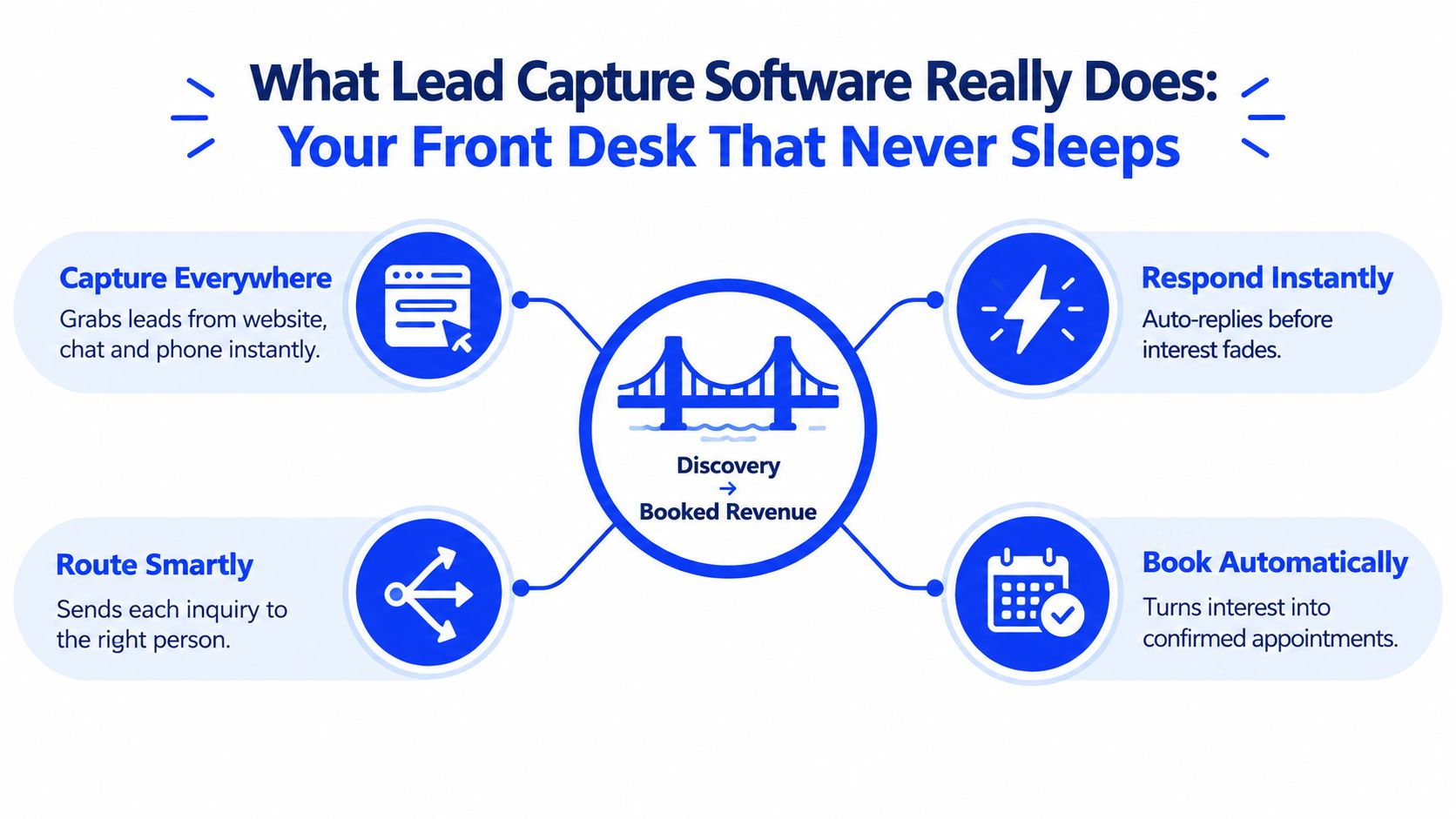
From discovery to a usable lead
The journey usually has four practical stages:
- Capture the inquiry. The system receives a website form, chat message, phone call, or booking request.
- Understand the need. It collects relevant information, such as service type, location, urgency, preferred time, or contact details.
- Qualify and route. It identifies whether the request fits the business and sends it to the right employee, department, or workflow.
- Create the next step. It books an appointment, creates a callback task, sends a confirmation, or starts an appropriate follow-up.
That sequence matters because contact information alone has limited operational value. A salon knows more from “I need a colour appointment next Thursday afternoon” than from an isolated email address. A contractor needs the service location and job description. A clinic needs the requested appointment type and availability.
Capture intent, not just identity
A form can collect a name and number while leaving the customer's actual question unanswered. Good lead capture software preserves the context of the inquiry, so the next person doesn't have to make the customer repeat everything.
The system may also connect with a CRM, calendar, phone provider, messaging platform, or reporting dashboard. The CRM stores the relationship and pipeline history. The capture layer handles the first interaction and the handoff. When those pieces work together, staff can see what was requested, what happened next, and whether the person reached a scheduled appointment.
Practical rule: If a lead still needs to explain the same request to three different people, the business captured data but lost context.
For local appointment businesses, the strongest workflow often ends with a confirmed booking. A person who chooses a time and receives confirmation has moved beyond passive interest. They've entered an organised operational process that staff can serve.
Core Features That Turn Interest Into Appointments
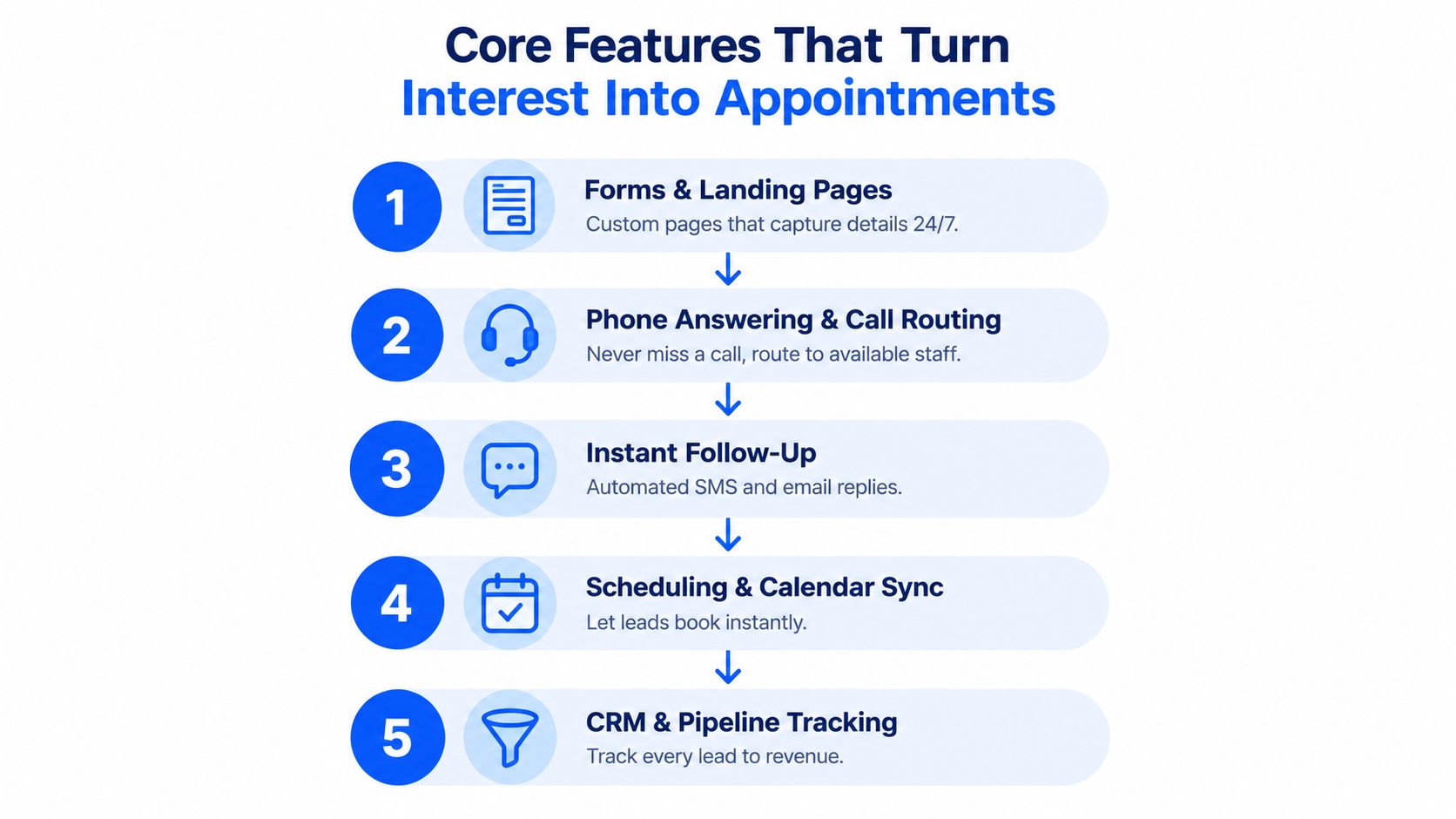
Lead capture features work best as a connected workflow. A form without routing creates a queue. A phone system without calendar access can answer questions but still leave staff to complete the booking. A CRM without reliable intake becomes a record of missed opportunities rather than a solution.
Start with the entry points
Forms and landing pages give website visitors a structured way to request information, a quote, or an appointment. The form should ask only for details the team will use. A clinic might request the service type and preferred contact method. A contractor may need the property location and job category. Conditional questions can make the experience more relevant, but unnecessary fields add friction.
Phone answering and routing cover the channel where many high-intent customers prefer to speak. The system can identify the caller's request, transfer a qualified inquiry, or create a complete callback task when a live handoff isn't possible. This is especially important for businesses whose customers need immediate reassurance before booking.
Create a confirmed next step
Calendar-aware scheduling turns a conversation into an appointment. The software should check real availability, apply service-specific rules, and prevent double bookings. A booking link that ignores staff schedules may create more administrative work than it removes.
Automated follow-up and reminders keep the process moving after the initial interaction. A customer can receive confirmation, preparation instructions, or a reminder without staff manually sending each message. In Ontario Health West, an analysis of 33 sites compared 11,200 online-booked appointments with 351,620 appointments booked through other methods and found a statistically significant association between online booking with automated reminders and fewer no-shows, at p<.001, as reported in this Ontario Health West appointment-booking analysis.
That evidence doesn't mean every business will see the same result. It does show why the handoff from inquiry to scheduled slot deserves attention. Canadian healthcare data report no-show rates ranging from 10% to 25%, and sometimes 30% depending on the region, according to this Canadian appointment no-show review. Booking and reminder workflows can address avoidable friction before the appointment date arrives.
Keep the record usable
CRM integration and reporting give owners visibility into what happens after capture. The record should show the source, request, status, assigned employee, appointment outcome, and follow-up history. For a deeper look at how phone intake can connect directly with scheduling, see this guide to an automated phone booking system.
Why Speed and Live Answering Drive More Bookings
A homeowner calls about a leaking pipe during a busy afternoon. A patient needs to arrange a consultation before work. A client wants one available beauty appointment. A form can record each inquiry, but the customer still needs an answer, a suitable time, and confidence that the business can help.
Speed matters because local buyers may contact several businesses while solving the same immediate problem. They may not wait for an email reply when the need is urgent or their schedule is limited. The business that answers the question and offers a next step first has a better chance of keeping the conversation.
A Salesforce-hosted Velocify research brief reports that contacting a new prospect within one minute of lead generation can increase the likelihood of conversion by nearly 400%. The Velocify research brief hosted by Salesforce provides the source for that historical speed-to-response finding.
The first contact should do useful work
Consider two callers looking for a law firm consultation. The first reaches voicemail and leaves a name. The second speaks with an intake system that identifies the practice area, gathers basic context, and offers an available consultation time. Both callers have shown interest, but only one has a clear path forward.
Phone-first capture does not replace forms. It recognises that a phone call often contains more intent and context than a basic form fill. During the call, the business can answer a question, address an objection, check availability, and confirm the next action without asking the customer to repeat the request elsewhere.
A cross-industry benchmark covering more than 60 million calls found that 61% of callers speak directly with a person and 37% of phone leads convert during the call. The Invoca cross-industry buyer conversion benchmark also reports a 2026 update in which 38% of calls answered by a person are leads and 42% of those leads convert during the call.
For teams facing spikes in inbound calls, see how to manage high call volumes without missing bookings.
A captured phone number is a starting point. A resolved request is a conversion opportunity.
Where AI receptionists close the gap
Staff cannot answer every call, and voicemail makes the customer responsible for the next step. An AI phone receptionist can provide coverage by answering naturally, using the business's service information, collecting the caller's intent, and booking an appointment or recording a callback request.
This works best when the business has repeatable appointment rules. A salon can explain services and availability. A clinic can direct callers to the right appointment type. A restaurant can manage reservation inquiries. The system still needs accurate information and clear escalation rules, but it can keep a call from ending at the first ring.
For owners, the operating question is not whether the lead was collected. It is whether the business made it easy for that person to continue.ефон
Common Ways Local Businesses Capture Leads Today
Local businesses rarely use one capture method. A salon may accept calls, website forms, Instagram messages, and online bookings. A contractor may receive phone inquiries from search listings and quote requests through a landing page. A restaurant may rely on calls during service and a reservation widget after hours.
Each channel has a different failure point. Forms provide structure but require a customer to type and wait. Staff answering offers human judgement but depends on availability. Voicemail preserves a message but leaves the customer responsible for waiting. Chat can be convenient, though it may not suit someone who needs a detailed answer.
A practical comparison
| Channel | Coverage Hours | Books During Contact | Staff Effort |
|---|---|---|---|
| Website form | Always available | Usually not, unless connected to scheduling | Review, qualify, and follow up |
| Staff phone intake | Depends on opening hours and availability | Often, if the employee has calendar access | High during busy periods |
| Voicemail | Available when enabled | No | Return calls and reconstruct context |
| Web chat or messaging | Depends on staffing or automation | Sometimes | Monitor, reply, and route |
| AI phone receptionist | Designed for continuous coverage | Yes, when connected to a live calendar | Configure, review, and escalate exceptions |
| Online booking widget | Always available | Yes, for defined services | Maintain services, rules, and calendar |
The table highlights an important distinction: coverage hours and booking completion are separate capabilities. A web form can stay open all night, but it won't necessarily create an appointment. A phone system can answer every call, but if it can't access availability, staff may still need to complete the booking manually.
Match the channel to the customer's task
Use forms when the request needs detailed written information, such as a quote or project brief. Use messaging for quick questions and simple follow-up. Use phone intake when the customer needs reassurance, has several questions, or wants an appointment arranged immediately.
Heyline is one example of an AI phone receptionist that answers calls, gathers information from a business website, and books appointments into a connected Google Calendar. It's designed for local appointment businesses that want phone coverage without building a developer-managed call flow.
A sensible setup doesn't force every inquiry into one channel. It gives each channel a clear job, then sends the resulting information into a shared process. That prevents the owner from checking disconnected inboxes and hoping nobody has been overlooked.
How to Choose the Right Lead Capture Software
Start with the leak, not the feature list. If missed calls are the main problem, a form builder won't solve it. If staff answer calls but lose time scheduling, prioritise calendar access and booking rules. If leads arrive through several channels, look for a system that keeps the context together.
Use these evaluation questions
- Does it support your real lead sources? Test phone, forms, chat, social messages, or booking links based on where customers contact you.
- Can it complete the appointment? Confirm whether the system can check availability, apply service rules, and create a confirmed booking rather than only collecting details.
- Does it connect to your calendar and phone system? Compatibility should be demonstrated with your existing tools, not promised as a future possibility.
- Can non-technical staff update it? You should be able to correct hours, services, prices, and routing instructions without rebuilding a complicated flow.
- Does it preserve caller context? A useful record includes the request and conversation outcome, not only a name and number.
- What happens when the system is uncertain? Check escalation, transfer, callback, and staff-notification options.
- Is pricing transparent? Ask about setup, usage, phone costs, extra calendars, support, and any charges that appear after launch.
Prefer fit over technical complexity
Developer-first tools may offer node-based editors, webhooks, and extensive customisation. Those capabilities can help a technical team, but they also create ongoing maintenance. A local owner may get more value from a purpose-built system that configures from the business website and provides plain-language controls.
Test the workflow with real scenarios. Ask how the system handles a new customer, an existing customer, an unavailable service, a request outside business hours, and a caller who needs a human. A polished demonstration can hide gaps that become obvious during ordinary calls.
For businesses deciding whether they need continuous phone coverage, this overview of a small-business call answering service can help frame the operational requirement before comparing vendors.
Score the complete journey
Create a simple scorecard for capture, qualification, routing, booking, confirmation, reporting, and support. Give more weight to the steps where your business currently loses customers. The right option should reduce work for staff while making the customer's next action clearer.
Putting Lead Capture to Work for Your Business
Implementation should begin with the most expensive point of friction. If callers reach voicemail, start with answering and callback capture. If staff answer but struggle to schedule, connect the calendar and define appointment rules. If web inquiries sit untouched, add instant acknowledgement, routing, and a clear follow-up owner.
Write down the information the system needs before switching it on. Include services, hours, locations, booking constraints, common questions, escalation conditions, and the details staff need for a callback. Keep the first version focused. A smaller, accurate knowledge base is safer than a large collection of unverified instructions.
Run test calls that sound like real customers. Ask for a standard appointment, an unusual request, a time that isn't available, and a question the website answers clearly. Check the calendar, confirmation message, staff notification, and stored conversation details. Then adjust the knowledge fields based on what the system misunderstood.
The system is working when inquiries receive consistent answers, bookings appear in the correct calendar, staff can see what the customer needs, and fewer conversations depend on memory or manual copying. Review exceptions regularly, especially changes to hours, services, pricing, and staff availability.
For a non-technical team, Heyline's setup follows a straightforward sequence: paste the website, connect the calendar, then test and launch. The broader principle applies to any provider. Choose a workflow your team can maintain after the initial setup, not one that only works while a specialist is watching it.
Heyline provides an AI phone receptionist for local appointment businesses, answering incoming calls, handling natural conversations, and booking appointments directly to a connected calendar. Visit Heyline to see how phone-first lead capture can help your business turn more inquiries into confirmed next steps.