
At 6 p.m., a prospective client calls your firm, hears voicemail, and tries the next name in the search results. The problem may not be your marketing. It may be the first unanswered moment after someone decides they need help.
Legal intake solutions differ in where they catch that failure. A phone answering service covers after-hours calls. A website chat tool responds to online visitors. A CRM follows a lead through qualification, follow-up, and a signed retainer. A practice management platform keeps intake and active matters in one system.
That distinction matters for small firms. California's 2024 Justice Gap Study found that residents obtained legal help for only 18% of civil legal problems, while 85% received no or insufficient assistance overall, according to the State Bar of California's Justice Gap Study announcement. Better intake can't solve every access barrier, but it can reduce the gap between a person needing help and a firm that can respond.
The list below ranks ten options by the point where first contact breaks down, then explains the team size and workflow each tool fits.
1. Heyline
Heyline is the clearest fit when your main intake failure is a missed phone call. It acts as an AI phone receptionist for appointment-based firms, including law practices, answers incoming calls around the clock, handles routine questions, and books consultations directly into Google Calendar.
That makes it useful for a solo attorney, a small partnership, or an office manager who needs coverage without building a technical phone system. Setup is deliberately narrow: paste the firm's website, connect the calendar, test the call flow, and launch. Heyline draws services, hours, and other public information from the site, but you can edit the knowledge when the website is incomplete or inaccurate.
Best when the stall happens before scheduling
The strongest part of Heyline is the handoff from conversation to appointment. It checks calendar availability while the caller is on the phone, which avoids the familiar sequence of voicemail, callback, missed callback, and an empty consultation slot.
Practical rule: If your staff already manages matters well but callers regularly reach voicemail, fix phone coverage before buying a full CRM.
Heyline isn't a case management system, conflict-check database, or lead pipeline. It won't replace the review a qualified employee or attorney must perform before accepting a matter. Its answers also depend on the public website and edited knowledge, so firms need to verify practice areas, consultation policies, locations, and escalation instructions before going live.
For firms without technical staff, that limitation is also the point. You aren't buying a platform that requires a workflow builder, webhooks, or developer support. You're adding a front door that answers consistently and books available consultations.
2. Smith.ai
Smith.ai targets the same first breakdown as Heyline, but with a broader service model. Its AI receptionists and live agents can answer calls and webchat, screen inquiries, collect legal intake information, route calls, answer common questions, and schedule appointments. When automation reaches a situation that needs human judgment, live-agent backup provides an escalation path.
That combination suits a small firm that wants more than calendar booking but doesn't want to hire and train a full-time receptionist. Bilingual agents, spam blocking, custom call flows, and integrations with legal CRMs and practice management systems make it more adaptable than a basic answering layer.
The trade-off is service depth
Smith.ai is still primarily a phone-answering and intake service, not the firm's complete operating system. You'll likely pair it with a platform such as Clio, MyCase, or another CRM if you need a durable lead record, matter conversion, document automation, and reporting in one place.
The human backup is valuable for callers who describe complicated facts, communicate in a preferred language, or need an answer that shouldn't come from a scripted knowledge base. It also introduces a cost and configuration decision. Plans vary with call volume and features, so the firm should compare the expected coverage against the number and type of calls staff currently misses.
A legal practice that needs overnight availability and live escalation should shortlist Smith.ai's receptionist service. A firm that only needs automated appointment booking may find the additional service layer unnecessary.
For background on how phone coverage fits into a broader intake process, see this guide to an AI receptionist for law firms.
3. Intaker
Intaker addresses a different failure point: a visitor reaches your website, has a question, and leaves before submitting a form. Its legal-focused chatbot supports website conversations, qualification flows, SMS capture, alerts, automated follow-up, and connections to CRMs and practice management systems.
This is a sensible choice for firms that already generate meaningful website traffic and want an immediate response without forcing every visitor through a long questionnaire. A conversational prompt can ask for the matter category, location, urgency, and contact details progressively instead of presenting a large form at the start.
Chat improves access, but not for everyone
California has a substantial reachable online audience. At least 88% of adults across demographic groups reported home internet access through broadband or a smartphone data plan, and approximately three-quarters had searched online for legal information or help, according to the California Bar's ATILS technical report. That supports a mobile-friendly web intake path, but it doesn't mean every high-intent prospect prefers chat.
Intaker works best when the firm treats chat as a qualification and routing layer, not as a substitute for attorney review. The workflow should identify jurisdiction, practice area, opposing parties, urgency, language preference, and the preferred next step. High-risk or legally sensitive answers need a clear human escalation.
The main limitation is fit. If most prospective clients call rather than chat, a polished website widget won't solve the first breakdown. Pricing isn't publicly published in the supplied material, so firms should assess expected traffic and integration needs during evaluation. Intaker is strongest for web-first practices that want structured follow-up after the visitor leaves the site.
4. MyCase Client Intake and Lead Management
MyCase is designed for firms that want intake to live inside the same system as their ongoing practice operations. Its intake tools include customizable website forms, automatic lead creation, two-way texting, appointment scheduling, e-signature, and document automation. Higher tiers also include AI helpers described as 8am IQ.
The practical advantage is continuity. A new inquiry doesn't need to be copied manually from an email into another application, then copied again when the person signs. The firm can keep lead information, communication, scheduling, engagement documents, and matters within a connected practice management environment.
A good choice for one-system firms
MyCase fits a small or mid-size firm that has outgrown inbox-based intake but doesn't want to maintain several connected products. It's also available to Canadian users, which makes it relevant to firms operating on both sides of the border.
The compromise is plan structure. Some intake functions are limited to Pro or Advanced tiers, so the entry plan may not include the workflow you assumed it did. MyCase also offers less granular marketing attribution than a dedicated CRM. If your managing partner wants to compare every source, campaign, qualification step, and signed matter, a specialist platform may provide better visibility.
That doesn't make MyCase weak. It makes it a practical choice for firms whose primary goal is a reliable path from inquiry to matter, rather than a detailed marketing laboratory. Review the MyCase Client Intake and Lead Management product against the features your staff will use.
Before deciding whether an intake call should become a paid appointment, consider the policies discussed in this guide to whether lawyers charge for consultations.
5. Clio Grow
Clio Grow is the natural shortlist option for a firm already standardized on Clio. It provides shareable intake forms, e-signature for retainers, scheduling, automated reminders, follow-up tasks, and a lead pipeline that can convert into matters in Clio Manage.
That handoff is its central advantage. Staff don't need to reconstruct a new client record after the engagement is signed, and attorneys can keep the intake process close to the system they already use for matters, billing, and documents. For Canadian firms, Clio's Canadian roots and established presence in Canada and the United States may also reduce the friction of adoption and support.
Integration saves effort, but configuration still takes work
Clio Grow is better suited to a firm with a repeatable intake process than to an owner who wants to launch in a few minutes and never configure another setting. Conditional workflows, follow-up tasks, appointment steps, and retainer signing need clear ownership. If nobody maintains the pipeline, the software creates another queue that leads can enter and staff can ignore.
Pricing for Grow is quote-based and isn't publicly listed in the supplied material. That makes a direct total-cost comparison harder than it is with products that publish tier details. Firms should ask which forms, automation, integrations, user permissions, and support services are included.
The best intake platform is often the one your staff already open before the first call arrives.
Choose Clio Grow when the firm values intake-to-matter continuity and is prepared to define its process. If the immediate problem is only after-hours phone coverage, a lighter answering layer may deliver value sooner. For firms comparing that decision, this overview of the best answering service for attorneys provides useful context.
6. Lawmatics
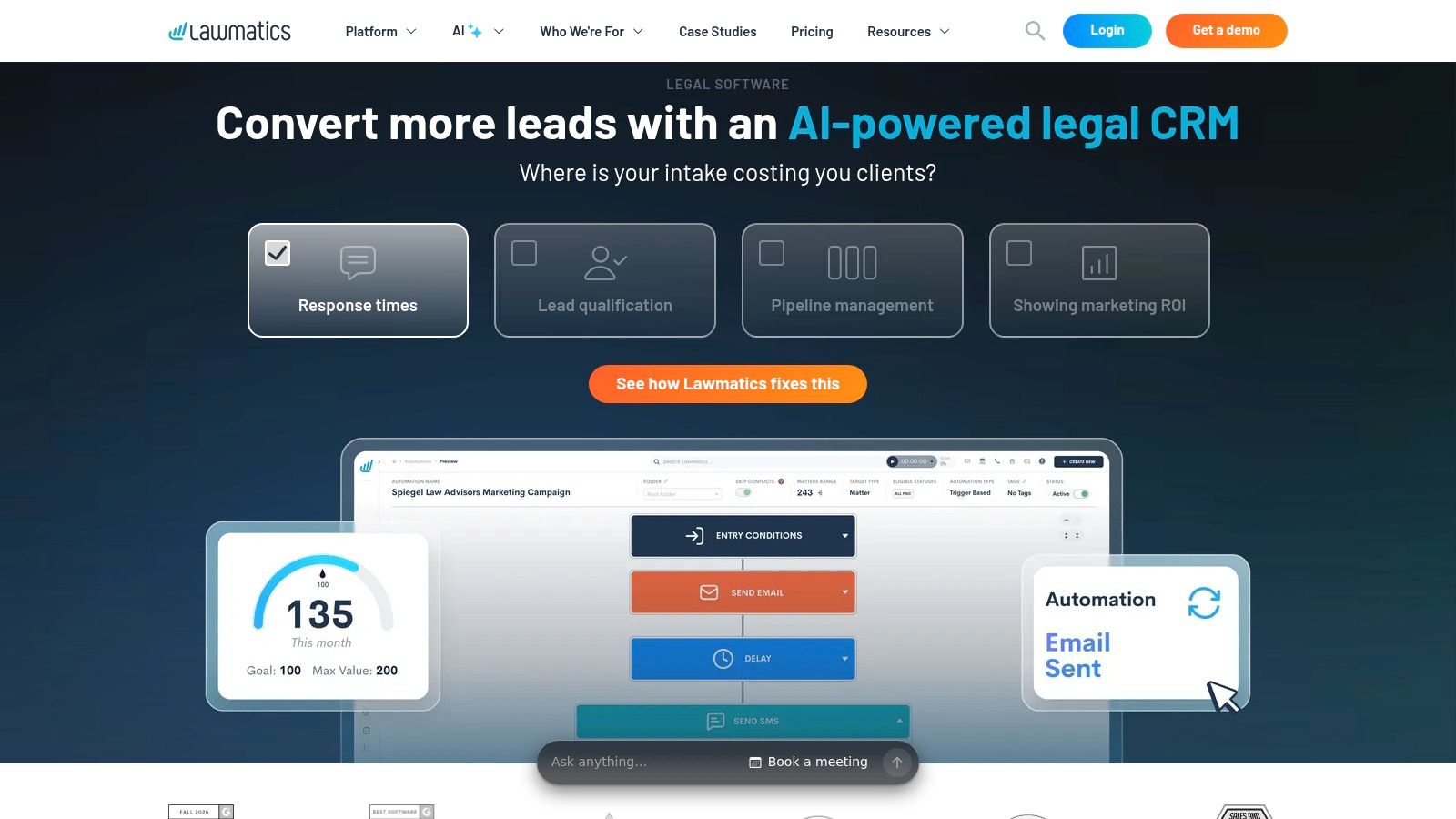
Lawmatics is built for the moment after a lead enters the system but before the person signs. Its legal CRM combines no-code intake forms, conditional logic, email and SMS campaigns, pipeline dashboards, document automation, e-signature, and reporting on lead sources and conversion activity.
That depth makes it particularly relevant to firms that buy leads, run multiple campaigns, or have staff responsible for follow-up. A prospect who doesn't schedule immediately can move into a defined sequence instead of relying on an attorney to remember a callback. Conditional forms can also keep questions relevant to the matter type, rather than showing every visitor the same long questionnaire.
Use it when follow-up is the actual leak
Lawmatics is not the simplest option for a solo attorney who receives a small number of inquiries and handles each one personally. The platform's value increases when the firm has enough lead activity to justify source tracking, automated nurture, assignment rules, and conversion reporting.
Pricing isn't fully public, and some plans require a demo or sales conversation. Advanced configurations may also require onboarding assistance. Those aren't reasons to reject it, but they should be included in the implementation plan. A firm that buys advanced automation without assigning someone to maintain it will create stale sequences and inaccurate pipeline stages.
Lawmatics makes sense for a marketing-heavy practice with a real intake team, especially when the question is not “Did someone answer?” but “Why did this qualified inquiry fail to become a consultation or signed client?” Review Lawmatics with sample workflows from your own practice areas, not just a generic demonstration.
7. CASEpeer
CASEpeer is the specialist in this list for personal injury practices. Its intake tools connect to a broader PI case management environment, with intake pipelines, two-way texting, KPI dashboards, and an Intake Portal in the Advanced tier. The platform also supports PI-specific information such as treatment, providers, and liens.
That specialization reduces the need to create custom fields for every stage of a personal injury matter. A PI firm can move from a new lead to treatment tracking and settlement operations without forcing a general-purpose system to imitate a PI workflow.
Strong fit for PI, weak fit outside it
CASEpeer suits a personal injury firm that wants a turnkey operating model and has little interest in building its own intake architecture. Native payment and e-sign integrations, including LawPay and e-sign functionality, can keep important steps connected to the case record.
The limitation is equally clear. A family law, estate planning, immigration, or commercial litigation practice won't benefit as much from fields and workflows designed around injury claims. Advanced intake capabilities also sit in higher tiers, so the firm must confirm the selected plan before assuming the portal and reporting features are included.
For a PI firm, the decision should focus on operational fit. Can intake staff capture the accident facts, treatment status, provider details, and referral information without duplicate entry? Can attorneys see the matter's status without asking staff for a separate report? If yes, CASEpeer deserves serious consideration. If the practice is mixed, its specialization may become a constraint rather than an advantage.
8. Captorra
Captorra is built for organizations with a dedicated intake function, especially personal injury and mass-tort teams that need every agent to follow a consistent script. Its guided questionnaires and decision trees standardize calls, while SMS messaging, source tracking, marketing analytics, and API connections support a larger intake operation.
The important distinction is that Captorra treats intake as a managed production process. It isn't just a form placed on a website. Supervisors can define the questions agents ask, the decisions that route a lead, and the information that must be recorded before a matter moves forward.
Standardization is valuable when several people answer
Captorra fits a firm or referral operation with multiple intake agents, repeatable case criteria, and a need to compare lead sources. It can reduce the variation that appears when each staff member records facts differently or skips a question under pressure.
That same structure can feel heavy for a solo practice. The interface and customization may feel dated compared with newer CRM products, and public pricing information is limited. An owner who receives a modest flow of consultations may spend more time managing scripts than improving the client experience.
The right evaluation is operational rather than visual. Ask whether the decision tree reflects how attorneys accept or reject matters. Check whether staff can update scripts without creating conflicting versions. Confirm how records connect to the firm's case system through the available API.
Captorra is a serious option for a staffed intake department. It's less compelling as a lightweight front door for a small office whose main need is answering calls and booking consultations.
9. Filevine and Lead Docket
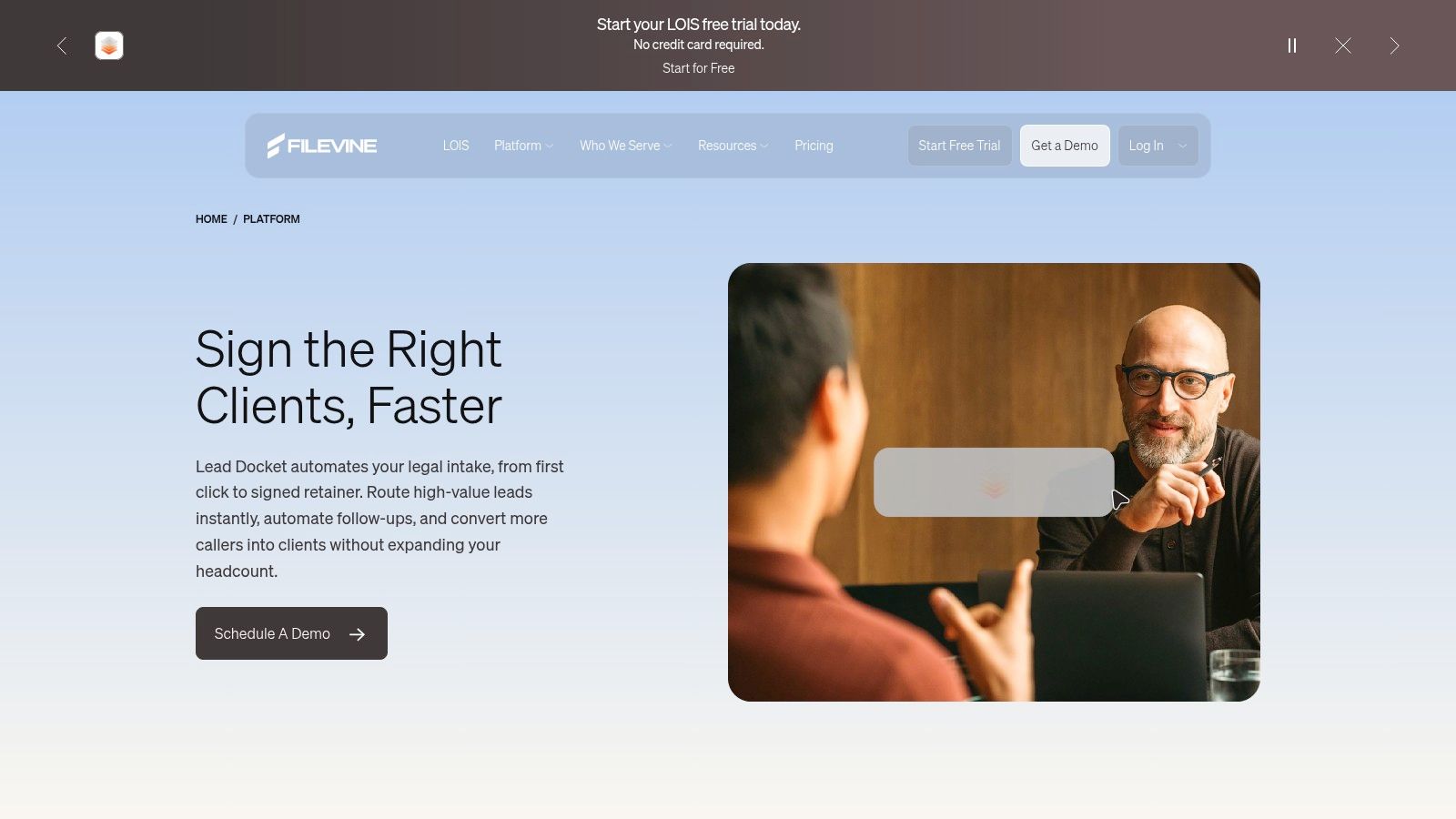
Filevine's intake combination with Lead Docket is aimed at firms where volume, speed, and source attribution matter. The stack supports forms, e-signature, automated follow-up, source tracking, ROI reporting, text logging, and two-way synchronization between intake records and Filevine matters.
This is a downstream workflow for teams that already have a substantial lead operation. Instead of stopping at “the form was submitted,” the firm can track how the inquiry was assigned, how quickly staff responded, whether follow-up occurred, and whether the lead became a matter.
Reporting earns its keep in high-volume practices
Filevine and Lead Docket are especially suitable for personal injury and contingency practices with multiple marketing sources and staff handling leads. Marketing and intake managers can use the reporting layer to assess whether a channel produces qualified work, not merely names and phone numbers.
The trade-off is implementation effort. Pricing is quote-based, add-ons may increase the total cost, and smaller firms can find the setup and customization demanding. A two-attorney office with occasional referrals may not need a platform designed to manage complex intake volume.
Before committing, map the current process from first call to signed engagement. Identify every manual transfer, duplicate text record, and unassigned lead. If the firm can't explain who owns each stage, adding more automation won't fix the underlying accountability problem.
Filevine's intake and lead-tracking platform fits firms that need evidence about speed-to-lead and marketing ROI, not just a place to store contact details.
10. Litify
Litify is the enterprise choice in this group. Built on Salesforce, it supports configurable intake questionnaires, automated routing, omnichannel logging for calls and texts, referral network support, dashboards, and specialized workflows for areas such as personal injury and SSDI.
Its strength is flexibility at scale. A multi-office firm can create different routing rules, permissions, reporting views, and intake paths while maintaining a shared data structure. Salesforce-based analytics also support organizations that have dedicated operations, marketing, and technology teams.
Buy it for scale, not because it has many features
Litify requires more implementation and administration than a turnkey tool. Pricing is quote-based, and Salesforce platform skills are helpful. Without an internal owner or reliable implementation partner, a highly configurable intake system can become slow to change and difficult for frontline staff to use.
It makes sense when several offices, referral relationships, or practice areas need coordinated intake. It doesn't make sense for a small firm that only wants an evening receptionist or a simple consultation calendar. That firm would be paying in setup effort as much as subscription cost.
The evaluation should include governance. Who approves a new intake field? Who maintains routing rules? Who audits call and text records? Who ensures that automated workflows don't imply representation before an attorney has reviewed the matter?
Litify is the right tool when intake is a strategic operating function with dedicated administration. For a small office, its capabilities may be real but its day-to-day burden may outweigh them.
Top 10 Legal Intake Solutions Comparison
| Solution | Core features | UX & reliability | Value / Pricing | 👥 Target audience | ✨ Unique selling point |
|---|---|---|---|---|---|
| Heyline 🏆 | 24/7 AI receptionist; auto-setup from website; Google Calendar booking | ★★★★☆, natural voice, minutes to launch | 💰 Startup-friendly; quick ROI (contact sales) | 👥 Local appointment-based businesses (salons, clinics, small firms) | ✨ Auto-configures from public site; books during call; no dev needed |
| Smith.ai (AI + live agents) | AI receptionist + human backup; intake, routing, CRM integrations | ★★★★★, live agents for edge cases | 💰 Per-call / tiered plans; volume-based | 👥 Solo & small firms wanting human escalation | ✨ Bilingual agents, legal-savvy live support |
| Intaker (web/chat intake) | Website chatbot, SMS capture, CRM integrations, workflows | ★★★★☆, chat-first, fast lead qualification | 💰 Not public; traffic/volume-based | 👥 Firms with web traffic needing instant web intake | ✨ Multi-channel web/SMS qualification; CRM-ready |
| MyCase (Client Intake) | Intake forms, two-way texting, scheduling, e-sign | ★★★★, integrated PM experience | 💰 Transparent tiered pricing online | 👥 Small–mid firms wanting all‑in‑one PM | ✨ Intake inside core practice management (no separate tools) |
| Clio Grow | Shareable intake forms, e-sign, scheduling, pipeline automation | ★★★★, smooth hand-off into Clio Manage | 💰 Quote-based / tiered | 👥 Canadian & US firms using Clio ecosystem | ✨ Seamless conversion from lead → matter in Clio |
| Lawmatics | No-code intake forms, drip SMS/email, pipeline & reporting | ★★★★, strong marketing automation | 💰 Pricing via demo / quote | 👥 Firms focused on marketing-driven intake | ✨ Deep intake→retainer automation & attribution |
| CASEpeer (PI) | PI-focused intake portal, texting, KPI dashboards | ★★★★, turnkey for PI workflows | 💰 Tiered; demo-based pricing | 👥 Personal injury firms | ✨ Built-in PI fields (treatment, liens) and turnkey ops |
| Captorra | Guided call scripts, decision trees, SMS; source tracking | ★★★★, mature intake toolset | 💰 Limited public pricing | 👥 Dedicated intake teams (PI/mass-tort) | ✨ Standardized multi-agent scripts & referral tools |
| Filevine + Lead Docket | Intake forms, follow-ups, ROI tracking, bi-directional sync | ★★★★, proven for high-volume intake | 💰 Quote-based; add-ons may increase cost | 👥 High-volume PI / contingency teams | ✨ Speed-to-lead reporting and consolidated texts |
| Litify (Salesforce-based) | Dynamic intake, omni-channel logging, deep analytics | ★★★★, enterprise-grade, highly configurable | 💰 Quote-based / enterprise pricing | 👥 Multi-office or enterprise legal teams | ✨ Salesforce power + deep reporting and workflows |
Pick the Intake Layer Your Firm Will Actually Run
Start with the point where first contact fails today. If callers reach voicemail after hours, begin with Heyline or Smith.ai. If visitors abandon a website before speaking with anyone, evaluate Intaker. If leads arrive but disappear during follow-up, look at Lawmatics, Clio Grow, MyCase, or Lead Docket. If the firm has a staffed PI intake department, CASEpeer or Captorra may fit the operational model better. If several offices need shared routing and reporting, Litify belongs in the conversation.
California's access data shows why this first-contact decision matters. Nearly half of Californians said they would consult a lawyer only if no upfront payment were required, and 27% said they were too worried about cost to seek legal help, according to the State Bar's 2024 Justice Gap Study. A caller who is uncertain about cost, eligibility, or whether the firm serves their county may need a clear next step before they're willing to speak with an attorney.
Urgency must also shape the design. California court-based self-help centres assist approximately 950,000 self-represented litigants annually, including people seeking help with child custody, restraining orders, and eviction matters, according to a California Department of Finance budget document. Intake should capture the matter type, location, opposing parties, hearing or deadline information, and preferred callback method. It should flag emergencies for qualified staff instead of treating every inquiry as an ordinary booking.
Language access requires the same operational discipline. California's courts recorded more than 2.5 million court interpretations during the period covered by the Judicial Council's 2025 Language Need and Interpreter Use Study. A multilingual intake system should record preferred spoken and written language, identify interpreter needs, confirm names and dates carefully, and transfer high-risk communications to qualified bilingual staff or an interpreter. Translation is not a substitute for review.
The best choice is usually the smallest layer that closes the biggest gap. Phone and booking tools suit firms without technical staff. CRMs and practice management systems justify their setup time when lead volume, follow-up, e-signature, and reporting needs are real. High-volume firms may need both a front-end answering or web intake layer and a downstream system of record, but adding both before either is used consistently only creates more places for leads to stall.
Run the selected tool with the people who will answer, review, route, and schedule inquiries. Test urgent matters, unclear jurisdiction, conflicts, language needs, after-hours calls, and callers who ask whether booking creates an attorney-client relationship. After the trial, keep the system only if it produces clean records and clear ownership. The goal isn't to collect more leads. It's to help the right person reach the right legal professional without unnecessary delay.
If missed calls are the first place your firm loses prospective clients, Heyline provides an AI phone receptionist that answers around the clock and books available consultations through Google Calendar. Visit Heyline to test a simpler intake layer that can go live without a developer, then connect it to your existing review and matter workflow.