A broader home-services benchmark found that plumbing, HVAC, roofing, and electrical businesses miss 62% of inbound calls on average, answering only 38%. Plumbing's own result in that benchmark is the same, with just 12% of calls answered after hours. (Home-service call-answering benchmark)
That isn't a minor customer-service flaw. It's an intake problem that affects dispatch, revenue, technician utilization, and the customer's perception of your company. An AI receptionist for plumbers can answer around the clock, qualify the request, and book work, but only if its operating rules stay accurate. A receptionist that confidently promises the wrong price, accepts a job outside your service area, or treats a routine faucet repair like a burst-pipe emergency creates a new class of problems.
The practical standard is simple: automate the conversation, not the judgment. Give the system current service information, clear escalation rules, and a calendar that reflects how your crew works.
The True Cost of Missed Plumbing Calls
A plumbing call often arrives while the only available technician is under a sink, driving between jobs, handling a sewer backup, or working where reception is poor. The office may be helping a customer at the counter while new calls go to voicemail. Cold snaps and storms widen that gap because demand rises while the crew is already occupied.
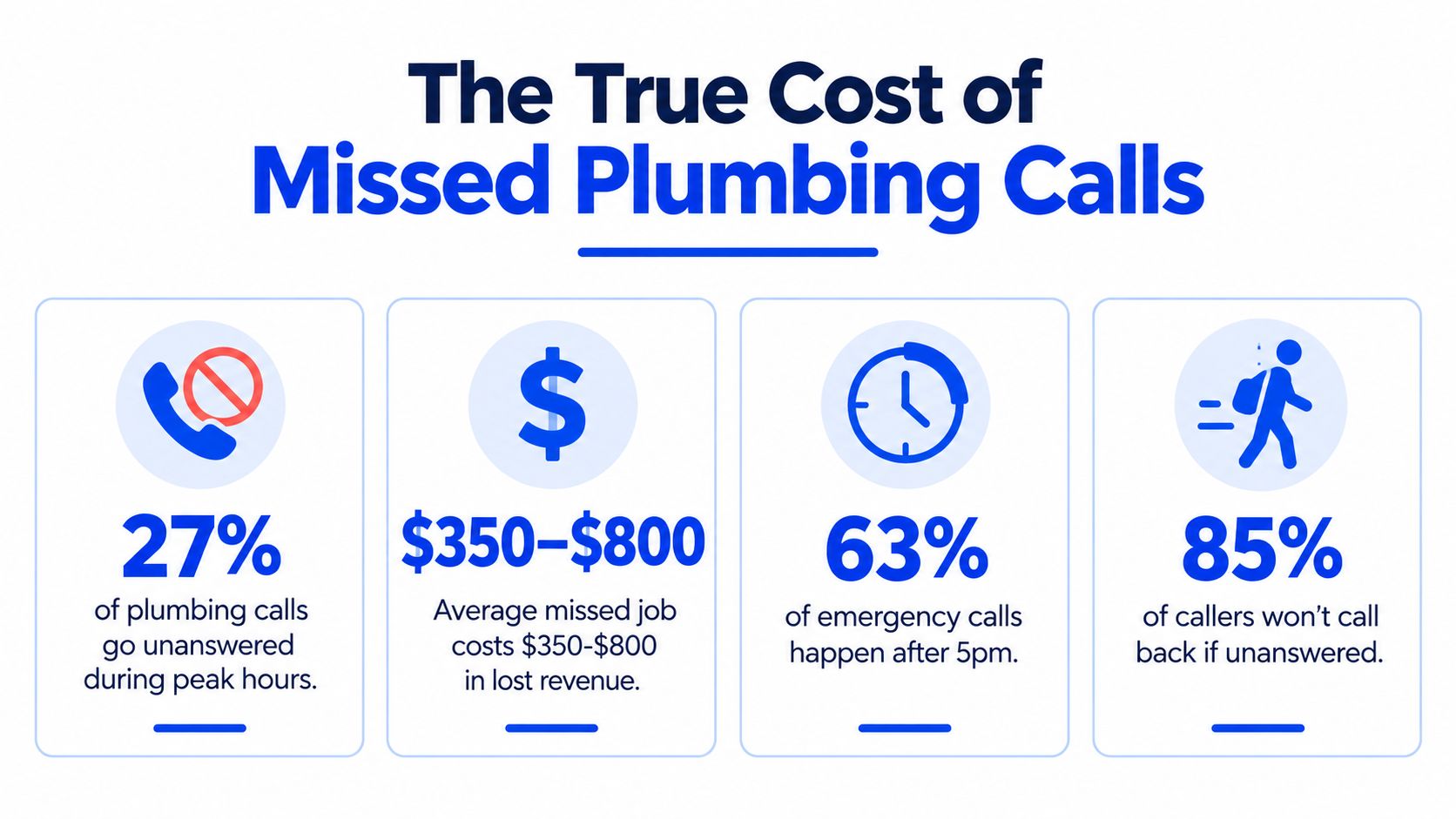
One vendor analysis reports that plumbers miss about 22% of incoming calls on average, with the rate rising above 35% during peak demand periods, and estimates roughly $125,000 in annual lost revenue per contractor from those missed opportunities. Treat the dollar figure as that vendor's estimate, not a universal benchmark. (Plumbing phone statistics and missed-call analysis) The broader trade benchmark, cited earlier, reports a 62% missed-call rate for plumbing and related home-service businesses, while plumbing businesses answer only 12% of calls after hours.
Why voicemail loses emergency work
Voicemail assumes the caller will wait. A homeowner watching water spread across a floor usually calls another company after hearing a greeting, menu, or promise of a later response.
Traditional answering services improve coverage, but many only record a message. Your dispatcher still has to call back, confirm the address, identify the problem, check availability, and arrange a time. For emergency work, every extra exchange creates another chance to lose the job.
Operational rule: Turn every missed call into a structured job opportunity, not an unprioritized message in an inbox.
A 24/7 AI receptionist can collect the required information while the caller is ready to provide it. With current pricing, service-area boundaries, and emergency triage rules, it can distinguish a new request from an existing-customer question, flag urgent conditions, and offer an appointment that matches crew capacity. Those rules need regular updates. A price that changed last week, a closed ZIP code, or an outdated emergency definition can send the wrong promise to the customer or book work your team cannot handle.
The system does not replace field judgment. It protects the first point of contact and routes exceptions to your staff when the phone is unattended. For a practical comparison of continuous coverage and manual follow-up, review this guide to a 24/7 plumbing answering service. The useful test is operational: does your intake capture the job accurately before the caller moves on?
Preparing Your Website for AI Intake
Your website becomes the receptionist's reference manual, so clean it before connecting a phone line. An AI system can only give reliable answers when the public information reflects the way your company sells and dispatches work.
Start with the service menu. List the jobs you accept in plain language, such as drain cleaning, leak repair, water-heater service, sewer work, fixture installation, or commercial maintenance. Separate services that look similar to a homeowner but require different technicians, equipment, or appointment lengths.
Build a source of truth
Review each service page and remove contradictions. Your homepage, pricing page, Google Business Profile, and booking page shouldn't describe different hours, locations, or emergency policies. If you serve only selected neighborhoods, state that directly instead of relying on a broad city name that could cause the AI to accept calls you can't profitably dispatch.
Create editable entries for details that change often:
- Service areas: Maintain cities, ZIP codes, travel zones, and exclusions.
- Availability: Define regular hours, after-hours coverage, holidays, and seasonal limits.
- Pricing rules: State diagnostic fees, flat-rate starting points, and which jobs require an on-site assessment.
- Booking categories: Match customer-facing names to the job types your calendar or dispatch board uses.
- Emergency criteria: Explain what requires immediate escalation and what can wait for the next opening.
Don't publish a price that your team can't honor. If a water-heater replacement depends on model, access, code requirements, or parts availability, the receptionist should explain that an exact quote requires an assessment. It can still capture the lead and book the correct evaluation.
Practical rule: If a dispatcher would check with a manager before promising it, the AI shouldn't promise it either.
Before launch, read the website as a homeowner would. Can a caller tell whether you handle their issue, whether you cover their address, what happens after hours, and what information they need to provide? The AI answering service setup guide provides a useful framework for organizing those details before intake goes live.
Configuring Your AI Receptionist
A workable setup doesn't need a developer-first flow editor. For a small plumbing operation, the initial configuration should be understandable to the owner, office manager, or dispatcher who knows the business rules.
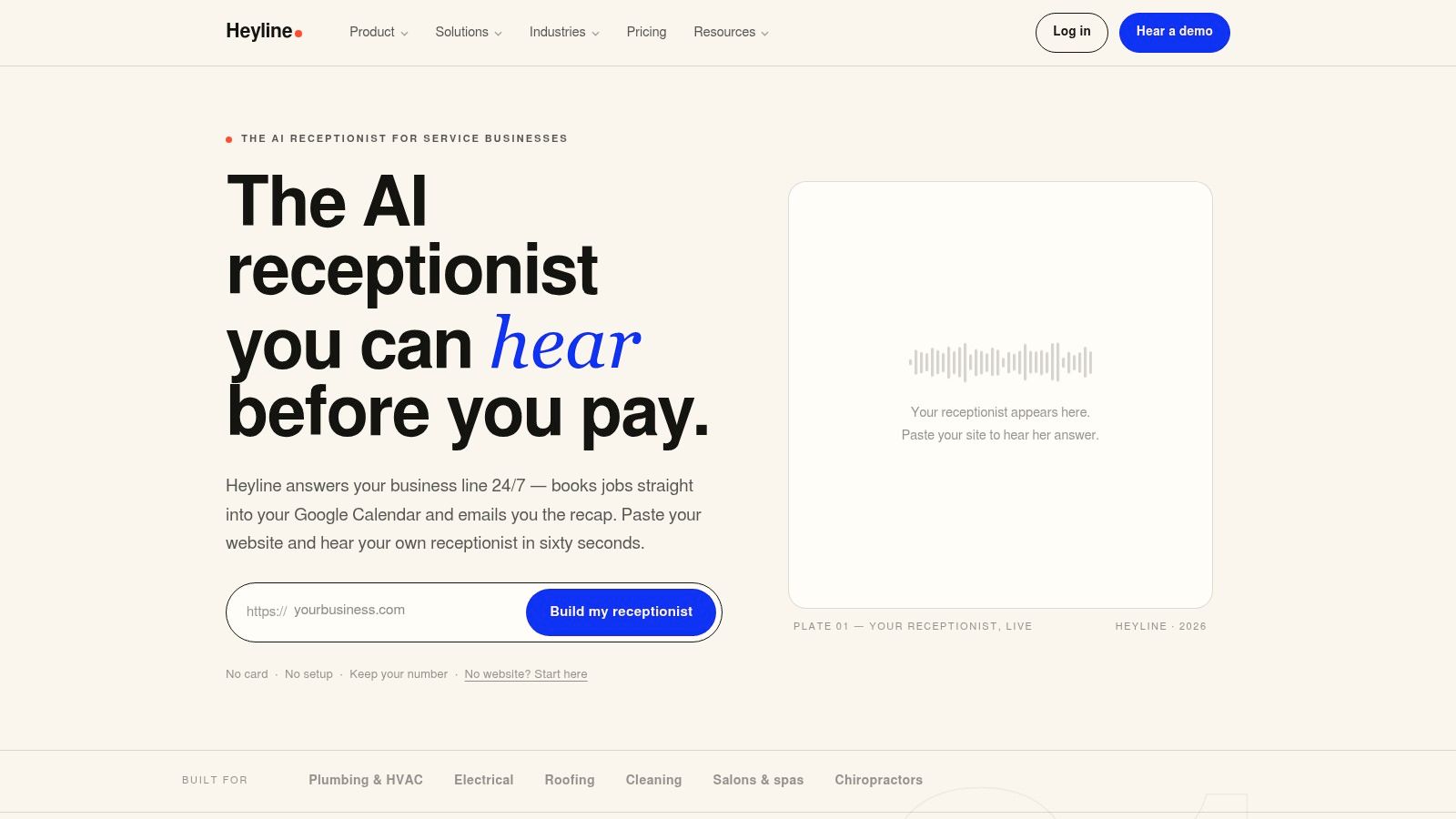
The first screen typically asks for your website address. The system scans the public pages and builds an initial knowledge base from services, hours, contact information, and booking details. Treat that scan as a draft, not a final approval. Website copy often lacks the exceptions that matter in a plumbing office.
Use plain-language corrections
The next screen connects the calendar. Choose the calendar that your dispatch team maintains, then define which events block appointments and which calendars represent different crews or locations. A calendar connection is only useful when it mirrors reality. If technicians keep separate schedules in a field-service platform, don't create a second booking source that dispatchers won't monitor.
The final screen is for testing and launch. Select a voice that fits your brand, enter corrections in ordinary language, and run sample calls before forwarding live traffic. Useful notes might include:
- “Don't quote replacement prices without an inspection.”
- “Ask whether the water is shut off before classifying a leak.”
- “Commercial properties go to the dispatcher.”
- “Do not book outside the north travel zone.”
- “Existing maintenance customers should be routed to their account contact.”
This approach is more maintainable than burying rules in technical prompts. When your service area changes or your emergency policy shifts, the office can update the knowledge fields and test the revised behavior without rebuilding a call tree.
The video below shows the kind of interface owners should expect during setup. Pay attention to whether the workflow lets a nontechnical user review, correct, and test the receptionist's knowledge.
A phone number connection completes the deployment. Forward calls during selected periods first if you want a controlled rollout, then expand coverage after reviewing transcripts and booking outcomes.
Integrating Calendars and Capturing Job Details
Booking an appointment is not the same as taking a message. The receptionist needs enough information to place the right work on the right schedule, while avoiding promises your dispatch team can't keep.
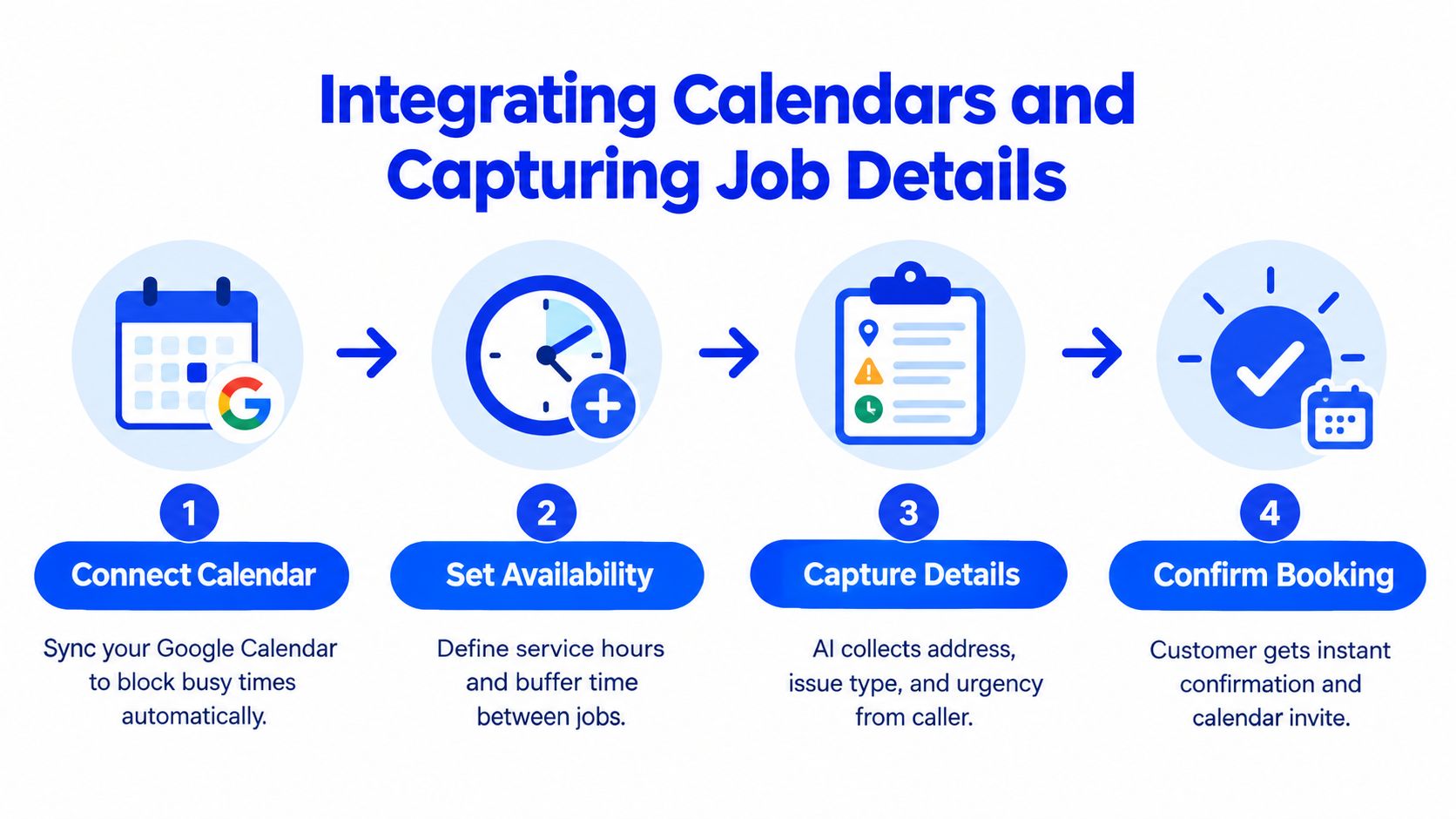
Begin with the calendar connection. Google Calendar can show which blocks are occupied, but the plumbing business still needs to define the meaning of available time. A free space may not be a real appointment slot if it doesn't include travel, loading, equipment pickup, or the technician's return route.
Configure availability around field reality
Set service windows that dispatch can defend. Then add buffer rules between jobs, especially when technicians cross a large service area. If one crew handles emergencies and another handles planned repairs, separate their availability instead of exposing every open block to every caller.
The intake questions should change based on the caller's answer. A practical sequence might look like this:
- Identify the customer: Capture the caller's name, phone number, service address, and whether they're the owner, tenant, landlord, or property manager.
- Classify the problem: Ask what's happening, where it's happening, and whether water is actively flowing, sewage is backing up, or a fixture has stopped working.
- Determine urgency: Confirm immediate risks, shutoff status, flooding, health concerns, and access conditions.
- Match the job type: Select the correct appointment category, duration, crew, and service area.
- Confirm the visit: Repeat the address, issue summary, arrival window, preparation instructions, and any applicable fee policy.
The system shouldn't diagnose beyond its approved role. It can collect symptoms and route the call according to your rules, but it shouldn't tell a homeowner that a problem is definitely a failed pressure regulator based only on a brief conversation. That kind of certainty creates liability and may send the wrong technician.
Existing customers need a separate path. Someone asking about an invoice, warranty visit, or technician already en route isn't a new booking lead. Route those calls to the appropriate office queue, capture the account details, and keep new emergency inquiries moving.
The Google Calendar appointment-scheduling guide covers the calendar connection itself. Your operational work is deciding what “available” means and which questions must be answered before the booking is allowed.
Testing and Launching Your AI Phone Line
A contractor shouldn't activate a new phone line after hearing one pleasant greeting. The test has to challenge the receptionist with the situations that cause expensive mistakes.
A useful trial starts with a staged call from the owner or dispatcher. The caller says there's water under a kitchen sink, gives an address near the edge of the service area, interrupts the receptionist, changes the appointment preference, and asks for a price that the company can't quote without inspection. The evaluator listens for behavior, not just vocal quality.
Test the failure points
The receptionist should ask focused follow-up questions instead of repeating a script. It should recognize the difference between a slow drip and active flooding, confirm whether the caller can access the shutoff, and apply the correct escalation path. If the address is outside the service zone, it should explain the limitation rather than book a slot that dispatch can't serve.
Run separate scenarios for:
- A burst pipe: Confirm urgency and route according to your on-call policy.
- A routine repair: Gather the issue, property details, and preferred timing before offering a slot.
- A vague request: Clarify whether the caller needs diagnosis, repair, replacement, or maintenance.
- A commercial inquiry: Capture the business details and hand off to a human when the request exceeds residential rules.
- An existing customer: Identify the account context and avoid treating the caller like a brand-new lead.
- An interruption: Check whether the receptionist can resume naturally without losing the address or issue type.
Listen for overpromising. Phrases that sound helpful can cause trouble if they imply guaranteed arrival times, fixed repair costs, or availability that hasn't been verified. The safer behavior is to state what the system knows, identify what requires technician confirmation, and record the unresolved point for dispatch.
Confirm the live routing
Call the number from different phones and verify that forwarding works when your normal line is busy or unanswered. Check that the dispatcher receives the summary in the expected channel, the calendar reflects the booking, and the customer receives the promised confirmation.
Don't launch every call type at once if your staff needs time to adapt. Start with a narrow set of bookable services and a clear emergency path, review the transcripts, then add more categories. A controlled launch gives you a chance to correct service-area rules, calendar buffers, and confusing questions before they affect a full day of customers.
Best Practices for Maximizing Bookings
An AI receptionist stays dependable only when someone maintains it. Plumbing businesses change travel zones, diagnostic fees, hours, crews, and emergency rules. If those changes do not reach the receptionist promptly, it can promise service outside the area, quote outdated pricing, or book a job your team does not handle.
Assign one person to own updates. That person should review operational changes, approve knowledge edits, and verify them before public information changes. A new technician, holiday schedule, paused seasonal service, or revised emergency policy should trigger an update and a test call.
Keep the rules current
Use a short operating checklist:
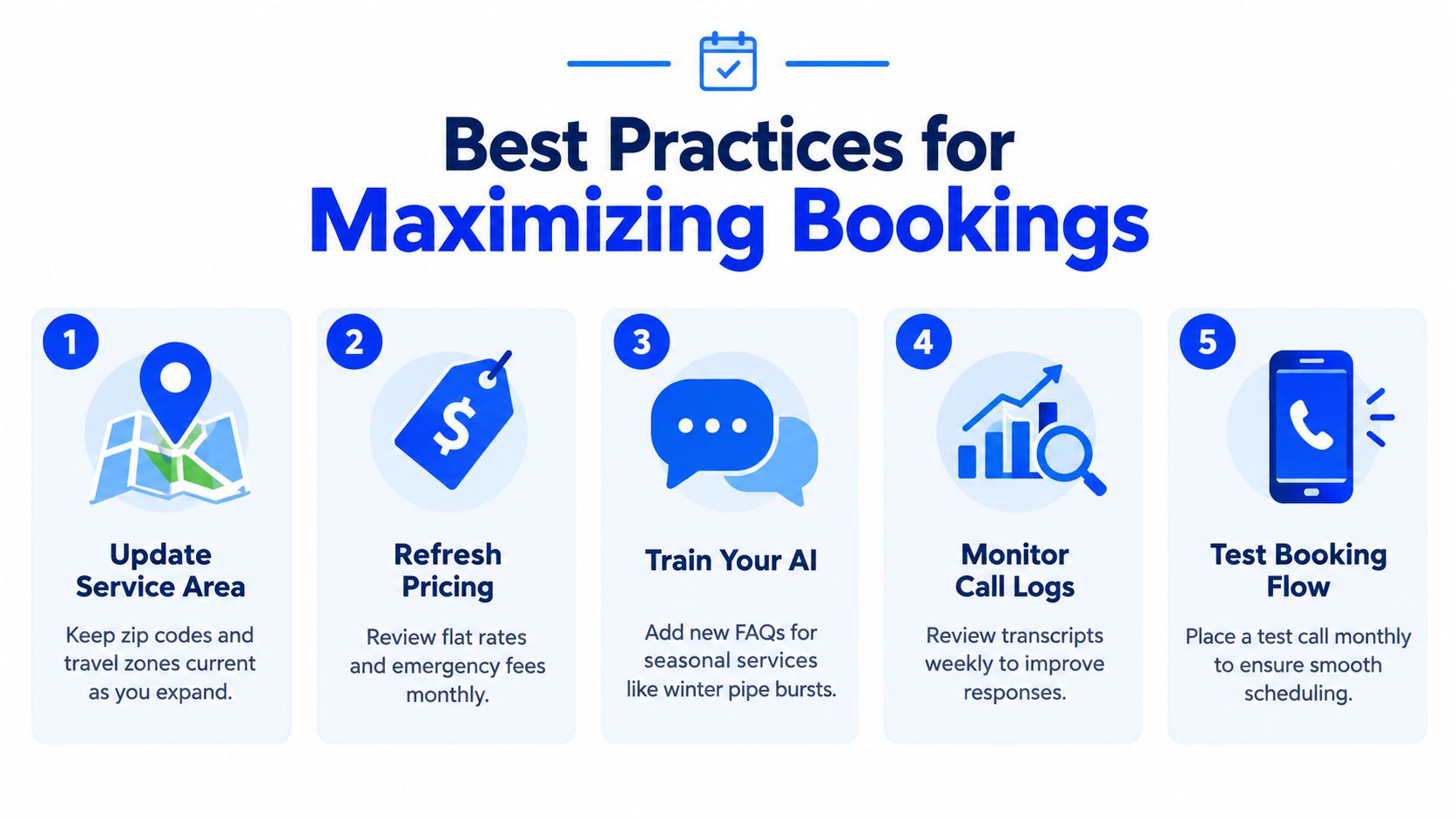
- Review service areas: Remove old ZIP codes and add travel zones only when dispatch can support them.
- Refresh pricing guidance: Update diagnostic fees, flat-rate notes, and emergency policies whenever the office changes them.
- Add seasonal knowledge: Prepare answers for winter pipe bursts, storm-related backups, and other recurring demand without promising an unverified outcome.
- Inspect call records: Look for misunderstood service names, incomplete addresses, incorrect job categories, and callers routed to the wrong queue.
- Place test calls: Recheck booking after calendar, phone, pricing, or policy changes.
A public home-service report describes a serious trust gap. Owners believed they answered 97% of calls, while measured answer performance was 66%. The same report states that 34% of plumbing companies used some form of AI-assisted call handling in early 2026, compared with 11% at the start of 2025. (Home-service call performance report) Use your own call logs to measure new-job inquiries, existing-customer calls, spam, after-hours calls, booked appointments, and escalations separately.
Adoption is rising, so the differentiator is whether the knowledge base stays current. A system with outdated service areas or pricing can create more dispatch cleanup than voicemail. Review transcripts and update the rules before those errors become routine.
Keep a change log recording what changed, who approved it, when it went live, and which test call verified it. Separate new-job intake from account support, warranty questions, billing, and after-hours noise. That division protects existing customers while helping the receptionist prioritize qualified plumbing inquiries.
The safest configuration answers common questions, captures complete details, books approved job types, and sends uncertain cases to a person. Automation can handle call volume, while dispatch retains control over exceptions and promises.
If you want to test an AI receptionist for plumbers against your real service menu, emergency rules, and calendar availability, visit Heyline. Heyline can use your website information, connect with Google Calendar, and help test the phone experience before routing live plumbing calls.


