It's Monday morning. Your front desk opens the phone system and sees a pile of voicemails from the weekend, each one just an audio file with a timestamp. One of them is probably a new patient in pain, a salon client trying to reschedule before work, or a plumber's customer with a leak that couldn't wait. If nobody listened carefully, wrote the details down, and called back fast, that lead is already cooling off.
That's why AI voicemail transcription matters. It turns a buried recording into readable text your staff can sort, scan, and act on. But don't confuse that with a complete phone strategy. In California, it sits inside a bigger operational and legal reality, missed calls, uneven connectivity, multilingual callers, and strict consent rules that many glossy explainers barely mention.
The Missed Call That Disappeared
A busy dental office on a Saturday doesn't miss calls because the team is careless. They miss calls because two patients are checking in, one treatment room needs an answer, and the phone rings at the wrong moment. The caller hears the greeting, leaves a short message, and hangs up. By Monday, that voicemail is just another audio clip in a queue.
That's the exact gap AI voicemail transcription can close. Instead of forcing staff to replay every message, pause, rewind, and guess at names or numbers, the system can surface the caller's details as text. A readable transcript gives the team something they can triage quickly, callback number, likely intent, and whether the message sounds urgent.
Why voicemail still matters
The hard truth is that many missed calls never become real opportunities. In a study covering 85 small businesses across 58 industries over 30 days, only 37.8% of inbound calls reached a person, 37.8% went to voicemail, and 24.3% got neither a human answer nor a voicemail option, according to Dialnote's missed call benchmark. The same benchmark says only about 6% of consumers leave a voicemail when a business doesn't answer, which tells you something important. Audio-only fallback already loses intent before your staff even gets a chance to respond.
So yes, transcription helps. It makes the voicemails you do receive more usable.
It doesn't fix the calls that vanish before a message is ever left.
Practical rule: If callers regularly hit an unanswered line and hang up, transcription is useful, but it's a salvage tool, not a cure.
Where it fits in California
California makes this more uneven than owners expect. The state has strong communications infrastructure overall, but broadband conditions vary by county, and the California Public Utilities Commission's county-level broadband reporting shows why you shouldn't treat the state as one uniform market. A Los Angeles med spa, a Central Valley contractor, and a North Coast legal office won't always have the same call environment, system reliability, or workflow constraints.
That's also why I tell local businesses to stop thinking about voicemail as a passive archive. In a cloud phone environment, voicemail becomes business data. Searchable, sortable, assignable business data. If your current phone setup keeps sending calls straight to voicemail, you need to solve that root issue too, not just polish the recording after the fact.
What AI Voicemail Transcription Does
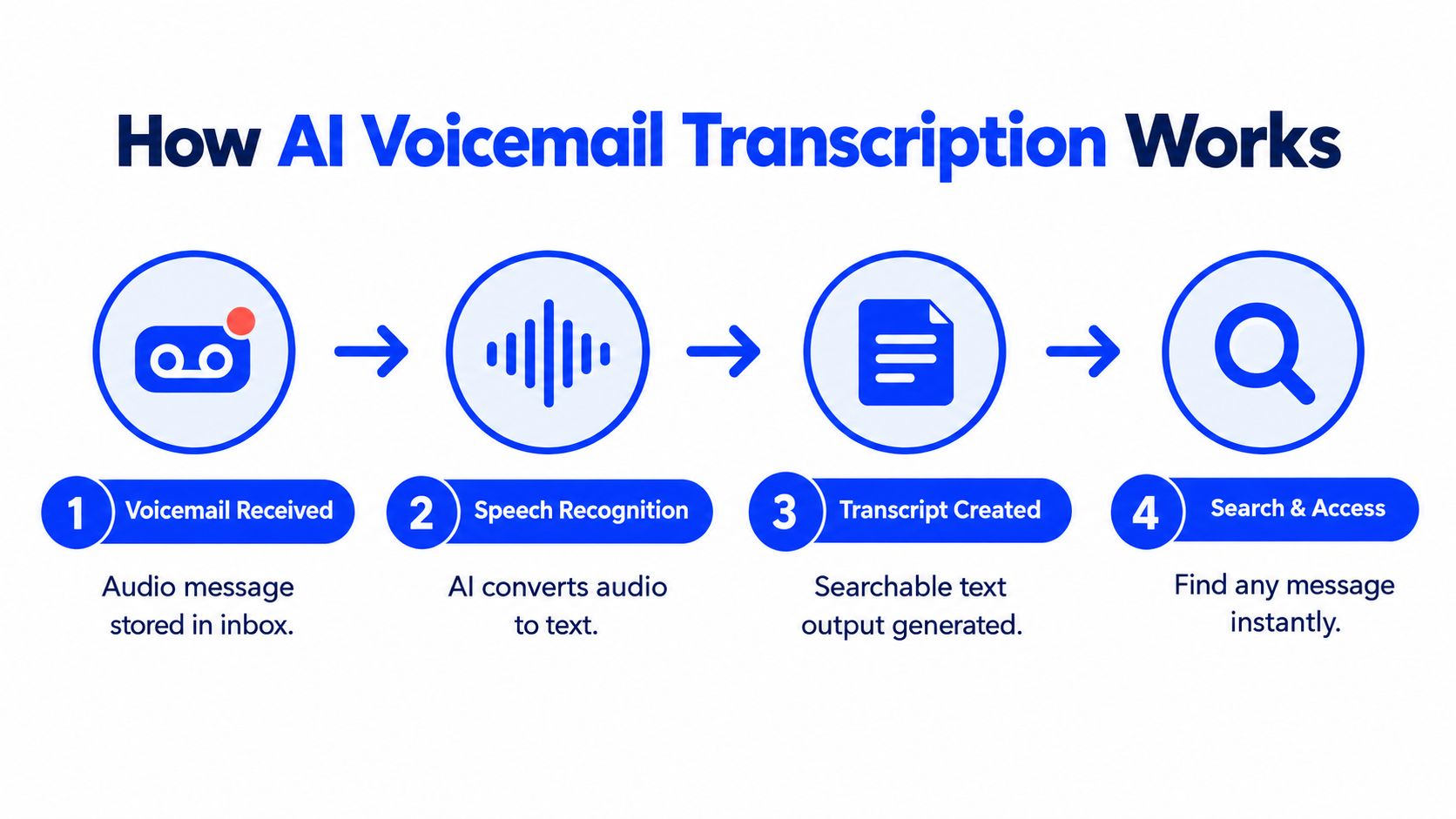
Most owners hear the term and assume it means the voicemail gets written down. That is too vague to judge a vendor. AI voicemail transcription is a pipeline, and each step affects speed, usability, and risk.
The basic flow
Here is the flow in a modern setup:
The caller reaches voicemail
Your phone carrier or cloud phone system plays a greeting and stores the audio message.Speech recognition processes the file
The audio gets converted into text. That is the transcription layer.The system structures the content
Better tools do not stop at raw text. They try to identify useful items like a name, callback number, requested service, date mention, or urgency.Staff receive a usable output
The final result appears in an inbox, dashboard, email, or CRM entry, ideally with replay controls and timestamps.
Older visual voicemail gave you a list of recordings. Newer systems turn each message into something your team can search, filter, and route.
Where the value is created
Converting sound into words is table stakes. Actual value appears when the transcript becomes operationally actionable. Your receptionist spots a same-day cancellation without listening to every message. A clinic sees a callback with possible urgency. A contractor pulls the address, service request, and number quickly enough to assign the job.
A useful tool should help staff answer questions like these:
- Who called
- Why they called
- How to reach them back
- Whether the message sounds urgent
- What next action is likely
A voicemail transcript should reduce triage time. If staff still have to listen to every recording in full, the system has not solved much.
What to ask before you buy
When owners compare products, I tell them to ignore slick labels and ask plain questions:
| What to check | Why it matters |
|---|---|
| Is the output just raw text | Raw text often leaves staff doing manual clean-up |
| Can users replay audio beside the transcript | Staff need a quick way to verify uncertain details |
| Does the tool extract phone numbers and dates | Those are the details that move the callback forward |
| Where does the transcript appear | Email alone is fine for low volume, weak for busy offices |
| Who can access or delete it | In California, access and retention are not side issues |
If you understand that pipeline, you will spot the difference between a feature that sounds modern and one your team will really use.
Why Some Transcripts Get It Wrong
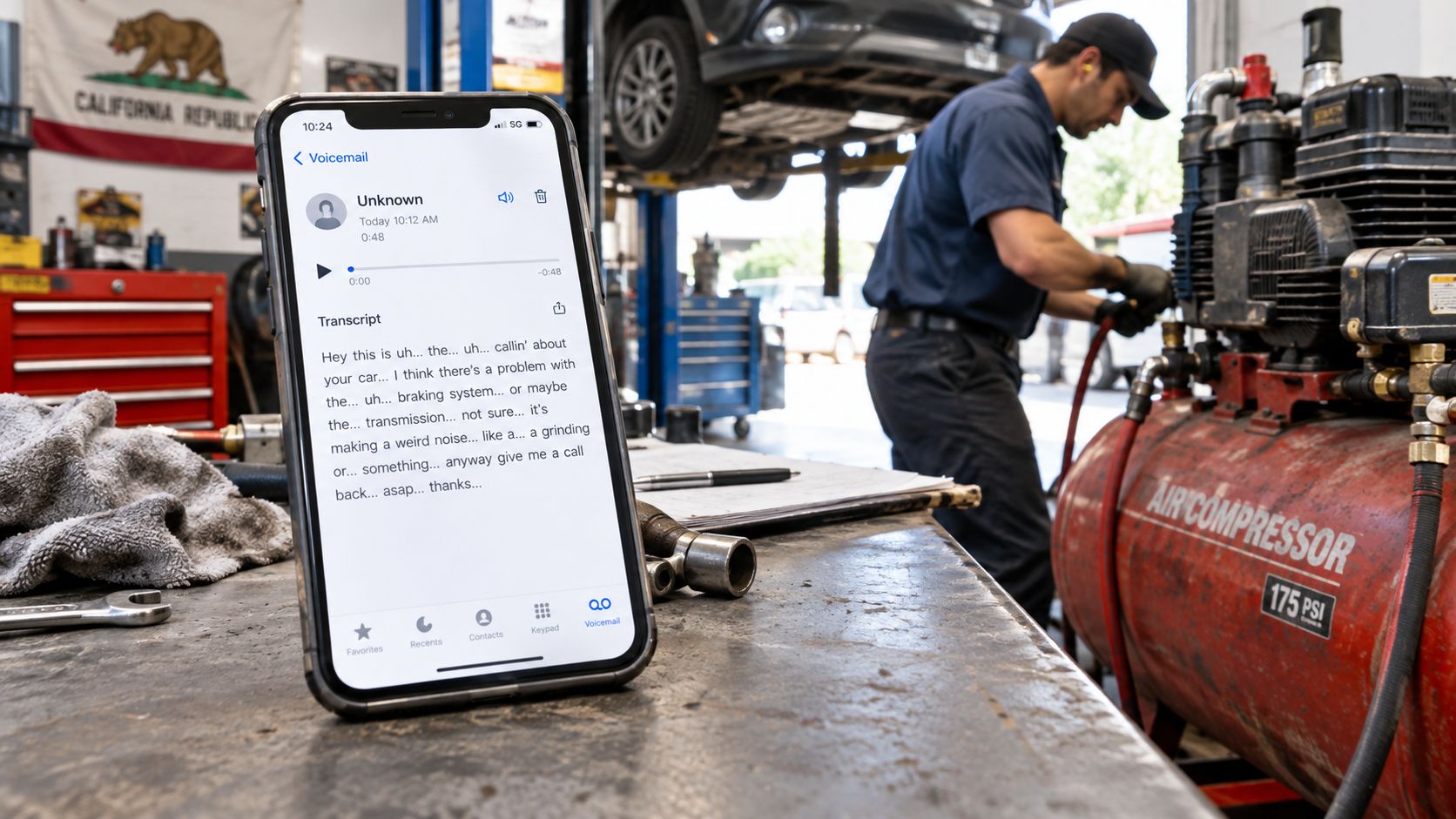
Vendors love to talk about transcription as if it's a clean conversion problem. It isn't. In real local-service businesses, the issue is whether the transcript captures the details your team needs to act correctly. A transcript can look polished and still be wrong in the ways that matter most.
The messy reality of business voicemails
Voicemails aren't recorded in ideal conditions. Callers speak from cars, pavements, job sites, hospital corridors, and loud kitchens. Mobile compression strips detail. HVAC hum, traffic noise, and bad speakerphones make words blur together.
Then add the California layer. Many callers use accented English, Spanish, or switch between both in the same message. They mention street names, medication names, legal surnames, apartment numbers, cross streets, and callback windows. The transcript doesn't just need to be readable. It needs to preserve the details that drive the next action.
A salon can survive a slightly clumsy sentence.
A clinic, law office, or contractor often can't afford a wrong name, date, or address.
The useful question isn't “How accurate is it”
The useful question is, what fails when it's wrong?
- For contractors, a bad street number can send a technician to the wrong property.
- For clinics, a mistaken appointment date or medication term can distort intake.
- For legal offices, an incorrectly transcribed name can contaminate the file from the start.
- For restaurants, a wrong time or party detail can create immediate friction with the guest.
That's why the strongest California-focused guidance on this topic should treat transcription as a risk-management workflow, not as a magic text feature. The Legal500 discussion of AI processing and call-recording privacy obligations points in the right direction. When call data may contain sensitive personal information, teams need documented handling, not blind trust in fluent-looking output.
Fluent errors are more dangerous than obvious ones. Staff trust them too quickly.
What a safer transcript looks like
If you're buying for a real office, these features matter more than a headline marketing claim:
- Confidence flags so uncertain passages stand out instead of blending in.
- Replay beside transcript so staff can verify names, addresses, and dates fast.
- Language detection because bilingual messages shouldn't be forced through the wrong assumptions.
- Structured extraction for phone numbers and appointment details.
- Escalation paths when the system can't confidently identify intent.
I'd go further. Staff should be trained to treat transcripts as a draft of the caller's meaning, not a final record. That mindset matters more than any generic “high accuracy” promise.
The California Consent Problem Most Guides Skip
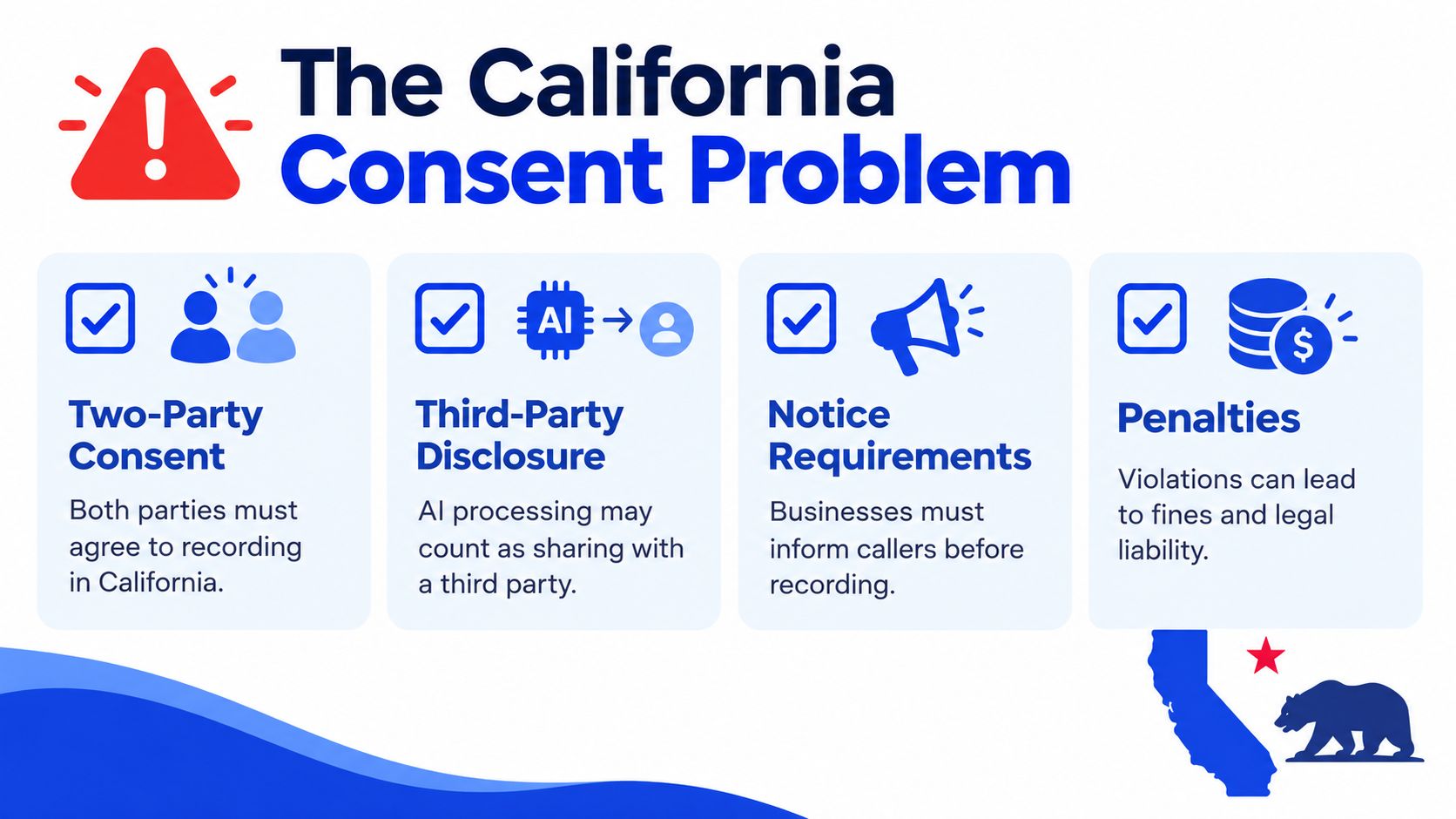
Most articles fail you. They frame AI voicemail transcription as an innocent convenience feature, as if the only question is whether it saves time. In California, that's the wrong frame. The bigger issue is recording plus third-party disclosure.
Recording first, transcription second
California is generally treated as an all-party-consent state for recorded confidential phone communications, and Teneks' summary of California call recording law notes the stakes clearly, including possible civil damages of $5,000 per violation or three times actual damages. That's not a minor footnote. It means you don't get to treat voicemail capture as technically harmless just because the business has always used voicemail.
Once the system records, a second issue appears. If the audio or transcript goes to an outside AI provider for processing, you may have more than a storage question. You may have a disclosure question too.
What a compliant setup should do
A safer California design starts before the recording exists.
Play notice before capture begins
Don't bury notice after the fact. The caller should hear it before the system records anything intended for transcription.Offer a non-recorded path where feasible
That could mean a live callback request option, a text channel, or another documented route.Store the consent event
Keep the call ID, notice version, timestamp, destination number, and caller response status tied together.Block downstream processing without consent
If valid consent isn't present, the system shouldn't transcribe first and ask questions later.
That architecture tracks closely with the operational guidance discussed in analysis of California call-recording and AI-processing risk. The key point isn't theory. It's boundaries. Capture, notice, processing, retention, and deletion all need defined rules.
If your vendor can't explain when recording starts, where audio goes, and what happens when consent is missing, stop there.
Audio and transcripts are both regulated data
The privacy side matters too. California's Attorney General has taken the position that audio recordings are not categorically outside the scope of personal information under the CCPA, and the Fox Rothschild discussion of CCPA regulations and audio recordings is a useful reminder that residents may seek disclosure, deletion, correction, and limits relating to sensitive personal information.
For a business owner, that translates into practical system requirements:
| Requirement | What it means in practice |
|---|---|
| Data mapping | Link caller ID, audio, transcript, timestamps, and derived metadata |
| Deletion propagation | Remove not only the visible transcript, but temporary files, summaries, embeddings, backups, and review queues |
| Access control | Front-desk staff shouldn't automatically get admin-level export rights |
| Retention limits | Keep it only as long as it supports callback handling, booking, quality control, or a documented business need |
This matters even more for dental, medical, legal, and home-service businesses. Those voicemails often contain health details, household information, legal issues, and identifiers people didn't expect to hand to an AI vendor. If you want more on intake-specific handling for sensitive practices, the issues overlap closely with AI receptionist setups for law firms.
Transcription Alone or a Full AI Receptionist
Once owners understand the legal and operational limits, the decision gets simpler. Do you want a system that writes down messages after the call ends, or do you want one that answers the call while the caller is still there?
Two very different tools
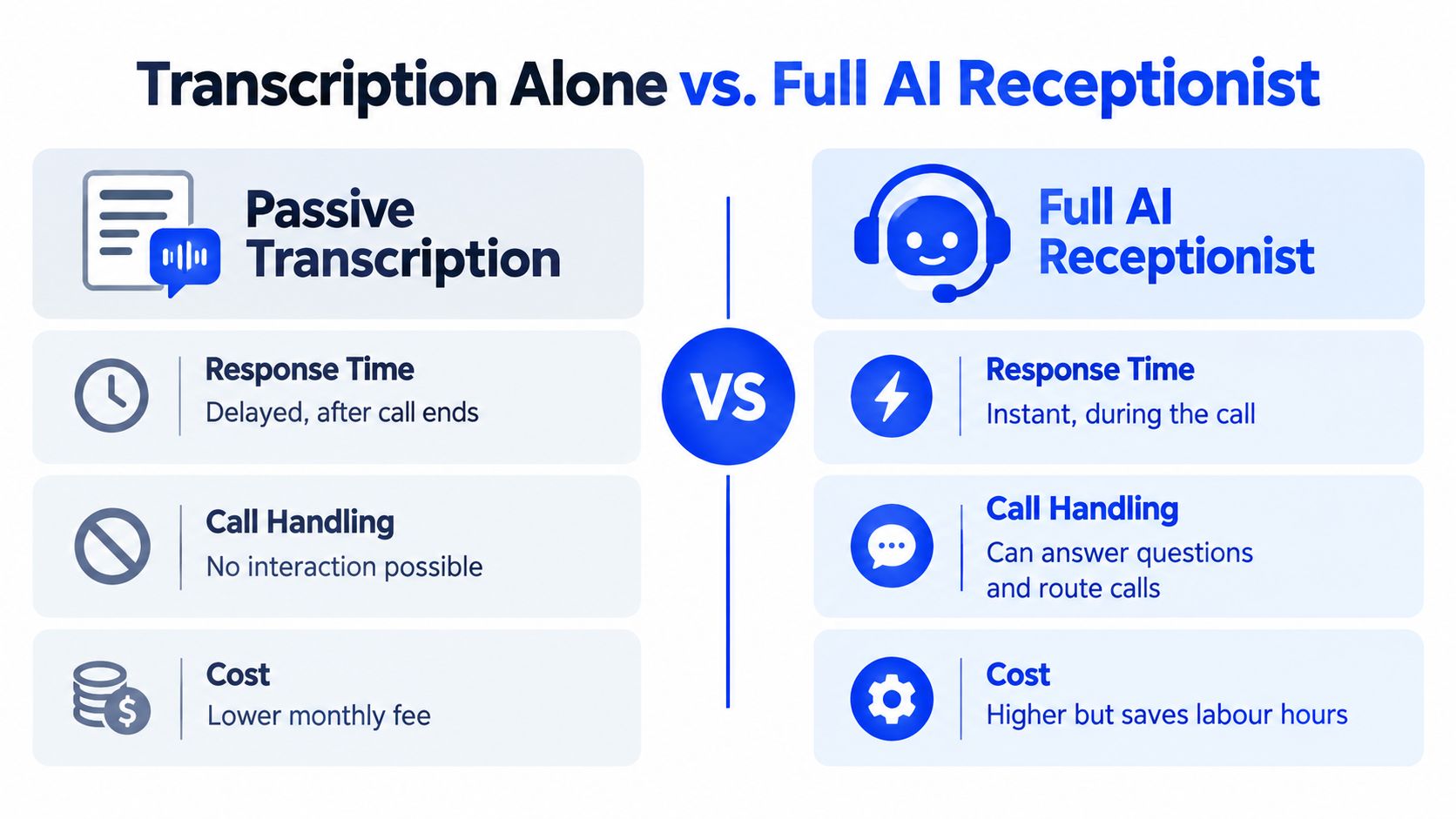
Passive voicemail transcription is after-the-fact recovery. The call wasn't answered. The caller left a message. The system turns that message into text so staff can respond later.
A full AI receptionist sits earlier in the process. It answers the phone, speaks with the caller, handles common questions, and may route or book during the call itself. Both systems can produce transcripts, but they solve different problems.
Here's the practical comparison:
| Decision factor | Passive transcription | Full AI receptionist |
|---|---|---|
| Response timing | After the call ends | During the call |
| Caller interaction | None | Yes, conversational |
| Booking capability | Usually manual follow-up | Can be handled live if integrated |
| Missed-call salvage | Partial | Stronger |
| Complexity | Lower | Higher |
| Sensitivity fit | Better for simple callbacks | Needs tighter design for sensitive intake |
A short product walkthrough makes the distinction clearer:
How I'd decide for a California business
Use passive transcription if your office already answers most calls and mainly needs cleaner after-hours handling. It's also the simpler choice if your calls are straightforward and staff can return them quickly the next morning.
Move toward a full AI receptionist when these conditions show up together:
- After-hours demand is meaningful and callers want an answer now, not later.
- Booking urgency is high, common in salons, med spas, dental practices, and restaurants.
- Staff coverage is inconsistent, especially during peak counter or treatment-room hours.
- Phone tag is expensive, because each missed call turns into several manual follow-ups.
One practical option in that second category is Heyline, which is built for local appointment-based businesses and uses a simple flow, paste the business website, connect the calendar, test, and launch. It answers calls, holds a natural conversation, and books into Google Calendar without a multi-week telephony build. If you're comparing categories rather than just features, that's the difference between voicemail clean-up and live call handling, which is also covered in this overview of what an AI receptionist is.
How to Choose and Roll Out a Voicemail Transcription Tool
Most businesses don't need a giant procurement exercise. They need a shortlist, a compliance stance, and a rollout plan that won't break the front desk. That's manageable if you stay disciplined and ignore flashy demos.
What to insist on before signing
Start with the requirements that protect the business.
Consent-first capture
The tool should support notice before recording begins, not after.Retention controls you can see
If the admin can't set or confirm retention rules, you're trusting a black box.Deletion across all representations
Deleting the visible transcript isn't enough if audio, summaries, or derived data still sit elsewhere.Spanish and mixed-language handling
In California, language support isn't a premium extra. It's baseline practicality.Confidence markers with replay
Staff need a built-in way to verify uncertain details instead of assuming the transcript is final.A non-recorded fallback path
That's part of a serious California posture, not an optional flourish.
Buy the tool your staff can verify, not the one with the prettiest transcript demo.
A one-week rollout that works
Don't overcomplicate deployment. Use a short, structured first week.
Day 1
Document your current voicemail handling. Note what staff struggle to capture consistently, names, dates, callback numbers, service requests, urgency.
Day 2
Configure the greeting, notice language, retention setting, and who gets access. Decide who can export, edit, or delete records.
Day 3
Run internal tests. Leave messages with background noise, accented English, Spanish, mixed-language speech, and rushed delivery. Include names and addresses that are easy to mishear.
Day 4
Train staff on verification. They shouldn't treat every transcript as authoritative. They should know when to replay audio and when to escalate.
Day 5
Go live with limited routing if needed. Start with after-hours or overflow voicemail before expanding.
Day 6 and beyond
Review the messages that caused friction. You're looking for patterns, not vanity metrics. Which details were missed, which calls were unclear, and which messages still required full audio review?
The shortlist filter I use
If I were narrowing vendors for a California salon, clinic, contractor, or legal office, I'd cut any option that can't answer these plainly:
- When does recording begin?
- How is consent documented?
- Does any third party receive the audio or transcript?
- How long is the data kept?
- What exactly gets deleted when we delete a message?
- How does staff verify uncertain output?
If the answers are vague, the tool isn't ready for a business that takes real customer calls.
If your current phone line still turns missed calls into a messy voicemail queue, Heyline offers a practical step up from passive message handling. It can answer incoming calls, capture the conversation, and book straight into your calendar, which is often a better fit than transcription alone for appointment-heavy teams. See how it works at Heyline.