A salon owner is halfway through a colour treatment when the phone rings. The receptionist is already helping another client, the caller hears two unanswered rings, and the opportunity disappears before voicemail starts. A dental practice faces the same problem during a procedure. A contractor misses a new enquiry while driving between jobs. The business doesn't need another polished phone recording. It needs a reliable way to answer, qualify, and book when staff can't pick up.
That's what an AI receptionist demo should prove. Not whether a synthetic voice sounds pleasant for a few minutes, but whether the system follows your rules, writes correctly to your calendar, handles uncertainty, and gets a human involved before a routine call becomes a costly mistake.
California is a particularly relevant market for this evaluation. The Governor's Office reported in May 2024 that the state had more than 4.1 million small businesses, representing more than 98% of all businesses statewide, with those firms employing more than 7 million people. The same proclamation linked small businesses to approximately two-thirds of net new jobs in California. California's small-business proclamation makes the context clear. Local, appointment-based companies are not edge cases. They're a dominant part of how business operates.
The Phone Call You Wish You Had Answered
At 10:17 on a Tuesday morning, a salon owner is applying colour to a client's hair. Her assistant is washing another customer's hair, and the second stylist is with a walk-in. The main number rings. Nobody can answer. The caller hangs up and tries another salon.
That call might have been a high-margin colour appointment, a consultation, or a regular client trying to reschedule. The owner won't know, because the business never captured the caller's name, intent, or preferred time. A voicemail message arrives later, but by then the customer has already found a more responsive option.
An AI receptionist is designed for precisely this gap. It can answer incoming calls, explain services, route requests, and support appointment booking while people are occupied or unavailable. But a vendor's presentation can make almost any system look competent. A friendly voice reading a prepared script tells you very little about what happens when the caller asks an ambiguous question or requests a slot that has just been blocked.
Practical rule: Treat the demo as a live operational audit, not a product tour.
Use the demo to test your business logic
The most valuable part of the appointment isn't the voice selection. It's the chance to watch your own business rules run before you connect a public number or rely on the system during a busy day.
Bring real services, real opening hours, real appointment lengths, and real exceptions. Ask the receptionist to handle an ordinary booking, then change the conditions. Block the slot. Ask for a service combination that requires two team members. Request information the website doesn't contain. The objective is to see whether the system stays inside known boundaries.
California businesses have a substantial addressable market for this kind of workflow. The state's small firms employ nearly half of its private-sector workforce, according to the Governor's Office. That makes dependable call coverage an operational concern for salons, clinics, legal offices, contractors, and restaurants, rather than a novelty reserved for large enterprises.
Voice quality still matters. A caller shouldn't struggle to understand the system. But calendar integrity, California disclosure behaviour, and failure recovery matter more. Those are the tests that reveal whether the receptionist can protect a booking opportunity without creating a new administrative problem.
What an AI Receptionist Demo Actually Is
“Demo” can mean three very different things, and buyers often leave a vendor call without knowing which one they experienced.
A curated video reel shows a controlled conversation. It may demonstrate a pleasant greeting, a simple question, and a successful booking. This format is useful for understanding the intended experience, but it doesn't test your data or your systems.
An interactive sandbox lets you speak to a preconfigured receptionist in a browser or through a sample number. You can assess turn-taking, latency, and basic conversational ability. You still won't know whether it understands your current service list, respects your calendar, or follows your escalation policy.
A live test call runs against your business information, a connected calendar, and a number that resembles the path your customers will use. This is the only format that can expose stale website content, conflicting availability, incorrect appointment durations, or a broken handoff.
Ask three questions before the call starts
- Is the receptionist using my data? Confirm whether the system has ingested your public website, including services, hours, locations, and published pricing.
- Is it connected to my calendar? A booking conversation means little if the displayed availability isn't live or if the system can write over a blocked slot.
- Am I testing the actual call path? Ask whether the call reaches the same phone workflow customers will use, rather than a carefully limited demonstration environment.
A useful explanation of the underlying category appears in this guide to what an AI receptionist does. The important distinction is simple: a demo should show behaviour under your conditions, not merely a convincing performance under the vendor's conditions.
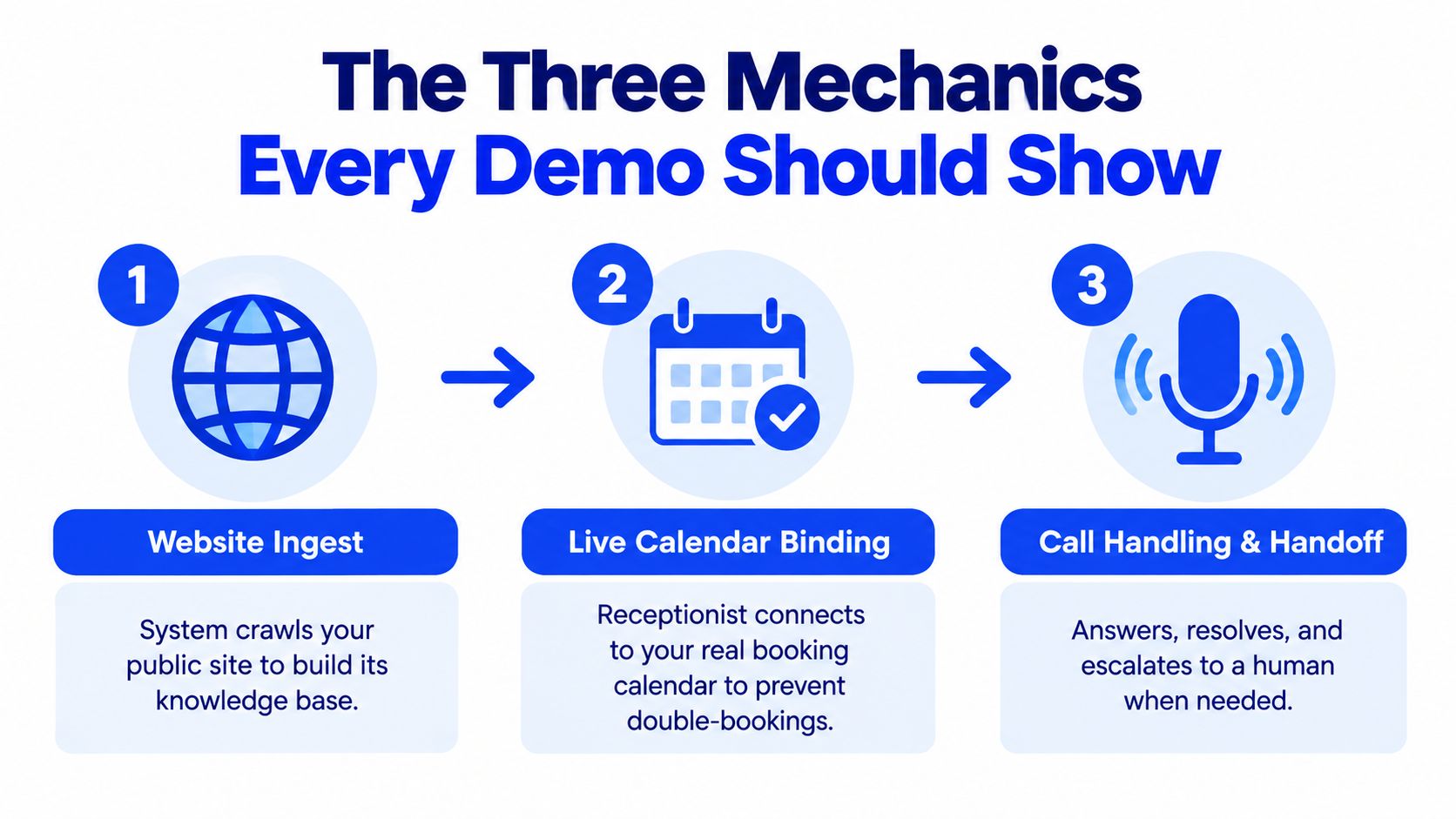
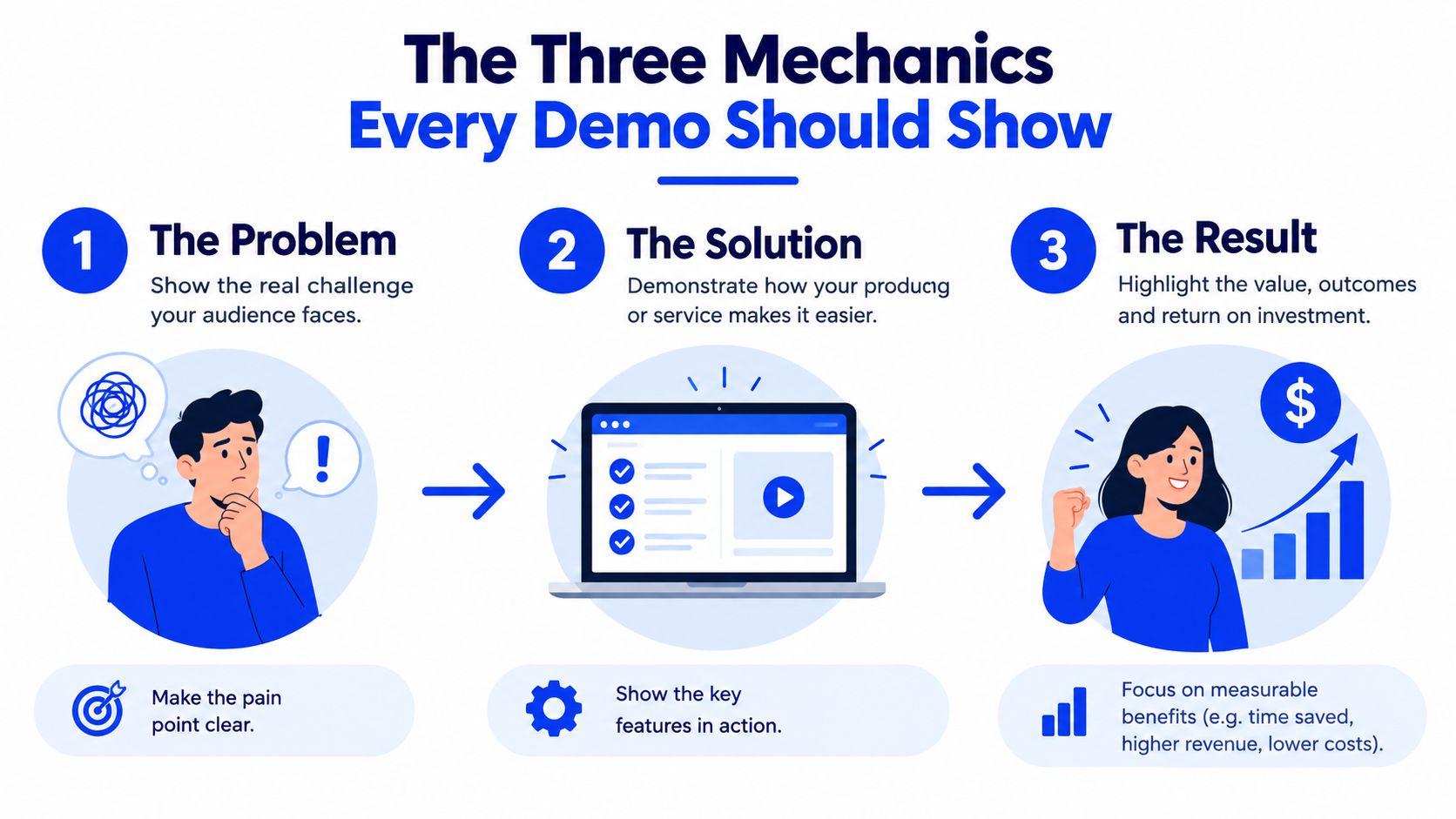
The Three Mechanics Every Demo Should Show
A credible demonstration follows the call from business information to calendar action to human handoff. If one of those links is missing, you're evaluating a partial system.
Website ingest
Start with the public website. The system should identify useful operational details such as services, business hours, service areas, and appointment-related information. The demo should then expose those details in an editable form.
That last point is critical. If the receptionist's knowledge lives inside an opaque prompt that only the vendor can change, every correction becomes a support request. Ask the vendor to change a service description or remove an outdated detail while you watch. A practical system should make the correction visible and testable.
Website-derived knowledge has a natural boundary. It can answer what the business has published, but it shouldn't invent a price, promise a service area, or guess at a policy. Ask a question the website doesn't answer and listen for a transparent limitation or a clear transfer.
Live calendar binding
Next, connect the booking calendar. Use a calendar with a slot that is already unavailable, then ask the receptionist to offer an appointment around it. After that, block a previously open slot and repeat the request.
The system should reflect the change rather than rely on a stale snapshot. It should also understand appointment duration, staff availability, and any service-specific constraints configured for the business. A successful spoken confirmation isn't enough. Inspect the calendar entry afterwards and verify the correct service, time, caller details, and staff assignment.
Call handling and handoff
Finally, run the full call through a normal phone route. The caller should be able to ask a question, make a request, change direction, and ask for a person without restarting the interaction.
Watch the handoff closely. Does the system explain what happens next? Does it transfer immediately when the request is outside its knowledge? Does staff receive enough context to avoid making the caller repeat everything? These details determine whether the AI receptionist reduces workload or moves the interruption to another part of the business.
Self-Configuring Setup vs Developer-First Tools
The right configuration model depends on who will maintain the receptionist after launch. An owner-operated salon or clinic usually needs speed, clear controls, and low upkeep. A complex organisation with several locations, departments, and custom integrations may need deeper control than a website-derived knowledge base can provide.
Two different operating philosophies
Self-configuring products begin with business information that already exists, usually the public website. The owner reviews the extracted details, connects a calendar, chooses a voice, and tests the call. This approach reduces the amount of technical work required to reach a usable first version.
Developer-first tools begin with logic. A technical team may build branching flows, webhook actions, integrations, custom prompts, and detailed routing rules. That model can support unusual requirements, but it also creates an ongoing maintenance responsibility. Someone must understand the logic, update it when the business changes, and investigate failures.
| Dimension | Self-Configuring, Heyline | Developer-First AI Receptionist Tools |
|---|---|---|
| Initial setup | Plain-language business information and calendar connection | Flow design, prompts, integrations, and technical configuration |
| Best fit | Owner-operated local businesses and small office teams | Technical teams, agencies, and complex organisations |
| Main advantage | Faster deployment with less specialist work | Greater control over custom call logic |
| Main trade-off | Less suitable for highly unusual workflows | More upkeep and a steeper learning curve |
| Knowledge updates | Review and edit website-derived fields | Maintain prompts, data sources, and workflow rules |
| Calendar use | Designed around direct appointment booking | Depends on the configured integration and flow |
| Failure handling | Test standard escalation and knowledge boundaries | Build and maintain explicit branches for exceptions |
Heyline's approach uses a public website, calendar connection, and plain-language configuration rather than node-based flow editors or prompt engineering. That can suit a small team that needs a receptionist working without a multi-week technical project. The trade-off is that a business with unusual intake requirements may outgrow a simplified setup.
Use this setup guide for an AI answering service as a practical reference point, then ask a vendor to show how much of the configuration your own staff can change. If only developers can safely edit the system, include that cost in your evaluation.
Five Failure Modes Most Demos Skip
The standard script is too polite. A caller asks for a basic appointment, the receptionist finds an open slot, and everyone declares success. Real customers bring incomplete information, conflicting needs, urgency, and requests that your website never anticipated.
1. Possible dental emergency
Ask a dental receptionist to handle a caller describing urgent symptoms. The correct response isn't a diagnosis. The system should state its limits, follow the practice's approved urgent-care instructions, and escalate to a person when required.
A vendor that treats every question as a booking opportunity is showing unsafe behaviour. Test whether it can distinguish routine scheduling from a request that needs human attention.
2. Multi-service salon appointment
Request a colour service followed by a cut, with different staff members or appointment lengths. The receptionist should check the combined requirement rather than offer the first available time for only one part.
Then ask for a slot that cannot accommodate both services. The system should explain the limitation and propose a valid alternative, rather than create an incomplete booking without notice.
3. Legal intake outside the knowledge base
Ask whether the firm accepts a case type that the website doesn't mention. The receptionist must not invent a practice area, guarantee representation, or imply that a consultation confirms eligibility.
The useful behaviour is bounded uncertainty. It should collect permitted contact details and route the question to the firm, or clearly say that a staff member needs to review it.
4. Geographically constrained home service
Give the receptionist a property location and a narrow time window. A contractor needs to know whether the address falls inside the service area and whether the team can reach it at the requested time.
The demo should expose how the system handles an unknown location, a missing service-area rule, or an unavailable window. Ask specifically what happens when the website doesn't provide the answer.
5. Two callers targeting one slot
Use two calls or two testers to request the same appointment close together. The calendar must decide which request is valid, and the second caller should receive current availability rather than a false confirmation.
After every test, inspect the calendar. A fluent conversation can still produce a duplicate entry, a wrong service, or a booking assigned to the wrong person.
Bounded behaviour beats theatrical realism. A receptionist that says “I don't have that information, but I can connect you with the team” is more useful than one that confidently makes up an answer.
These tests also show why a human-sounding voice isn't the main buying criterion. Prioritise safe refusal, accurate calendar writes, transparent uncertainty, and fast escalation. You can watch the call mechanics in action through the embedded test below, but don't substitute a polished example for testing your own edge cases.
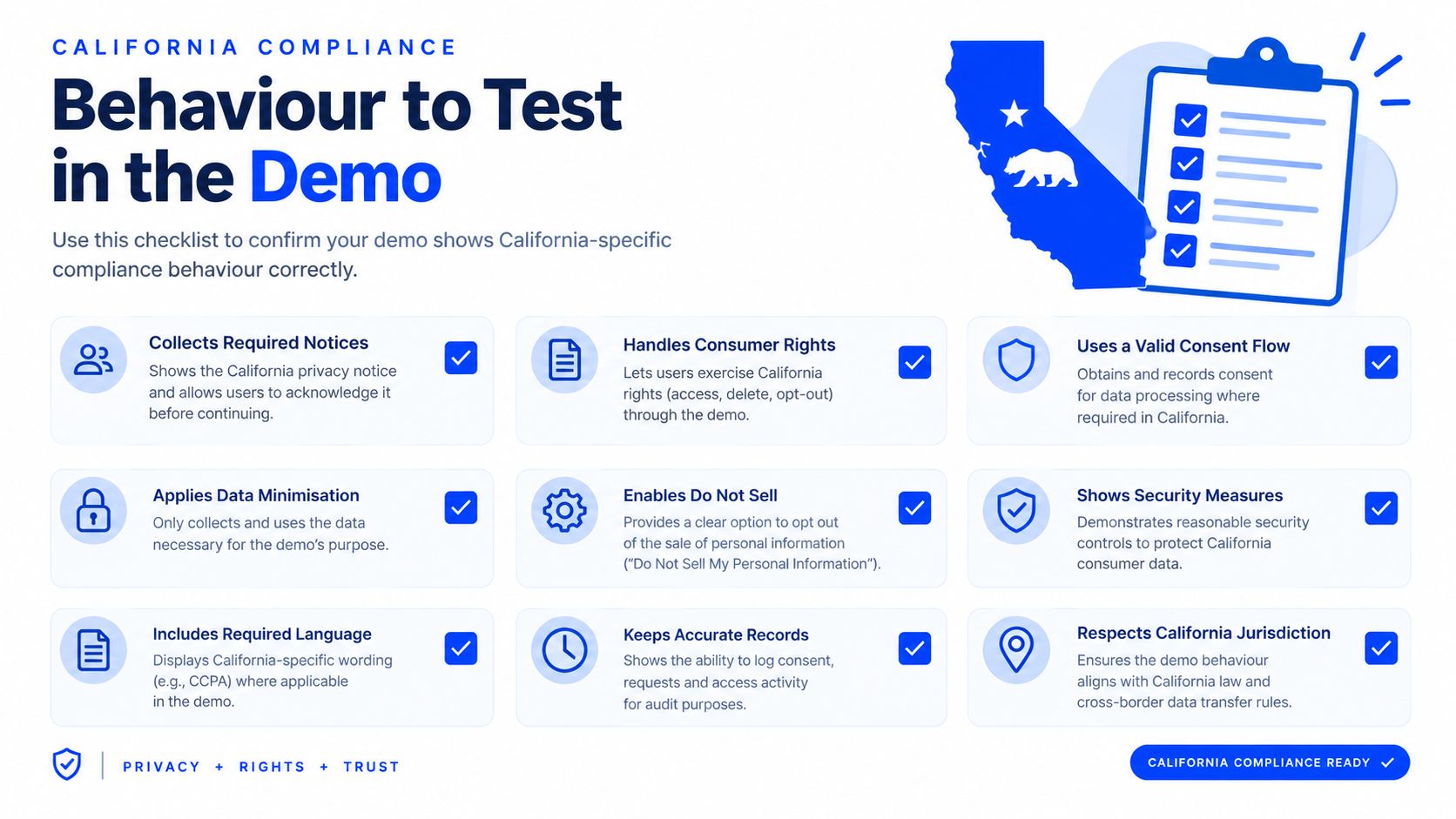
California Compliance Behavior to Test in the Demo
A California demo should begin with compliance behaviour, not an attractive voice. The system needs to make clear what it is, whether it records or processes the call, how consent works, and how a caller reaches a person.
California's AB 2905 took effect January 1, 2025 and requires an automatic dialing-announcing device to tell the called person when a prerecorded message uses an artificial voice. Violations can carry penalties of up to $500 per violation, as described in this California compliance overview. Ask the vendor to demonstrate the opening disclosure before the caller shares information.
Separate artificial-voice disclosure from recording consent
These are different questions. An AI disclosure doesn't automatically satisfy consent requirements for recording, transcription, or analysis.
California Penal Code §632 creates an all-party-consent issue for confidential communications. During the demo, ask the vendor to show two distinct modes:
- Processing without recording: The system handles the call without retaining a recording or transcript, subject to the vendor's actual implementation.
- Recorded or transcribed handling: The system gives the required notice, requests affirmative consent, records the outcome, and applies the configured retention policy.
Don't accept a verbal assurance that consent is “handled automatically.” Ask where the consent event is logged, who can access it, how long call data is retained, and how an owner deletes it. Medical and legal practices should be especially strict because a polished interaction can still create privacy, evidentiary, and escalation problems.
Require an immediate human path
Test the caller's opt-out and transfer request. The receptionist should stop the automated flow, explain the next step, and connect the caller or create a clearly labelled follow-up.
Also ask whether the business can configure retention and deletion settings without technical assistance. A responsible demo makes these controls visible. It doesn't hide them behind a future implementation meeting.
Metrics a Live Demo Should Display
A demo that shows only a successful call is a sales performance, not an operational evaluation. Ask the vendor to display the measures that connect conversation quality to a completed business action.
Four numbers to put on the scorecard
- Time to book: Measure the interval from greeting to a confirmed calendar slot. A short call isn't automatically better if the booking is wrong.
- Confirmed appointment rate: Track how often test calls end with a valid appointment rather than a callback request or unresolved conversation.
- Escalation rate: Record how often the receptionist transfers to a person or voicemail. A high rate may reveal weak knowledge coverage, while an artificially low rate may indicate overconfident answers.
- Out-of-scope refusal rate: Count how often the system correctly declines to answer questions outside its configured knowledge. Refusal is a safety signal, not necessarily a failure.
The U.S. Small Business Administration's 2024 California profile counted approximately 4.2 million small businesses, equal to 99.9% of businesses in the state, with 7.0 million small-business employees representing 47.1% of California employment. The profile also reported that small-business employment increased 11.0% between 1997 and 2021, exceeding the corresponding national growth rate. Those figures show why call handling has broad operational relevance, but they don't prove that any particular receptionist will improve your results.
Keep the measurement practical
Write down the result of each adversarial call. Include whether the receptionist gave a correct answer, offered a valid slot, wrote the right calendar details, and transferred when it should have.
A vendor that can't expose these outcomes is asking you to judge the system by impression. Use this customer-service survey resource to frame the broader service questions, then insist on evidence from your own test calls rather than generic performance language.
How to Request Your Heyline Demo
Prepare the business before you start. Have the public website URL ready, connect a Google Calendar that contains at least one deliberately blocked slot, and write down the exact greeting your team uses with an important caller.
The standard setup follows three practical actions:
- Paste the website: Let the system build its initial business knowledge from published information.
- Connect the calendar: Check whether the receptionist recognises availability and avoids the blocked appointment.
- Run a test call: Ask a normal booking question, then test an exception, an unavailable service, and a request for a human.
Review the resulting knowledge fields rather than assuming the website was interpreted perfectly. Correct outdated details, confirm the voice matches the business tone, and inspect every calendar entry created during testing. You should also ask what happens after launch, including how the number is connected, how staff receive escalations, and how knowledge updates are managed.
Founding businesses can ask about optional early-access onboarding with one-to-one personal setup. Bring the questions your staff hear most often, the services you don't want the receptionist to promise, and the circumstances that always require a person. Those details turn a generic AI receptionist demo into a useful pre-launch test.
Heyline provides an AI phone receptionist that can build its initial knowledge from your public website, answer incoming calls, and book appointments through a connected calendar. Visit Heyline to run the demo, test your own business questions, and check the failure cases before you put the system in front of customers.