A caller reaches your salon after work, hears the phone ring, and waits while the only receptionist checks in a client. The caller hangs up before anyone answers. The next person leaves a voicemail asking for an appointment, then misses the return call while driving. By the time the receptionist catches up, both callers may already have contacted another business.
This is the practical problem a conversational AI voice assistant is designed to address. It isn't a futuristic replacement for every human interaction. For a local business, it can be a phone receptionist that answers routine questions, collects the right details, checks availability, and completes a booking when staff are busy or the office is closed.
The important question isn't whether the voice sounds impressive in a demonstration. It's whether the system prevents missed calls, reduces phone tag, avoids calendar conflicts, and hands sensitive conversations to a person at the right moment.
The Saturday Morning Every Local Business Knows
Saturday morning starts well at a busy hair salon. The stylist is booked, the front desk is checking in a client, and the phone rings while someone else is waiting to pay. The owner glances at the display, intending to answer after the checkout, but another call arrives before the first one is finished.
Two callers hang up. A third leaves a voicemail asking about colour appointments, but the message doesn't include a preferred stylist, service, or suitable time. The owner returns the call later, reaches voicemail, and spends part of the afternoon exchanging messages instead of serving clients.
That pattern appears in other appointment-based businesses too. A dental practice misses a new-patient enquiry while a hygienist needs help in the treatment room. An HVAC contractor can't answer during an installation. A law office receives an intake call after the receptionist has gone home. A restaurant loses a reservation request during the dinner rush.
Operational reality: A missed call isn't merely a customer-service inconvenience. If nobody answers and the caller doesn't leave useful information, the business may never get another opportunity to help.
With a conversational voice assistant on the line, the same Saturday can run differently. The caller hears a clear greeting, asks about a trim, provides a preferred time, and receives an answer based on the salon's approved services and hours. If the calendar has an opening, the assistant can complete the booking. If the question needs a stylist or manager, it can collect the details and route the call according to the business's rules.
That doesn't remove the front desk. It gives the front desk coverage when people are occupied, and it keeps routine work from competing with an in-person customer. The system becomes useful when it handles ordinary requests consistently, not when it pretends every caller should avoid a human.
The rest of this guide focuses on that operational test: how the technology works, where local businesses lose bookings, how it compares with phone trees and developer-first platforms, and what to verify before letting it answer real customers.
How a Conversational AI Voice Assistant Works
A conversational AI voice assistant works like a front-desk system split into four jobs. One part listens, one part figures out what the caller means, one part decides the next step, and one part replies out loud. That division matters because local businesses usually do not need a custom voice app built from scratch. They need a phone system that can go from website and business rules to live call handling without weeks of developer work.
A typical call moves through these four layers:
- Automatic speech recognition converts the caller's speech into text. If someone says, “Can I book a trim next Tuesday at two?”, the assistant turns that into words the system can process.
- Language understanding identifies intent and pulls out the useful pieces, such as service, date, time, and party size.
- Dialogue management decides what should happen next. It may check business rules, ask a follow-up question, or confirm whether “two” means 2 p.m.
- Text-to-speech turns the reply into spoken audio, such as, “I have a trim available next Tuesday at 2 p.m. Would you like me to reserve it?”
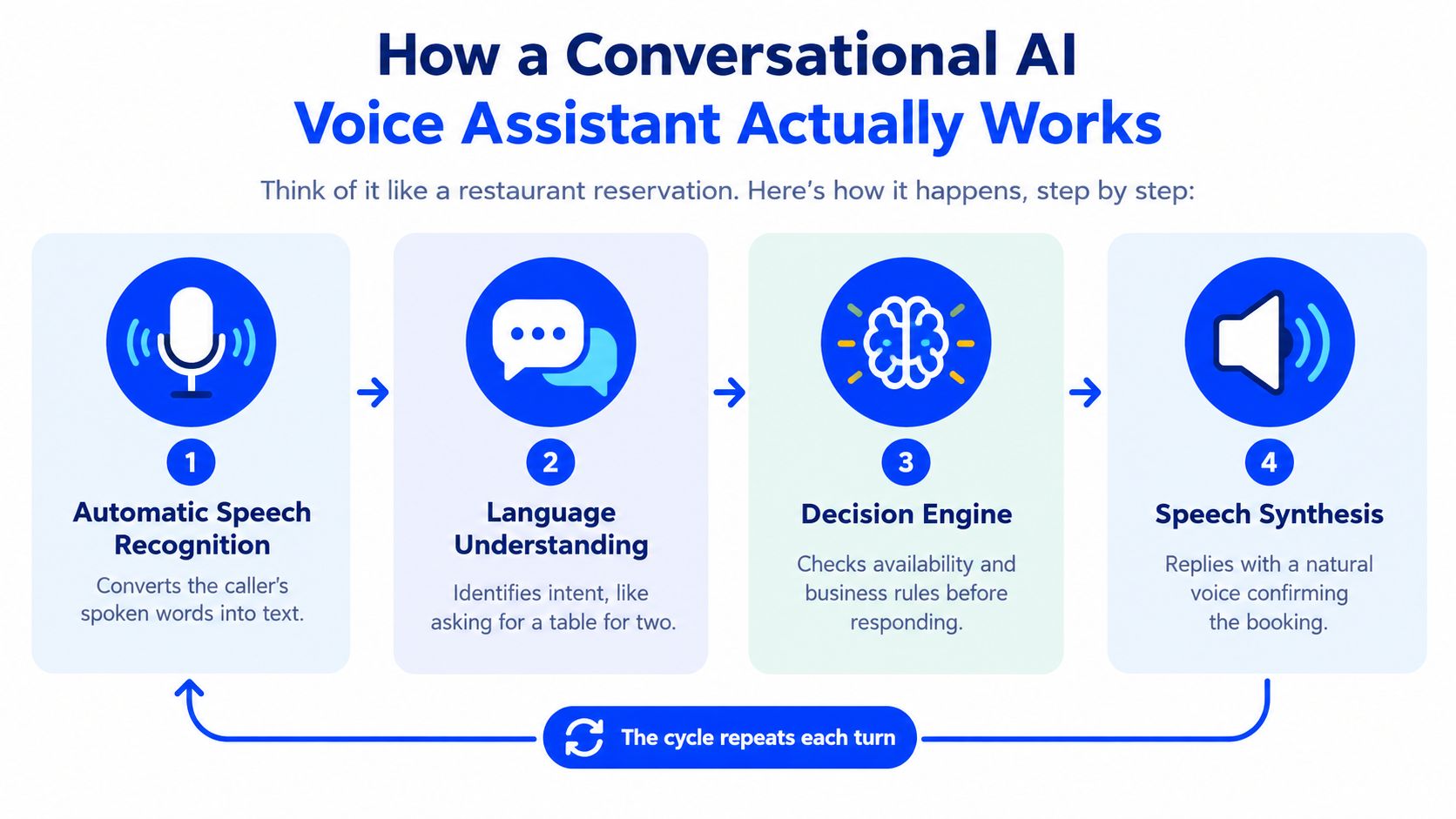
Those four layers only work if they draw from a controlled source of business information. In practice, that means the assistant needs access to the same facts your staff would use, services, opening hours, pricing, location details, cancellation rules, and instructions for when a call should transfer. If your website says one thing and your booking rules say another, the caller gets stuck. That is why editable business data matters more than a fixed script.
The booking loop
Booking is a loop, not a one-line exchange. The assistant has to gather enough detail, verify it, check the calendar, and confirm the outcome in a way that sounds closer to a capable receptionist than a phone tree.
- Caller asks for an appointment.
- Assistant identifies the requested service.
- Assistant asks for any missing details.
- The calendar is checked for an available slot.
- Caller confirms the date, time, service, and contact information.
- The appointment is created, or the call is transferred if the request falls outside the rules.
Calls rarely stay perfectly linear. A caller may change the day, switch services, or ask for a different staff member midway through the conversation. The system should update the request instead of starting over.
Call routing rules handle that last part. They separate routine bookings from exceptions, then decide whether to transfer, take a message, or use a fallback path.
Where Appointment-Based Businesses Lose Bookings
Voice automation only matters when it addresses a real failure in the phone operation. The most common losses happen in ordinary moments, not dramatic system outages.
Five recurring failure points
After-hours silence is the first. A caller looks for a service when the business is closed, reaches voicemail, and decides whether to leave a message. If the next step depends on a callback, the booking remains unfinished and the caller's attention may move elsewhere.
Peak-period overload creates a different problem. The phone works, but the employee can't answer while checking in clients, assisting a patient, completing an installation, or serving a table. Several short calls can arrive in the time it takes to finish one in-person task.
Voicemail ping-pong adds friction even when staff respond diligently. A caller asks for an appointment, the business calls back, the caller misses it, and both sides exchange messages without resolving the request. Each interaction consumes time but doesn't create a booking.
Manual scheduling introduces avoidable mistakes. Staff may write down the wrong time, forget a blocked period, or book two people into the same slot while switching between a phone conversation and a calendar. Calendar-aware software can check availability before confirming an appointment, but it still needs accurate rules and a clear confirmation step.
Staff turnover and coverage gaps change the quality of the first interaction. One employee may know which services require extra time, while another may give incomplete answers or forget to collect essential intake details. A consistent assistant can follow the same approved information and escalation rules on every call.
The second-order cost
The direct cost is the missed appointment opportunity. The less visible cost is the impression created by the phone experience. A caller who can't get a basic answer may assume the business will also be difficult to reach after booking.
That doesn't mean every missed call becomes a lost customer. It means the business shouldn't treat unanswered calls as harmless just because the phone number appears on the website. A phone strategy needs to be judged by completed outcomes, such as a confirmed booking, a useful message, or a successful human handoff.
The right question isn't “Can the assistant answer the phone?” It's “What does the caller receive when a staff member can't answer?”
That question sets the standard for comparing the available approaches. A phone tree, a developer platform, and a website-configured receptionist can all handle calls, but they place very different demands on the owner.
Comparing Scripted IVR, Developer Platforms, and Heyline
A classic interactive voice response system follows a fixed path. “Press one for hours. Press two for appointments.” It can be dependable for narrow choices, but callers must adapt to the menu.
A developer-first voice platform offers much more control. A technical team can design conversation nodes, connect webhooks, manage integrations, and create detailed fallback rules. That flexibility is valuable when a business has unusual workflows and people who can maintain them. It can be excessive for a five-person salon that mainly needs answers, messages, and calendar bookings.
A website-configured assistant takes a different approach. It uses the business's public information as the starting point, presents editable fields for correction, and connects the call flow to a calendar without requiring the owner to build every conversational branch.
| Dimension | Scripted IVR | Developer-First Voice Platform | Heyline |
|---|---|---|---|
| Initial setup | Record prompts and arrange menu paths | Design flows, integrations, prompts, and handling logic | Paste the website, connect the calendar, test, and launch |
| Technical skill | Basic phone-system administration | Development, integration, and conversation design | Plain-language configuration for owners and office staff |
| Maintenance | Update recordings and menu options manually | Maintain flows, integrations, prompts, and edge cases | Edit business knowledge and operating details as they change |
| Caller interaction | Keypad menus or tightly scripted choices | Natural conversation shaped by the configured flow | Natural conversation based on website information and business rules |
| Appointment booking | Usually requires a separate process or staff handoff | Possible through custom calendar integration | Designed to check Google Calendar availability and book during the call |
| Best fit | Simple routing and predictable departments | Complex, bespoke call operations | Local appointment-based businesses without a development team |
| Main trade-off | Easy to understand, but rigid for callers | Powerful, but demanding to build and maintain | Faster deployment, with less control over highly specialised workflows |
The comparison isn't a claim that one category works for every company. A medical group with multiple departments, identity checks, and specialised scheduling rules may need a more engineered system. A small service business may value speed and low maintenance more than total control over every branch.
The deployment model changes the owner's role. With an IVR, the owner manages menus. With a developer platform, the business often manages a project. With a website-configured assistant, the owner manages the accuracy of the source information and the boundaries of what the assistant may do.
That last responsibility remains important. A quick setup does not excuse testing, editing incorrect details, or defining transfer rules. It moves the work away from building a phone system from scratch.
Deploying a Voice Assistant in an Afternoon
A practical rollout starts with the information callers already use. The business website becomes the first draft of the assistant's knowledge, but it shouldn't be treated as automatically correct.
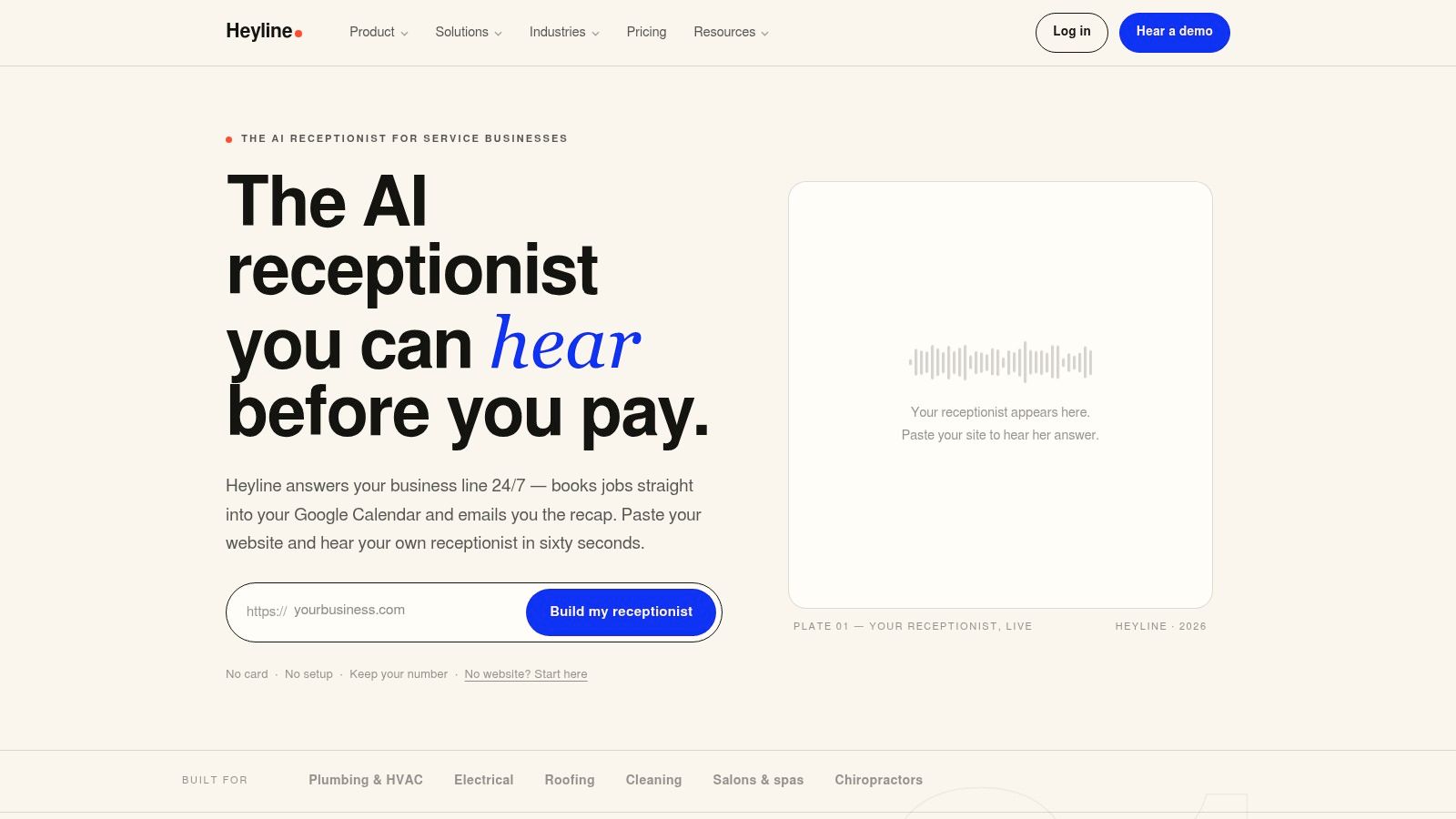
Start with the website
Paste the business URL and review what the system extracts. Look for services, hours, pricing, location information, staff details, and booking restrictions. Correct seasonal hours, remove outdated services, and add the answers staff give repeatedly but the website doesn't explain well.
This review is the difference between a fast setup and a careless setup. A caller asking about a cancellation policy shouldn't receive an answer based on an old page, and a caller asking for a service the business no longer provides should be offered a clear alternative or a human handoff.
Connect the calendar
Next, connect Google Calendar so the assistant can check live availability rather than offering times from a static list. Decide which calendars control booking, how long each service takes, whether buffers apply, and what should happen when no suitable slot is available.
The goal is simple: the assistant should confirm only a time the business can deliver. It should repeat the appointment details before finalising the booking, including the service, date, time, and caller information.
For a more detailed implementation checklist, see how to set up an AI answering service.
Test before forwarding calls
Before launch, make test calls from different phones and try normal as well as awkward requests. Ask about a service, interrupt the assistant, change the appointment time, speak with background noise, and request a person. Listen for incorrect answers, confusing confirmation language, and moments when the system should stop trying to solve the call itself.
Choose a voice that suits the business, then forward the existing number only after the test flow is acceptable. Tell staff what will change: which calls may be transferred, where messages appear, how bookings are confirmed, and who reviews exceptions.
The first live period should be treated as supervised operations. Correct the knowledge base when callers reveal missing information, review outcome logs, and adjust escalation rules instead of passively accepting repeated misunderstandings.
The best rollout is not the one with the most features enabled. It's the one where the assistant has a narrow, accurate job and staff know exactly what happens when a call falls outside it.
Trust, Accuracy, and When to Escalate to a Human
A natural voice can make a poor system sound polished. Callers care more about whether the answer is correct, whether the assistant admits its limits, and whether they can reach a person without repeating everything.
Start with identity disclosure. The caller should know they're speaking with an AI receptionist, especially when the system collects contact details or handles an appointment. The assistant should also confirm important information aloud before booking. A smooth conversation that creates the wrong appointment is still a failed call.
Five production requirements
- Approved information: Answers should come from business content the owner can review and edit.
- Confidence handling: When the assistant isn't confident, it should ask a focused clarification question or transfer the call instead of guessing.
- Human handoff: Urgent, private, emotional, or unusual requests need a clear path to staff.
- Real-world speech: Testing should include accents, interruptions, fast speech, and noisy environments.
- Recording controls: Audio and transcripts should be optional where consent requirements apply, not an invisible default.
California businesses need special care with recording. California Penal Code §632 and the California Supreme Court decision in Smith v. LoanMe, Inc. support a consent-controlled approach because §632.7 can apply even when the person recording is a participant in the call. A system that records audio, creates transcripts, or retains calls for quality review should disclose that before capture and provide a no-recording path for callers who decline.
Safety needs a different mode
An appointment assistant shouldn't continue its normal sales or scheduling dialogue after detecting a possible medical emergency, self-harm statement, threat, or urgent safety issue. California's 988 architecture illustrates the broader design principle: use explicit routing, language paths, backup handling, and secure documentation rather than relying only on conversational fluency.
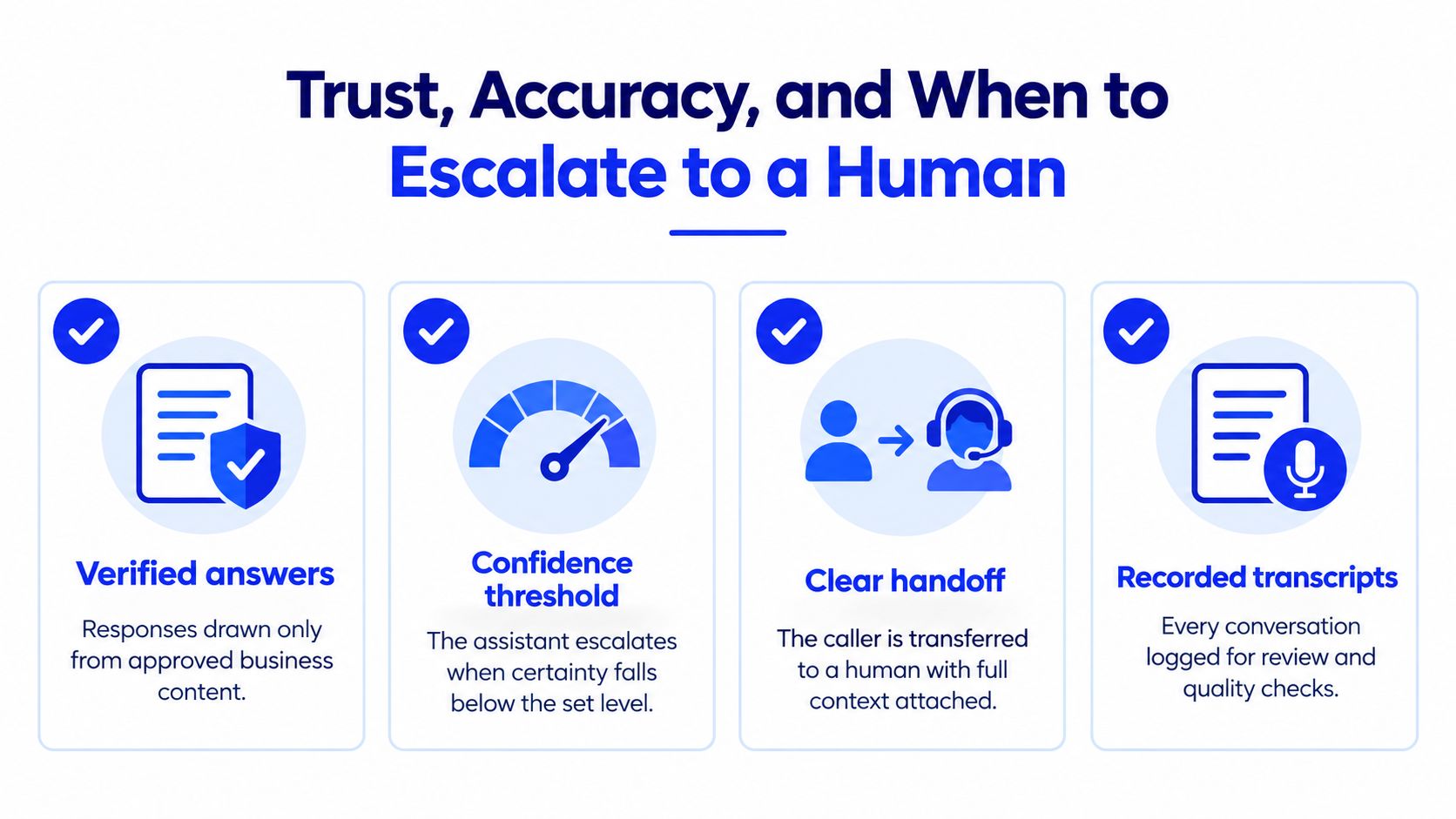
For a commercial receptionist, that means a deterministic interruption layer should detect high-risk intent, state the system's limitation, and transfer or direct the caller to the appropriate resource. Transfer failure needs its own fallback, because an escalation that rings into an unavailable queue isn't a complete safety plan.
A sensible low-risk design can process speech in real time for intent detection, hours lookup, and calendar checks without retaining raw audio, when the implementation and vendors support that configuration. Operational logs can focus on appointment status, timestamps, and escalation outcomes unless the caller has agreed to richer records.
Deciding Whether an AI Receptionist Fits Your Business
A website-configured assistant usually makes sense when the phone is already part of the booking process, but the staff can't answer consistently. Judge the fit by the operation, not by how futuristic the demo sounds.

Run a quick fit check
Give yourself one point for each statement that describes the business:
- Phone-based appointments: Customers regularly call to book, change, or ask about appointments.
- Coverage gaps: Calls go unanswered after hours or while staff are serving people in front of them.
- Limited technical capacity: Nobody wants to maintain a node-based flow editor, custom prompts, and integrations.
- Usable website content: Services, hours, location details, and core policies are already listed and can be corrected.
- Calendar readiness: The business uses Google Calendar or a comparable scheduling system that reflects real availability.
A higher score suggests the operational problem is clear and the starting information already exists. A lower score doesn't mean voice AI is impossible. It may mean the business needs to organise its services, booking rules, or escalation process first.
Businesses should pause when callers mainly need empathy, judgement, or confidential discussion from a known professional. A receptionist can collect a message and route the request, but it shouldn't be pushed into making decisions beyond its approved role. Sensitive medical, legal, and financial conversations deserve especially conservative boundaries.
Test the experience yourself
The safest next step is a controlled test, not an immediate full replacement. Call the proposed assistant from your own phone and act like a new customer. Ask a normal question, request an appointment, change the details, speak unclearly, and ask for a person.
Listen for five things: does it identify itself, answer from accurate information, confirm the booking, handle uncertainty, and provide a credible fallback? If the experience feels confusing to you, it will feel confusing to a caller who doesn't know your internal processes.
Review the AI receptionist pricing only after you've defined the job the system must perform. The useful comparison is between the cost and maintenance of coverage, missed enquiries, and manual phone tag, not between feature lists.
A conversational AI voice assistant is a fit when it removes a specific bottleneck without hiding important decisions from staff. Start with routine calls, keep the knowledge editable, and expand only after test conversations show that the assistant behaves reliably.
Heyline offers a website-configured AI phone receptionist that answers calls, uses approved business information, and books appointments through Google Calendar for local appointment-based businesses. Visit Heyline to test the receptionist experience and see whether it can cover your busiest calls.