A salon owner is halfway through a colour treatment when the phone rings. The receptionist is helping a walk-in, so the call goes to voicemail. The caller wants an appointment this week, but by the time someone returns the call, they've already contacted another salon. Google Calendar can show open time, but it can't recover a caller who never reaches a booking page.
That distinction matters for clinics, barbershops, law firms, contractors, and restaurants. Google Calendar scheduling software is often treated as the whole booking system when it's really the availability layer. The right comparison asks a harder question: does the tool capture demand from the channels your customers use, then place the appointment accurately without creating extra work?
This guide compares the main approaches through that operational lens. It covers native Google Calendar scheduling, booking-page tools, service-business overlays, developer platforms, and AI phone receptionists. It also examines pricing structure, calendar limits, missed calls, and the uncomfortable truth that easier booking doesn't automatically produce better attendance.
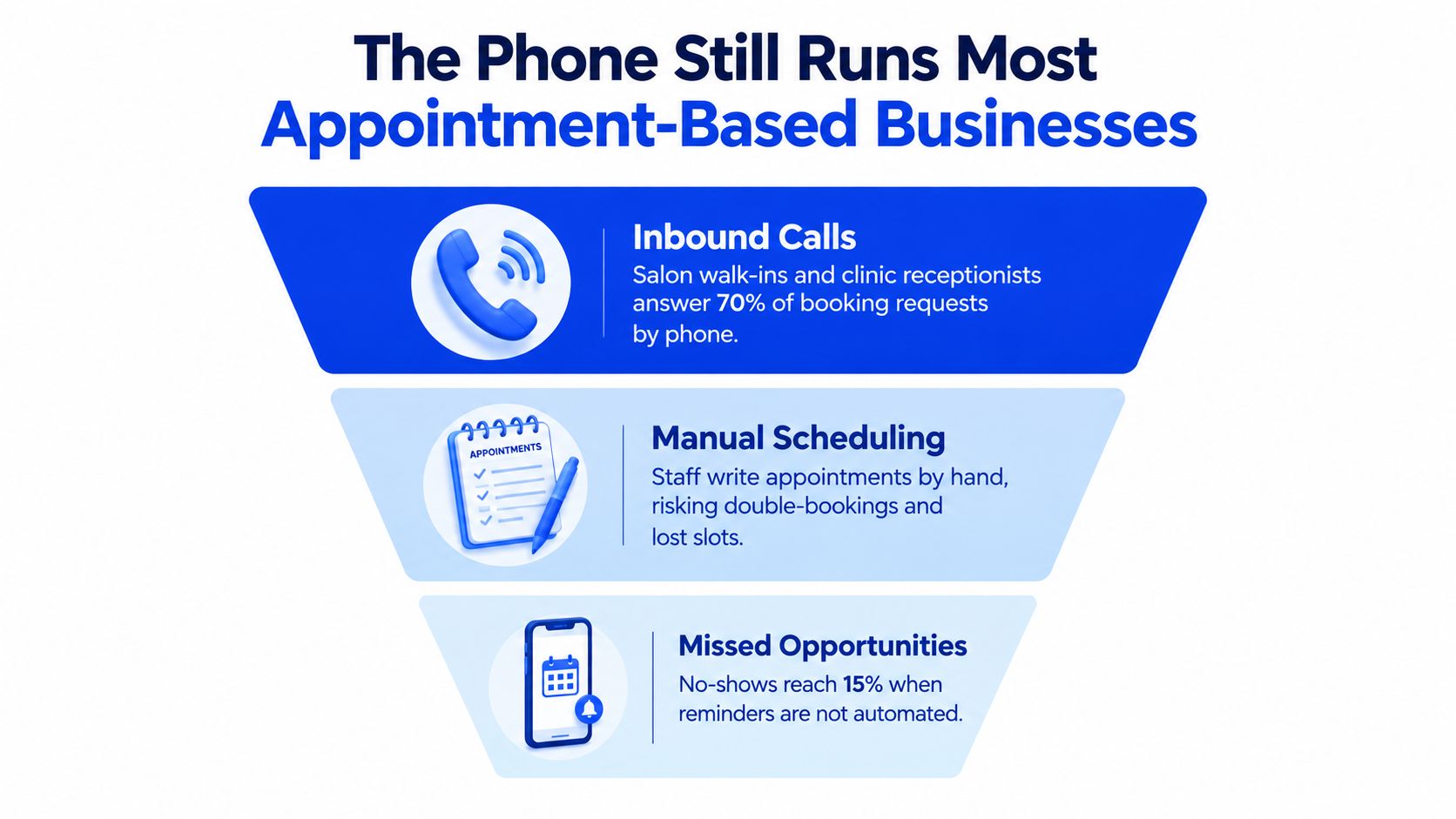
The Phone Still Runs Most Appointment-Based Businesses
A clinic receptionist may be checking in a patient when a new caller asks about an assessment. A plumber may be driving between jobs when a homeowner calls about a leaking water heater. A stylist may be holding a brush in one hand and trying to answer the phone with the other.
In each case, the operational problem happens before scheduling software gets involved. The customer has already shown intent, but the business hasn't captured the conversation. A booking page can help customers who find it, understand it, and want to use it. It can't answer a question about the right service, explain cancellation rules, or handle a caller who wants a human conversation.
The booking link solves only part of the problem
Google Calendar becomes valuable after the customer reaches the scheduling stage. It gives staff a shared record of appointments, lets an owner see availability, and provides a dependable place for connected tools to create events. That makes it a sensible backbone for a local business, especially when several people need to coordinate the same schedule.
But calendar synchronisation isn't demand capture. It won't tell you how many callers hung up after reaching voicemail, which services generate the most phone enquiries, or whether a caller needed an urgent appointment rather than a standard slot. Businesses that want to improve phone conversion need to measure the call journey as well as the calendar outcome.
Operational rule: Treat the calendar as the source of truth for availability, not as the entire customer acquisition and attendance workflow.
This comparison is for owners whose customers book appointments, reservations, consultations, or service visits. If every customer already uses a self-serve link and your services have predictable durations, native scheduling may be enough. If customers ask questions, need qualification, or call while staff are busy, you need a layer that connects phone demand to calendar availability.
For a practical look at what happens before a booking page is used, review how businesses screen phone calls. The useful question isn't whether Google Calendar can display an opening. It's whether your business can turn a live or missed enquiry into a correctly qualified appointment.
What Google Calendar Actually Does for Scheduling
Google Calendar is a mature scheduling backend, not a recent booking experiment. Its public beta launched on April 13, 2006, and it left beta in July 2009, according to this Google Calendar historical timeline. Google originated the product around events, appointments, reminders, and shared schedules, then incorporated it into Google Apps for Your Domain alongside Gmail and other workplace services.
That history explains why it works well as infrastructure. A salon owner can maintain staff calendars, a clinic can coordinate rooms or practitioners, and a contractor can keep personal and work commitments visible in one system. Third-party scheduling tools can then read availability and write confirmed appointments instead of maintaining a separate schedule.
What Appointment Schedules adds
Google's native Appointment Schedules feature creates a shareable booking page and checks connected calendars in real time. Google documents configurable controls such as buffer periods, booking windows, maximum daily bookings, custom intake questions, email verification, and automated email reminders in its appointment-scheduling documentation.
That gives a solo practitioner a credible starting point. You can define when bookings are possible, leave recovery time between services, ask intake questions, and let a new event update availability. New events added to connected calendars can also change what customers see, which reduces the risk of offering a slot that has already been taken.
The native feature still stops short of several local-business requirements:
- Deposits: It does not collect a payment before confirming a booking.
- Lead qualification: It does not decide whether a caller or customer is suitable for a service.
- Phone conversations: It does not answer a ringing phone or recover a caller who abandons voicemail.
- Complex routing: It does not independently determine which provider, room, or service duration should apply to every request.
That gap is why the best Google Calendar scheduling software acts as a workflow layer rather than a replacement calendar.
The API is capable, but careless integrations still fail
For businesses building or buying an integration, Google publishes sliding-window quotas of 10,000 requests per minute per Cloud project and 600 requests per minute per user per project in its Calendar API quota guidance. Exceeding either threshold can trigger rate limiting, and rapid successive writes to one calendar can face operational throttling even when the published quota hasn't been reached.
An individual salon or clinic normally has ample capacity. A multi-tenant platform needs stronger discipline. It should fetch free/busy data once per interaction, create an event with an idempotency strategy, use exponential backoff after HTTP 429 responses, and avoid repeated write retries that could create duplicate appointments.
Integration rule: One phone interaction should produce one availability check and one controlled event-creation attempt.
The Four Tool Categories That Sit on Top of Google Calendar
The scheduling market becomes easier to judge once you separate products by what they add to Calendar. A booking page, a service-business overlay, a developer platform, and an AI phone receptionist may all advertise calendar integration, but they solve different bottlenecks.
| Category | Setup Time | Handles Phone Demand | Calendar Depth | Cost Predictability | Technical Skill Needed |
|---|---|---|---|---|---|
| Self-serve booking page | Short | Limited | Basic to moderate | Usually predictable | Low |
| Service-business calendar overlay | Moderate | Limited to moderate | Moderate to strong | Usually predictable | Low to moderate |
| Developer-first scheduling platform | Variable | Only if custom-built | Strong and configurable | Depends on usage and implementation | High |
| AI phone receptionist | Short to moderate | Strong | Moderate, focused on live booking | Depends on conversation usage and plan | Low |
Self-serve booking pages
These tools are built for customers who prefer a link. They usually offer availability rules, appointment types, reminders, and calendar synchronisation. They fit consultants, recruiters, and solo practitioners whose customers already arrive through email, a website, or a profile page.
Their weakness is conversational demand. A caller asking whether a consultation is appropriate still needs a person or another system to answer.
Service-business overlays
These platforms typically add staff calendars, service durations, buffers, intake forms, payment flows, and customer records. They're a better fit for salons, clinics, and businesses where the booking depends on the service selected and the employee assigned.
The trade-off is complexity. Owners must configure services accurately, maintain staff availability, and train the team to use the system consistently. That's still worthwhile when the operation has many appointment types, but it's unnecessary for a solo professional with one calendar.
Developer-first scheduling platforms
Developer-first tools offer routing logic, custom interfaces, webhooks, API access, and deeper control over booking workflows. They suit software companies and larger organisations with internal technical support.
They're the wrong starting point for an owner who wants to stop missing calls this week. A technically flexible tool can still require a developer, an implementation project, monitoring, and ongoing maintenance. Businesses evaluating lead capture should distinguish that build burden from a focused lead capture software workflow.
AI phone receptionists
An AI receptionist sits before the booking page. It answers the call, gathers the relevant details, checks calendar availability, and books if the request meets the configured rules. This category is particularly relevant when staff are often on the floor, in treatment rooms, on job sites, or away from the desk.
It doesn't remove the need for a well-maintained calendar. It makes calendar accuracy more important because callers receive an answer in real time.
Four Real Tools and How They Actually Behave
Consider a caller asking, “Do you have an opening for a new patient this week?” The answer depends less on whether a product supports Google Calendar and more on where the conversation happens.
Google Calendar Appointment Schedules
With native Appointment Schedules, the customer receives a booking page. They choose an available slot, answer any configured questions, and create an event. The owner benefits from a straightforward setup and direct calendar visibility.
The limitation is obvious in a phone-driven business. Someone must send the link, explain the service, or manually enter the appointment after speaking with the caller. If the customer asks a question that the page can't answer, the workflow leaves the scheduling system.
Calendly
Calendly is a familiar self-serve layer for availability, event types, routing forms, and calendar connections. A consultant can offer several meeting types, while a sales team can route a request based on form answers.
For a local service business, it works best when the customer already understands what to book. It doesn't, by itself, answer an incoming phone call. The staff member still needs to handle the conversation or direct the caller to a link.
Cal.com
Cal.com is a developer-oriented scheduling platform with deeper customisation potential. A business with technical support can build more custom booking flows, connect other systems, and control how scheduling logic operates.
That flexibility carries implementation responsibility. Someone must configure the event types, verify the integration, manage edge cases, and keep the workflow reliable as services and staff change. It's a strong technical foundation, but it isn't automatically the simplest operating system for a small clinic or home-services owner.
Heyline
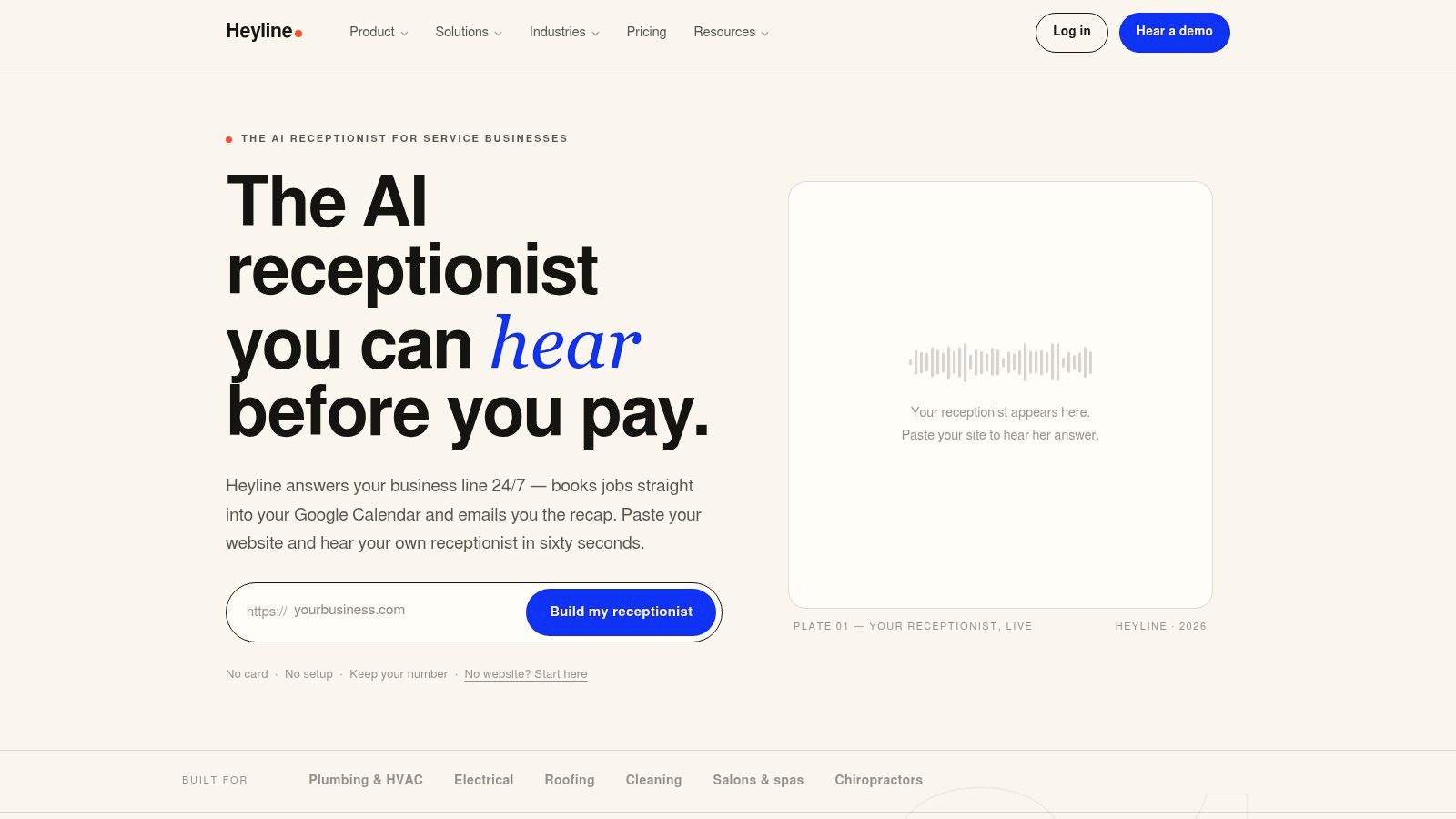
Heyline approaches the same scenario from the phone side. Its setup uses three screens: the owner pastes the business website, connects Google Calendar, then tests and launches the receptionist. The system can use website information about services and hours, lets the owner edit the captured knowledge, and provides voice selection before the phone number is connected.
During a call, the receptionist can discuss the request, check availability, and create the selected appointment in the connected Google Calendar. That means the customer doesn't need to find a link or wait for a callback. The calendar remains the scheduling record, while the phone conversation supplies the intake layer.
The owner still needs to configure service durations, buffers, booking rules, and escalation expectations. No system can make an inaccurate calendar safe. The difference is that a phone-first tool is designed to handle the moment when a customer calls instead of clicking.
For a broader view of how phone automation fits into appointment workflows, this product demonstration shows the call-handling pattern in action:
Pricing Models and the Cost of Getting It Wrong
Pricing pages rarely show the full operating cost. The monthly subscription is only one part of the decision. Staff setup, service configuration, training, calendar errors, and missed after-hours calls can matter more than the advertised plan.
The market generally uses four structures:
- Per-user SaaS: You pay for each staff member or seat. This is easy to forecast, but the bill grows as more providers need calendars or administrative access.
- Per-booking fees: The software charges when an appointment is created. This aligns cost with volume, but busy businesses pay more precisely when demand is strongest.
- Usage-based AI minutes: A phone receptionist bills according to automated conversation usage. The model makes call volume and call length important cost drivers.
- Free tiers with paid upgrades: Basic scheduling may cost nothing, while reminders, routing, payments, branding, or automation require an upgrade.
The error budget matters more than the feature list
A double-booking creates work immediately. Staff must call the customer, find a replacement slot, explain the mistake, and possibly rearrange another appointment. A missed call creates a different cost: the business may never know the opportunity existed.
Developer-first platforms introduce another expense. If the owner needs a specialist to connect the platform to Google Calendar, maintain routing rules, and monitor failed writes, the integration has an ongoing labour cost even when the software subscription looks reasonable.
Free tools can also become expensive operationally. A basic booking page may save a subscription fee while leaving staff to answer every phone question, chase confirmations, and manually handle exceptions. The business hasn't eliminated the cost. It has moved that cost into labour and lost demand.
Cost test: Price the workflow that runs after purchase, not just the software listed on the pricing page.
For each option, ask who will configure services, who audits availability, who handles ambiguous requests, and what happens when a caller reaches the business outside staffed hours. A predictable per-user plan may suit a clinic with stable staffing. Usage-based phone automation may suit a contractor whose demand arrives while they're on the road. The right model follows the bottleneck.
Online Booking Does Not Automatically Reduce No-Shows
A booking page makes appointment creation easier. It doesn't guarantee that the customer understands the commitment, remembers the time, can attend, or knows how to cancel.
A 2025 peer-reviewed study found sharply different outcomes across two healthcare settings. In a small private ophthalmology practice, no-shows fell from 5.9% to 1.8%. In a large university hospital, they rose from 11.2% to 14.3%. The results are reported in this Canadian analysis of online booking for small businesses.
The lesson isn't that online booking works or fails. The lesson is that the surrounding workflow determines the result. Appointment value, customer type, reminder timing, confirmation language, cancellation rules, and operational complexity all influence attendance.
Google Calendar has clear limits
Calendar synchronisation can prevent overlapping events when the integration checks availability correctly. It can't perform several attendance controls on its own:
- It doesn't collect a deposit.
- It doesn't enforce a service-specific cancellation window.
- It doesn't decide whether the requested service is appropriate.
- It doesn't confirm that the customer understood preparation instructions.
- It doesn't qualify a complex request before placing it on the calendar.
A clinic may need to distinguish a new patient from an existing patient. A salon may need to know whether a colour correction requires extra time. A contractor may need a property address before deciding whether a visit is feasible. A booking system that ignores those questions can create appointments that look valid but fail operationally.
The stronger design combines accurate service duration, conversational intake, confirmation, reminders, deposits where appropriate, and a clear cancellation policy. Calendar sync is essential to that design, but it's only one component.
A business should also test the phone path. Canadian research coverage notes that rigorous, large-scale national data on small-business answer rates, voicemail abandonment, and call handling isn't publicly available from major institutions. Reporting cites research suggesting that more than 60% of callers abandon a held call within two minutes, while also warning that the underlying national evidence is limited, as discussed in this Canadian small-business phone statistics review.
That uncertainty is a reason to measure your own operation. Track answered calls, abandoned calls, after-hours enquiries, caller-to-booking conversion, booking changes, and no-shows before assuming a booking page is the answer.
Which Tool Fits Which Business
A solo consultant with one service and a predictable calendar should start with Google Calendar Appointment Schedules or a simple self-serve tool. There's no reason to buy a complex platform if customers already arrive through a link and no staff routing is required.
A multi-staff salon or clinic needs service duration, buffers, staff assignment, and stronger intake. Choose a service-business overlay when the main challenge is coordinating providers and appointment types. Native Calendar can remain the backend, but the front end must reflect how the business delivers each service.
Law firms need more than open time. A prospective client may need to identify the matter type, conflict-check requirements, urgency, and meeting format before an appointment is appropriate. Use a platform with structured intake and routing, or keep a human review step before confirmation.
Home-services contractors should prioritise phone coverage. A plumber, HVAC technician, or cleaner may miss calls while driving, working inside a property, or handling equipment. A phone-first layer that checks Google Calendar can be more useful than another booking page, provided it collects the service details needed to schedule the right visit.
Restaurants have a different problem. Reservations may involve party size, seating preferences, special occasions, and time-sensitive changes. A reservation-focused system may fit better than general appointment software, particularly when the business receives frequent phone enquiries.
Use this checklist before choosing:
- Count missed calls: Review voicemail, unanswered calls, and calls received while staff are occupied.
- Audit after-hours demand: Identify whether customers enquire when nobody is available to respond.
- Separate booking types: Mark which services need a simple slot and which require questions or qualification.
- Check calendar accuracy: Confirm that staff calendars, durations, buffers, and blocked time reflect reality.
- Match the tool to the bottleneck: Choose a booking page for link-led demand, a service overlay for operational complexity, a developer platform for custom systems, or a phone receptionist for unanswered calls.
The broader appointment scheduling software guide for small businesses is useful if you're still deciding which layer belongs in front of Google Calendar. Start with the failure you can measure, not the feature list you can admire.
Heyline provides an AI phone receptionist that answers incoming calls, gathers booking details, checks Google Calendar availability, and creates appointments during the conversation. If missed calls are your scheduling bottleneck, visit Heyline to see how the phone-first workflow works.